A turnover punch list is the itemized make-ready checklist that tracks every repair, cleaning task, inspection, and vendor handoff between one resident moving out and the next resident moving in. Run it through software and you get shorter vacancy windows, fewer reworks, and vendor handoffs that don't fall through the cracks. NAAHQ's make-ready guidance recommends standardized checklists and pre-move-out inspections as the baseline for any consistent turn program. A 340-unit case study using automation templates cut average days to turn from 14.6 to 5.2 and dropped vendor no-shows from 21% to 3.4%. TurnTrack is the operational tool built specifically for this workflow.
Key benefits of a software-managed make-ready punch list:
- Reduces days vacant by giving every team member a shared, live status view
- Cuts rework by locking in scope before techs start
- Clears vendor handoffs with task-level assignments and confirmation deadlines
- Creates a photo-backed audit trail that resolves disputes without back-and-forth
Key Takeaways
A software-managed turnover punch list is the single most direct lever for cutting vacancy days, reducing rework, and keeping vendor handoffs from falling through the cracks.
| Point | Details |
|---|---|
| Inspect within 24 hours | Complete the move-out inspection the same day; define scope before any vendor is dispatched. |
| Use tiered turn templates | Light, Standard, and Heavy templates eliminate scope guesswork and let you parallelize tasks. |
| Track Days Vacant first | Days Vacant to Lease-Ready is the one KPI that captures turn program health across all other metrics. |
| Require photos selectively | Attach photos to contested item types (carpet, walls, appliances); skip them where the property doesn't need proof. |
| TurnTrack free trial | TurnTrack's $14.99/month workspace covers your team; start with the free trial on iOS before committing. |
Table of Contents
- What does a turnover punch list include, room by room?
- How do you run the make-ready process from move-out to move-in?
- How do you hand off vendor work and document it without disputes?
- What software features does a make-ready punch list actually require?
- How does TurnTrack implement the turnover punch list workflow?
- Copyable workflows and punch-list snippets you can use today
- How do you roll out punch list software in 30, 60, and 90 days?
- What KPIs and habits keep a turn program healthy?
- The part most teams underestimate about rolling this out
- TurnTrack is built for exactly this workflow
- Sources
What does a turnover punch list include, room by room?
A solid apartment punch list covers every area a new resident will touch on day one. The pass/fail standard for each item should be set before the turn starts, not debated mid-job.
Repair-versus-replace decision rules belong in the checklist itself. Touch-up paint passes if the existing coat is less than two years old and the sheen matches. Full repaint triggers when touch-up coverage exceeds 30% of a wall. Carpet gets cleaned if it scores acceptable on a standardized condition scale; it gets replaced when staining, odor, or wear crosses the threshold your property defines in writing.
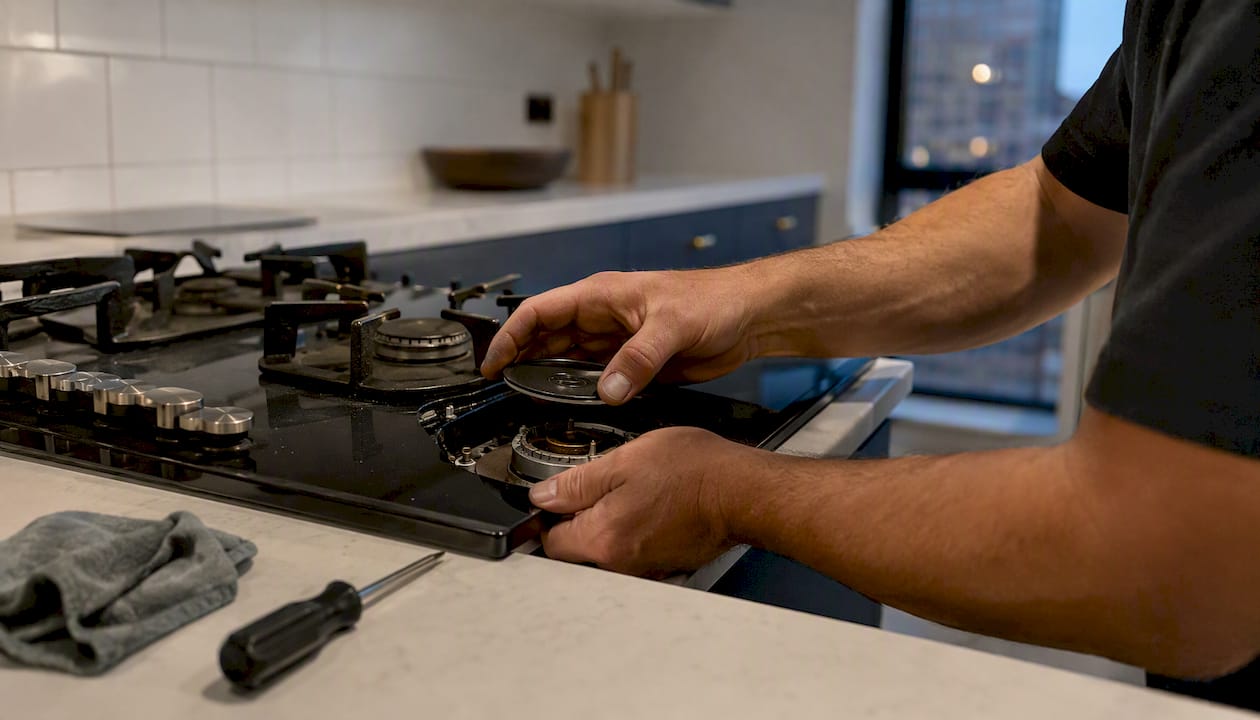
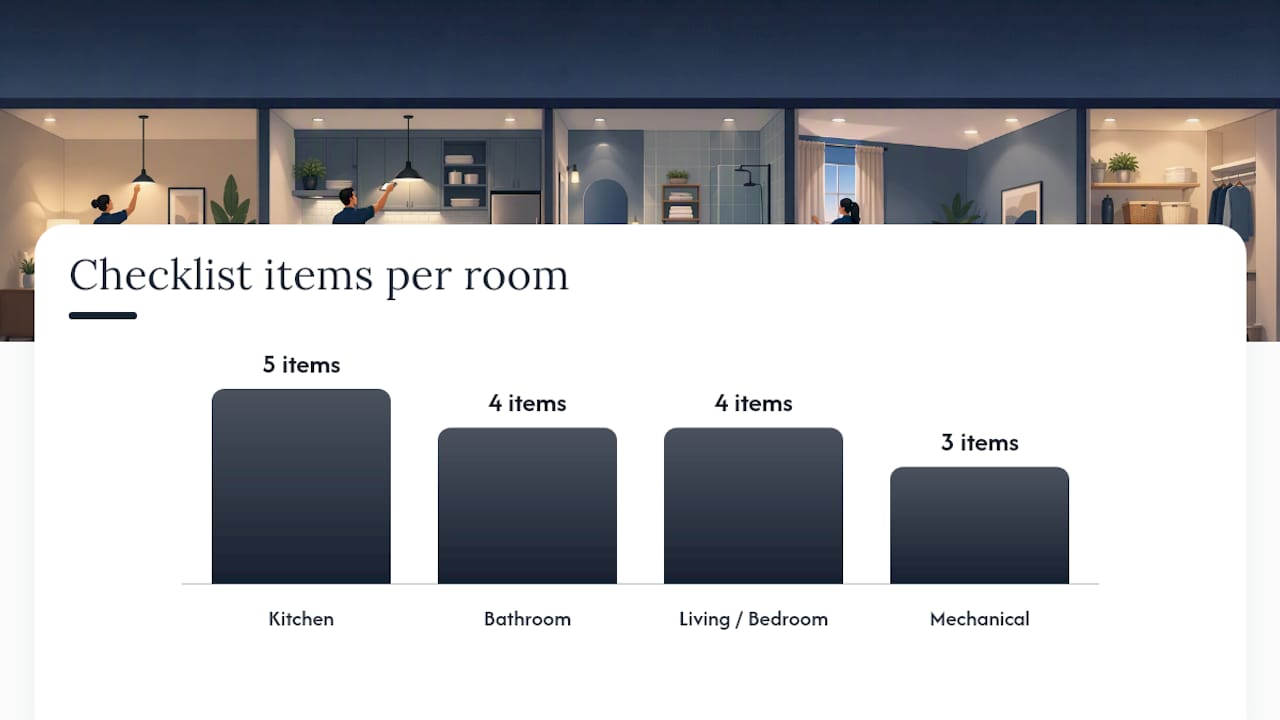
Kitchen: Clean all appliance surfaces inside and out, check burner operation, test dishwasher cycle, inspect cabinet interiors for damage, replace drip pans, verify disposal function, caulk sink perimeter, confirm exhaust fan works.
Bathroom: Re-caulk tub and shower surround, grout inspection and touch-up, test all fixtures for leaks, replace toilet seat if worn, clean exhaust fan cover, verify GFCI outlet function.
Living and bedroom areas: Patch and paint walls per decision rule, clean or replace carpet, test all outlets and switches, inspect window locks and screens, clean blinds or replace if damaged.
Mechanical and HVAC: Replace air filter (note the correct size in your Property Standards Library), test smoke and CO detectors, replace batteries, document detector serial numbers and change date.
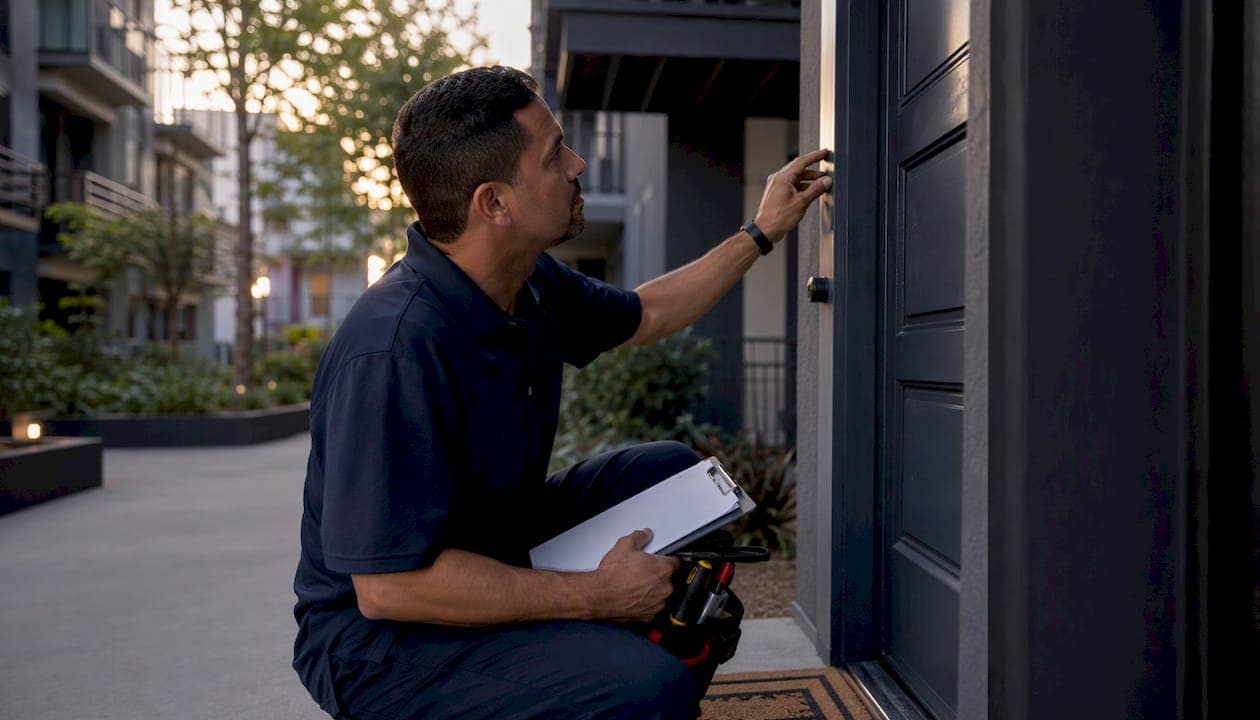
Exterior/entry: Re-key or rekey-verify locks, test all keys, inspect door sweep and weatherstripping, confirm mailbox key works.
Pro Tip: Photograph the smoke detector with the replacement date written on a piece of paper next to it. That single photo closes more disputes than any written log.
How do you run the make-ready process from move-out to move-in?
Inspect within 24 hours of move-out, convert that assessment into a defined scope, then schedule backward from the target move-in date to find your critical path. That sequence is non-negotiable if you want predictable turn times.
Bright Properties' 6-stage template shows that well-maintained units can move through scope, repairs, and QC in two business days when parts are pre-staged and sequencing is tight.
Turn tier templates:
- Light turn (cleaning, touch-up paint, filter swap): 1–2 days
- Standard turn (minor repairs, carpet clean, full clean): 3–5 days
- Heavy turn (carpet replacement, full repaint, appliance swap): 7–10 days
Typical stage sequence and SLAs:
| Stage | Owner | Target Duration |
|---|---|---|
| Move-out inspection | Service manager | Within 24 hours of move-out |
| Scope defined and parts staged | Service manager | Same day as inspection |
| Tech start (repairs, paint) | Maintenance tech | Day 1–2 |
| Cleaners | Cleaning vendor | After repairs complete |
| Carpet (if needed) | Carpet vendor | After cleaning |
| Final inspection | Service manager | Within 4 hours of last vendor |
| Make-ready / leasing handoff | Leasing team | Same day as final pass |
Parallelize where possible: a tech can patch walls in the bedroom while the cleaner works the kitchen. That overlap alone cuts a standard turn by half a day.
How do you hand off vendor work and document it without disputes?
Every vendor assignment needs five things: the task, the deadline, the required proof, an acknowledgment, and a backup escalation path. Without all five, you're managing by hope.
SMS-based dispatch with short confirmation windows outperforms email-only dispatch on no-show rates. Set a two-hour confirmation window. If the vendor hasn't confirmed, trigger the backup automatically, not after you notice it's 4 PM.
Photo documentation standards that actually hold up:
- Minimum two photos per room: one wide shot, one detail of the specific item
- Photos timestamped and tied to the punch-list item, not dropped in a general folder
- Required photos for contested items (carpet condition, wall damage, appliance function)
- Optional photos for routine tasks where the property doesn't require proof
Linking photos to individual punch items eliminates most scope disputes and reduces rework. When a vendor says "I cleaned that," and the photo attached to that item shows otherwise, the conversation is short.
Pro Tip: Attach the vendor's confirmation message and the completion photo to the same punch item. That pairing is your billing backup and your dispute resolution in one place. The audit trail builds itself.
What software features does a make-ready punch list actually require?
Match the feature to the problem it solves. Every feature on a vendor's marketing page sounds useful; the ones below are the ones that cut vacancy days and rework.
| Feature | Operational problem it solves |
|---|---|
| Tiered turn templates (Light/Standard/Heavy) | Eliminates scope guesswork at the start of each turn |
| Turn status timeline (Move-Out → Make-Ready) | Gives leasing a live view without calling the service manager |
| Inspections with optional photo attachments | Creates before/after condition record without forcing photos on every task |
| Vendor coordination inside the turn record | Removes the need to dig through contacts or texts for vendor info |
| Property Standards Library | Answers "what paint goes here?" without a phone call |
| Activity feed / audit trail | Documents every update for billing, disputes, and owner reports |
| Offline mobile capability | Techs can update from units with no signal |
| Workspace-level subscription | One price covers the team, not per-seat billing that scales against you |
Pricing model matters. Per-user billing punishes you for inviting vendors and techs into the system. A workspace-level subscription lets you bring the whole team in without doing the math every time someone new needs access.
A free trial is the only honest way to evaluate make-ready software. Any vendor that won't let you run a real turn through it before charging you is telling you something.
How does TurnTrack implement the turnover punch list workflow?
TurnTrack maps directly to the operational needs above. It's built for the service manager running 5–15 active turns at once, not for an enterprise team with a dedicated IT department.
| Operational need | TurnTrack feature | What it does for you |
|---|---|---|
| Live turn status for all units | Ready / On Track / At Risk / Overdue | Leasing knows what's available without asking |
| Stage-by-stage scheduling | Move-Out → Tech Start → Cleaners → Carpet → Inspection → Make-Ready timeline | Schedule backward from move-in; see the critical path |
| Inspection documentation | Move-Out, Mid-Turn, Move-In inspections walked on phone | Before/after condition record built area by area |
| Vendor coordination | Vendor contact lives inside the turn record | No digging through your phone mid-job |
| Property specs on demand | Property Standards Library | Share paint color, filter size, faucet model to a tech without requiring their TurnTrack account |
| Photo proof where it matters | Optional photo attachments on inspection items and activity updates | Document what the property requires; skip what it doesn't |
Product facts: $14.99/month per workspace, one-month free trial, available on the App Store for iPhone and iPad. Android is coming soon to Google Play. TurnTrack is not a property management system. It does not handle rent, leases, accounting, or resident communications. It manages the unit-turn workflow only.
Copyable workflows and punch-list snippets you can use today
These are plug-and-play. Paste them into TurnTrack, a spreadsheet, or a printed one-pager.
Pre-move-out script (48–72 hours before move-out):
- Walk the unit with the resident present if possible
- Note existing damage beyond normal wear and tear
- Photograph walls, carpet, appliances, and fixtures
- Order any long-lead parts (appliances, specialty fixtures) now
- Confirm vendor availability for the target turn window
Room checklist snippets:
- Kitchen: Appliances clean (pass/fail), cabinet interiors (pass/fail), caulk intact (pass/fail), disposal works (pass/fail), exhaust fan works (pass/fail)
- Bathroom: Caulk/grout (pass/fail), fixtures leak-free (pass/fail), GFCI works (pass/fail), toilet seat condition (pass/fail)
- Living/Bedroom: Walls (touch-up/repaint/pass), carpet (clean/replace/pass), outlets/switches (pass/fail), window locks (pass/fail)
- Mechanical: Filter replaced (pass/fail, note size), smoke detector tested (pass/fail, photo), CO detector tested (pass/fail)
Vendor handoff template:
- Unit number and address
- Task description and scope (specific, not "clean the unit")
- Deadline (date and time)
- Required proof (photo of completed item, yes/no)
- Confirmation deadline (2 hours from dispatch)
- Backup vendor contact if no confirmation
Final inspection fields: Each room, pass/fail, photo slot for any failed item, overall status (Ready / Not Ready), re-inspection date if not ready.
PunchOutPro's guidance recommends a hierarchical structure (Unit → Room → Item) with photo evidence and filtered vendor notifications. That structure maps directly to how TurnTrack organizes turns.
How do you roll out punch list software in 30, 60, and 90 days?
Slow rollouts fail because teams revert to old habits before the software proves its value. Move fast on the pilot, slow on the full rollout.
30 days — pilot:
- Pick one building or 5–10 units for the pilot
- Build your turn templates (Light, Standard, Heavy) in TurnTrack
- Populate the Property Standards Library (paint colors, filter sizes, preferred vendors)
- Run every turn in the pilot building through TurnTrack; track Days Vacant to Lease-Ready
60 days — vendor onboarding:
- Onboard your top three vendors: share the contractor onboarding checklist, confirm they understand dispatch and confirmation expectations
- Train all techs on mobile inspection workflow (iOS app, area-by-area walk)
- Review first-pass completion rate from the pilot; adjust templates where items are consistently failing
90 days — full rollout:
- Expand to all buildings
- Set KPI baselines: Days Vacant to Lease-Ready, First-Pass Completion Rate, Vendor No-Show Rate, Rework Rate
- Run a monthly review of turn metrics with leasing and ownership
Early KPIs to watch: Days Vacant to Lease-Ready is the one number that captures everything else. If it's moving down, the program is working.
What KPIs and habits keep a turn program healthy?
The best-run turn programs share a few habits that don't require extra headcount.
- Standardize scopes before the turn starts. A scope defined at move-out inspection takes 20 minutes. A scope debated mid-turn costs half a day.
- Stage parts the same day as the inspection. Waiting on a filter or a drip pan is a preventable delay.
- Use designated move-out days when your lease structure allows it. Clustering move-outs compresses vendor scheduling and reduces idle time.
- Require photos only for contested item types. Forcing photos on every task creates noise; requiring them on carpet condition, wall damage, and appliance function creates signal.
KPI targets to track:
WithBanner's unit turn guidance recommends milestone tracking and backward scheduling from move-in as the core discipline behind hitting these targets consistently.
A pre-staged one-page scope is among the highest-leverage habits to cut turn time without adding staff. Report KPIs monthly to ownership; weekly to the service team.
The part most teams underestimate about rolling this out
The templates and the software are the easy part. The friction shows up in the first two weeks when a tech skips the app because "it's faster to just text me." That's the moment that determines whether the program sticks.
The fix isn't enforcement. It's making the app genuinely faster than texting. When a tech can pull up the paint spec, confirm the vendor, and log the update in the same place without switching apps, they stop texting. The Property Standards Library in TurnTrack does exactly that: a tech asking "what white goes on these walls?" gets the answer from the spec sheet without calling anyone.
Modest promise: a well-run 90-day rollout will move your Days Vacant to Lease-Ready number. How much depends on your starting point, your vendor reliability, and how consistently the team uses the tool. The 340-unit case study result of 14.6 to 5.2 days is real, but it reflects a team that committed fully. Most teams see meaningful improvement in the first 30 days just from having a shared status view.
TurnTrack is built for exactly this workflow
Running 5–15 active turns at once across texts, emails, and spreadsheets means something gets missed. TurnTrack puts every turn on a shared timeline, keeps vendor contacts inside the turn record, and stores your property specs where any tech can find them without calling you.

At $14.99/month per workspace, one subscription covers your invited team. The free trial lets you run real turns through it before you commit. Available now on the App Store for iPhone and iPad; Android coming soon to Google Play. TurnTrack handles the unit-turn workflow only. It is not a PMS and does not touch rent, leases, or resident communications.
Start your free trial at TurnTrack and run your next turn through it.
Sources
- Apartment Turnover 2025 — NAAHQ
- How a 340-Unit Firm Cut Turns to 5 Days Case Study | US Tech Automations
- How Much Does a Make-Ready Cost? 2026 Benchmarks | Lula
- How to Manage Punch Lists on Multifamily Projects — A Complete Guide (2026) | PunchOutPro
- Unit Turn Management for Multifamily Operators | WithBanner
- From Move-Out to Move-In: A Simple Make-Ready Process That Cuts Days Vacant — Bright Properties