
Three moves will cut your average turn time significantly starting today: (1) run a Pre-Move-Out Inspection 14–30 days before lease end so parts are ordered before the unit goes vacant, (2) dispatch vendors in parallel with a 2-hour SMS confirmation window and a named backup for every trade, and (3) close every turn with a standards-based QA walk tied to a Property Standards Library and photo-verified sign-off where your property requires it. That sequence is the whole game. Everything else is execution detail.
Same-day action checklist:
- Schedule a Pre-Move-Out Inspection (PMOI) for every lease ending in the next 30 days
- Build a backup vendor contact for each trade (paint, clean, carpet, HVAC) before your next turn starts
- Write down your paint code, HVAC filter size, and faucet model in one shared document — that is your first Property Standards Library entry
- Set a 2-hour confirmation rule: any vendor who hasn't confirmed within 2 hours of dispatch gets replaced by the backup
- Pick one KPI to track first: total days from key collection to rent-ready
Automated vendor dispatch can compress average turn time from roughly 7 days to 4–5 days. TurnTrack is the operations workspace built around exactly this sequence.
Table of Contents
- Why faster turns matter — what each vacant day actually costs you
- How the unit turn workflow actually flows, phase by phase
- How pre-move-out inspections and resident communication remove delays
- How to coordinate vendors and work orders without losing days
- How a Property Standards Library and punch lists prevent rework
- What to prioritize in cleaning, repairs, and quick upgrades
- Which KPIs tell you where your turns are actually losing time
- Which tools actually shorten turns — and where TurnTrack fits
- A ready-to-use unit-turn checklist and 14-day sample timeline
- Common pitfalls that add days — and how to fix them fast
- Key Takeaways
- What actually changed my turn times
- TurnTrack keeps your turns on track from day one
- Sources and further reading
Why faster turns matter — what each vacant day actually costs you
Every vacant day is lost rent, and the math is unforgiving. Multiply your daily rent by the number of vacancy days and that number is your direct NOI hit per turn. On a $1,500/month unit, one extra week of vacancy costs roughly $350 in lost rent alone — before you add the soft costs of utilities, insurance, and leasing overhead. Shaving days per turn can recover thousands of dollars in gross revenue over multiple turns.
The leading cause of extended turns is not slow vendors. It's coordination gaps: a vendor who wasn't dispatched on time, an inspection that wasn't scheduled until day 3, a part that wasn't ordered until someone walked the unit after move-out. One property management firm cut average days to turn significantly after implementing automated sequencing and vendor dispatch. The crew didn't change. The process did.
Quick calculation: (Monthly rent ÷ 30) × vacancy days = daily revenue at risk. Run this for your last 10 turns and you'll know exactly what poor sequencing is costing you.
How the unit turn workflow actually flows, phase by phase
A turn has five phases. Each has a trigger, a dispatch target, and a maximum delay before escalation. The table below maps them.
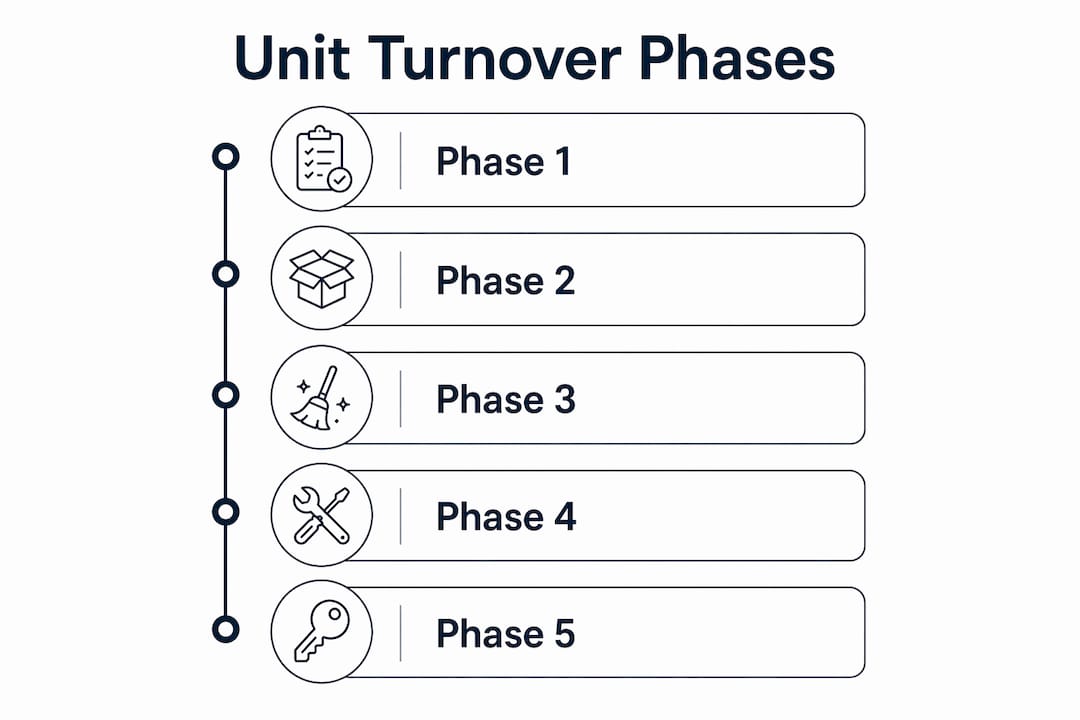
| Phase | Trigger | Dispatch Target | Max Delay Before Escalation | Typical Window |
|---|---|---|---|---|
| Move-out inspection | Keys returned | Same day, within 2 hours | 4 hours | 1–2 hours |
| Cleaning + trash-out | Inspection complete | Same day | 24 hours | 4 hours |
| Make-ready repairs (paint, flooring) | Cleaning complete | Day 1 | 4 hours | 1–3 days |
| Systems check (HVAC, appliances, locks) | Repairs complete | Day 3 | 4 hours | 2–4 hours |
| Pre-occupancy QA walk + key release | Systems check passed | Day 4–5 | 24 hours | 1–2 hours |

Sequential vs. parallel: Cleaning must finish before paint starts — wet surfaces and open cans don't mix. But re-keying, HVAC filter swap, and appliance checks can all run the same day as paint. Pre-staging the listing copy and photos can start the moment the PMOI is complete, 14–30 days before vacancy. Pre-staging listings 30 days before expected vacancy eliminates the listing-activation delay that often adds 2–3 days after a unit is already rent-ready.
Escalation rule example: If the cleaning vendor hasn't checked in by noon on move-out day, the backup vendor gets an automatic call. No waiting, no hoping. The escalation path is decided before the turn starts, not during it.
Re-keying on move-out day prevents vendor access delays that stall the entire schedule downstream.
How pre-move-out inspections and resident communication remove delays
The PMOI is the single highest-leverage step most operators skip. Walk the unit 14–30 days before lease end while the resident is still there. You're looking for scope items that need parts — a broken faucet cartridge, a damaged section of LVT, a ceiling fan that needs replacement. Order those parts the same day. By move-out, they're already in the supply room.
What to capture in the PMOI:
- Condition of all flooring (note type, damage, and square footage for replacement estimates)
- Paint condition by room (note color deviations from property standard)
- Appliance function (run each one)
- Plumbing fixtures (check for leaks, cartridge wear, water pressure)
- HVAC filter condition and last-service date
- Any safety items: smoke detectors, CO detectors, GFCI outlets
Resident communication template (PMOI notice):
Move-out expectations reminder (send 7 days before):
Time-stamped digital inspections create an indisputable before/after record that reduces deposit disputes and speeds refund processing. Pair your move-out inspection checklist with the PMOI photos and you have a defensible audit trail from day one.
Pro Tip: Schedule the PMOI the same day you send the 30-day notice. That way the inspection never gets pushed back and parts procurement starts immediately.
How to coordinate vendors and work orders without losing days

Convert the move-out inspection into a prioritized work order list before you leave the unit. Group tasks into three buckets: (1) safety and access items that must be done day one, (2) make-ready work that can run in parallel, and (3) cosmetic items that can wait if they don't affect re-rent.
Dispatch rules:
- Safety and access (re-key, smoke detectors, GFCI): dispatch same day, no exceptions
- Parallel make-ready (paint, flooring, appliance swap): dispatch simultaneously once cleaning is confirmed complete
- Sequential items (flooring after paint, carpet after flooring): release in dependency order with a 4-hour buffer between trades
Confirmation window: Every vendor gets a 2-hour SMS window to confirm. No confirmation means the backup vendor is called. This single rule eliminates the most common delay in manual coordination: the vendor who "meant to call back."
Require a photo-verified completion before approving any invoice. Operators who enforce same-day completion photos report dramatically lower rework rates and faster final approvals. The photo doesn't need to be elaborate — a clear shot of the finished work with a timestamp is enough.
Vendor SLA template (include in every contract):
- Quote turnaround: 48 hours from scope delivery
- Confirmation of scheduled date: within 2 hours of dispatch
- Completion photo: submitted same day as work completion
- Invoice: within 24 hours of photo submission
Pro Tip: Keep your vendor contact, their backup, and their SLA terms inside the turn record itself — not in a separate spreadsheet. When you're mid-turn at 7 AM and the carpet crew doesn't answer, you need that backup number in 10 seconds, not after digging through your phone. TurnTrack stores vendor contacts directly inside each turn for exactly this reason. A VoIP system integrated with your team's workflow keeps those confirmation calls fast and logged.
How a Property Standards Library and punch lists prevent rework
Rework is the silent turn-killer. A vendor installs the wrong paint color, a tech replaces a faucet with a different model, a carpet crew uses a shade that doesn't match the hallway. Each one is a return trip, a delay, and an argument about who pays.
A Property Standards Library fixes this before it happens. It's a single document (or a field in your turn workspace) that lists:
- Paint brand, product line, and exact color code by room type
- HVAC filter size and brand preference
- Faucet model and finish by bathroom
- Flooring SKU and supplier for each unit type
- Preferred vendor by trade with backup contact
- Acceptable repair tolerances (e.g., "touch-up paint acceptable if patch is under 3 inches; full wall repaint required above 3 inches")
Minimum photo documentation standard per punch-list item:
- One wide shot showing the full area (room or surface)
- One close-up of the specific repair or replacement
- Timestamp visible or embedded in file metadata
- Before photo from PMOI paired with after photo at completion
Mid-turn inspections are worth the 20 minutes they take. Walk the unit while vendors are still on-site — not after they've left. Catching a paint drip or a misaligned fixture while the crew is there costs nothing. Catching it at final QA costs a return trip and a day. Your move-in inspection form becomes the final checkpoint that closes the loop on the whole before/after record.
What to prioritize in cleaning, repairs, and quick upgrades
Not every repair deserves the same urgency. Use this decision matrix to allocate time and budget.
| Task | Time to Complete | Re-Rent Impact | Priority |
|---|---|---|---|
| HVAC filter swap | 10 minutes | High (safety, comfort) | Do it day one |
| Re-key / smart lock reset | 30 minutes | High (access, security) | Do it day one |
| Touch-up paint (under 3 inches) | 1–2 hours | High (visual) | Day 1–2 |
| Full wall repaint | 4 hours | High | Day 1–2 |
| Appliance function check | 1 hour | High | Day 1–2 |
| LVT plank replacement (1–3 planks) | 2–4 hours | Medium-high | Day 2–3 |
| Carpet replacement | 4 hours | High if stained | Day 2–3 |
| Caulk refresh (bath/kitchen) | 1–2 hours | Medium | Day 2–3 |
| Cabinet hardware replacement | 1–2 hours | Low-medium | Defer if tight |
| Countertop refinishing | 1–2 days | Medium | Defer to scheduled reno |
Quick upgrade rule of thumb: If a minor kitchen or bath refresh (new hardware, fresh caulk, updated light fixture) costs under $200 and takes less than 4 hours, it's worth doing during the turn if your market supports a $50–75/month rent increase. That's a 12-month payback at most. Anything requiring a licensed contractor, permit, or more than one day of work belongs in a scheduled renovation cycle, not a turn.
Defer cosmetic items that don't affect the showing: interior closet paint, minor baseboard scuffs, and non-functional decorative fixtures. Residents rarely notice them; the leasing team does, and they'll tell you if it's actually costing showings.
Which KPIs tell you where your turns are actually losing time
Track these seven metrics per turn. They tell you exactly which phase is bleeding days.
| KPI | How to Measure | Target |
|---|---|---|
| Total days to turn | Key collection → rent-ready date | 4–7 days |
| Inspection-to-quote | Inspection complete → vendor quote received | Under 48 hours |
| Quote-to-completion | Vendor quote accepted → work complete | Under 3 days |
| Completion-to-listed | Rent-ready → listing live | Under 24 hours |
| Rework rate | Return trips ÷ total work orders | Under 10% |
| Vendor confirmation rate | Confirmed within 2 hours ÷ total dispatches | Most |
| Cost per turn | Total invoiced cost per unit | Track trend, not just absolute |
Run a weekly dashboard with these columns for every active turn. After 20 turns, you have a statistically useful sample to identify your slowest phase. Monthly vendor reviews should score each vendor on confirmation rate, rework rate, and average days to complete. Drop vendors who consistently score below your thresholds — the relationship cost of switching is far lower than the rent days they're burning.
Your property management audit checklist can incorporate these KPIs as a standing internal review item.
Which tools actually shorten turns — and where TurnTrack fits
Five tool categories address the five most common bottlenecks:
- Inspection apps (mobile, photo-capable): eliminate the paper walk-through and create a timestamped, shareable record on the spot
- Turn operations workspaces: give every turn a shared status, timeline, and activity feed so nothing lives in someone's text thread
- Vendor dispatch and SMS gateways: automate confirmation windows and escalation paths without manual follow-up
- Parts procurement tracking: flag missing materials before the turn starts, not mid-job
- Listing pre-staging tools: let leasing prep marketing assets before the unit is rent-ready
TurnTrack is built specifically for the turn operations workspace category. Each turn gets a record with a live status (Ready, On Track, At Risk, Overdue) and a timeline that maps Move-Out → Tech Start → Cleaners → Carpet → Inspection → Make-Ready. The activity feed logs every update. Inspections are walked area by area on a phone.
The differentiator most operators notice first: vendor contacts live inside the turn. No switching apps, no digging through a contact list. The carpet crew's number is right there in the unit record. The Property Standards Library stores your exact paint code, filter size, and faucet model, and you can share those specs with a tech or vendor without requiring them to have a TurnTrack account. A tech who asks "what white goes on these walls?" gets the answer from the spec sheet in the app.
Photos are optional and attached to inspection items or activity updates where your property requires documentation — not forced on every task. That flexibility matters when you're running 10 turns at once and don't need every filter swap photographed, but do need the smoke detector swap documented with the date written on the battery.
Cloud-based property management tools are increasingly the baseline for competitive operators — the question is which ones are scoped to what you actually need.
A ready-to-use unit-turn checklist and 14-day sample timeline
| Day | Task | Owner | Notes |
|---|---|---|---|
| Day −14 to −30 | Pre-Move-Out Inspection; order parts | PM / Inspector | Capture scope, order materials |
| Day −7 | Send move-out expectations reminder to resident | PM | Confirm key return time |
| Day −1 | Pre-stage listing copy and photos | Leasing | Use PMOI photos if available |
| Move-Out Day | Key collection; move-out inspection by noon | Inspector | Upload photos; generate punch list |
| Move-Out PM | Re-key; trash-out; cleaning dispatch | Service Manager | Confirm cleaning vendor within 2 hours |
| Day 1 | Cleaning complete; dispatch paint + flooring | Service Manager | Parallel dispatch; confirm within 2 hours |
| Day 1–2 | Paint and flooring in progress | Vendors | Mid-turn inspection while on-site |
| Day 2–3 | Appliance check, HVAC filter, caulk, hardware | Tech | Run parallel with flooring finish |
| Day 3 | Systems check: HVAC cycle, outlets, plumbing | Tech | Log results in activity feed |
| Day 4 | Final QA walk; photo-verify all punch-list items | PM / Inspector | Close work orders; mark rent-ready |
| Day 4–5 | Activate listing; schedule showings | Leasing | Unit available by noon Day 5 |
Copy-ready checklist by phase:
Pre-turn: PMOI complete, parts ordered, backup vendors confirmed, listing pre-staged.
Move-out day: Keys collected, inspection complete by noon, punch list generated, re-key done, cleaning dispatched.
Days 1–3 make-ready: Paint, flooring, appliances, HVAC filter, caulk, hardware — all dispatched in parallel where dependencies allow; mid-turn inspection completed while vendors on-site.
Final QA: Every punch-list item photo-verified where required, all work orders closed, unit marked rent-ready in your system.
Listing: Activated within 24 hours of rent-ready status.
Import this into TurnTrack's timeline or adapt it to your existing make-ready workflow as a starting template.
Common pitfalls that add days — and how to fix them fast
Sequential scheduling when parallel is possible. Paint and flooring dispatched one after the other instead of in dependency order. Fix: map your dependency chain once, then dispatch everything that can run simultaneously on the same day.
Late inspection dispatch. The move-out inspection doesn't happen until day 2 or 3 because no one was assigned. Fix: assign the inspector before move-out day, not after.
Missing parts discovered mid-turn. A faucet cartridge or LVT plank isn't in stock and the vendor waits. Fix: PMOI + parts order 14–30 days out eliminates this almost entirely.
No backup vendors. The primary carpet crew doesn't answer and there's no plan B. Fix: every trade needs a named backup before the turn starts. This is non-negotiable.
No photo proof at completion. A vendor says the work is done; it isn't. Fix: require a completion photo before approving any invoice. Photo-verified invoicing dramatically lowers rework rates.
Sacrificing quality to save a day. Skipping the mid-turn inspection or accepting a rushed paint job to hit a leasing deadline. The downstream cost is real: a Day-30 work order from a new resident costs more in labor, materials, and relationship damage than the one vacancy day you saved. Speed and quality aren't opposites — a good process delivers both.
Key Takeaways
A structured, parallel-dispatch workflow with a Property Standards Library and photo-verified QA is the fastest way to cut unit turn time from 7 days to 4–5 days without adding headcount.
| Point | Details |
|---|---|
| Start before move-out | A PMOI 14–30 days out eliminates mid-turn parts delays and compresses the entire schedule. |
| Parallel dispatch saves the most days | Dispatching paint, flooring, and systems checks simultaneously — not sequentially — is where most time is recovered. |
| Automation cuts 28–34% of turn time | Properties using automated maintenance dispatch reduce average turn time by 28–34% vs. manual coordination. |
| Standards prevent rework | A Property Standards Library with exact paint codes, fixture SKUs, and repair tolerances stops incorrect installs before they happen. |
| TurnTrack centralizes the workflow | TurnTrack's turn record, timeline, vendor coordination, and Property Standards Library keep every active turn on track at $14.99/mo with a free trial. |
What actually changed my turn times
The biggest shift wasn't a new vendor or a bigger crew. It was deciding that coordination was the job, not an afterthought. Once you treat the dispatch call, the confirmation window, and the mid-turn walk as scheduled tasks with owners and deadlines — not things that happen when someone gets around to them — the days compress on their own.
The second thing: writing down your property standards. Not a binder, not a policy manual. Just the paint code, the filter size, the faucet model. Once that exists, you stop answering the same question from every new tech and every new vendor. The answer is already there. That alone eliminates a category of delay that most operators don't even track because it never shows up as a line item.
One caution worth stating plainly: don't cut a mid-turn inspection to save an afternoon. The Day-30 ticket from a new resident who finds a paint drip or a loose fixture costs more than the hour you saved. Quality and speed reinforce each other when the process is right. When the process is wrong, trading one for the other just moves the problem forward.
TurnTrack keeps your turns on track from day one
Running 5–15 active turns at once means 5–15 sets of move-out dates, vendor contacts, punch lists, and unit-specific specs living across texts, emails, and memory. TurnTrack replaces that with a single operations workspace: each turn gets a live status (Ready, On Track, At Risk, Overdue), a schedule timeline from Move-Out to Make-Ready, an activity feed, and full inspection records walked on a phone.

Vendor contacts live inside the turn. Your Property Standards Library stores the exact paint code, filter size, and fixture model — and shares them to a tech or vendor without requiring them to create an account. Photos attach to inspection items and activity updates where your property needs documentation, not everywhere by default. TurnTrack is not a PMS; it does one thing: keeps your make-ready workflow moving.
Workspace-level subscription at $14.99/mo covers your invited team. Free trial available on iOS via the App Store. Start your free trial and run your next turn with every status, vendor, and spec in one place.
Sources and further reading
- How Do You Schedule Unit Turn Tasks Between Leases in 2026? — US Tech Automations: Practical sequencing guide with dispatch timing and escalation rules.
- How a 340-Unit Firm Cut Turns to 5 Days — US Tech Automations: Real-world case study on automated dispatch and parallel scheduling results.
- Unit Turnover Automation Checklist: 5-Day Turns in 2026 — US Tech Automations: Checklist-driven benchmarks including the 28–34% turn-time reduction figure.
- Move-In Move-Out Efficiency Guide — Spanr: PMOI timing and parts procurement as a core efficiency tactic.
- How to Speed Up Unit Turns — Breasy: Photo-verified completion and make-ready process guidance.
- Unit Turn Maintenance Checklist for Faster Turnover — OxMaint: Structured make-ready checklist with vendor coordination and QC steps.
- TurnTrack — Make-Ready Operations for Multifamily Property Teams: The publisher's operations workspace for unit turn management.