
Managing unit turnovers and vendor coordination without clear audit trails or fast onboarding remains difficult for property managers and leasing teams. Pricing, onboarding, and integration hurdles add delays or push costs higher as teams scale or change systems. This comparison sorts price, onboarding time, and feature scope across five top alternatives, so you can match one to your property management needs without lengthy pilots.
Table of Contents
TurnTrack
At a Glance
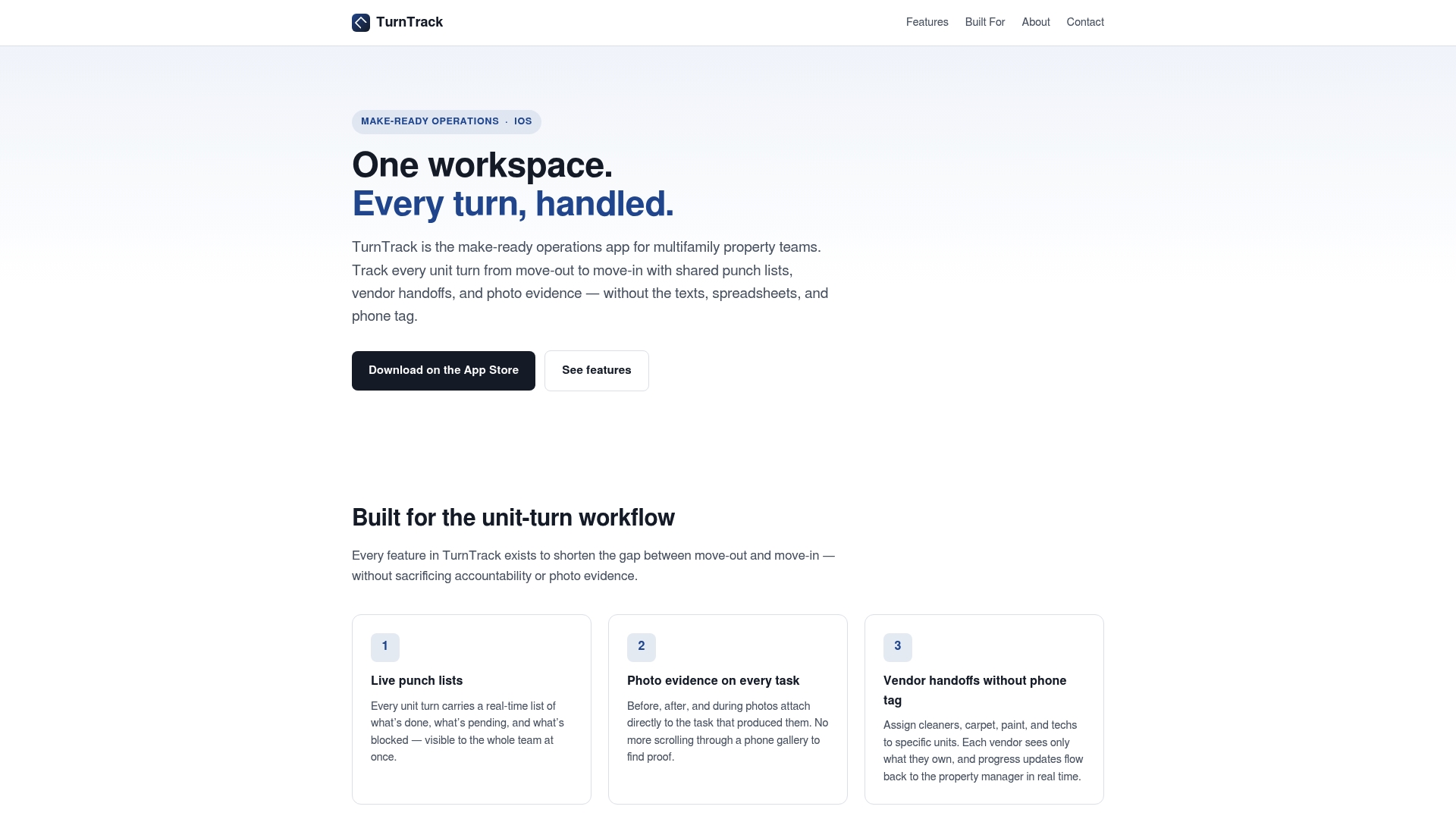
TurnTrack uses email invitations that verify Apple ID and device address to cut onboarding time for vendors and staff. The app focuses on unit turnovers and replaces texts and spreadsheets with a single, shared workspace. Use this when evaluating alternatives to AppFolio that prioritize on-site task proof and vendor handoffs.
Core Features
TurnTrack includes live punch lists with real time task status and direct photo attachments so every task has visual proof. The app supports role based access for property managers, site managers, leasing staff, vendors, and service teams. An organization subscription permits unlimited team members and uses email invitations with one tap acceptance tied to Apple ID verification.
Key Differentiator
TurnTrack combines role based access with photo evidence and real time updates specifically for multifamily unit turnovers. That pairing makes handoffs visible and audit ready, so property teams can see who did what and when. The emphasis on vendor specific access keeps external contractors limited to only their assigned tasks.
Pros
Designed with input from on site property teams, TurnTrack matches how crews and managers actually work during make readies. Photo documentation attaches directly to tasks, which reduces disputes about completed work and preserves an audit trail for each unit. Role based permissions and vendor handoffs cut noise by showing only relevant tasks to each person. An organization subscription removes per user account friction and the Apple ID invitation flow reduces setup steps for vendors.
Cons
- Currently available on iOS, with Android and desktop versions in active development.
Who It’s For
TurnTrack fits multifamily property management organizations that handle frequent turnovers and want tighter coordination between on site staff and vendors. It suits leasing teams preparing units for new tenants and vendor groups such as cleaners, painters, and technicians who need task level visibility. Use it if you need photo proof for each task and an audit trail during make readies.
Unique Value Proposition
Email invites that verify Apple ID and device address let teams add vendors without shared passwords or app store searches. That onboarding method saves time during frequent turnovers and reduces account setup errors. For operations teams, the result is fewer phone chains and faster assignment acceptance at the point of service.
Real World Use Case
A property manager creates a live punch list when a unit becomes vacant. Staff assign cleaning, maintenance, and painting tasks and attach photos as work completes. Vendors accept the email invite, receive only their tasks, and managers review the audit trail to confirm unit readiness before leasing.
Pricing
TurnTrack charges $14.99/month after a one month free trial. Billing occurs through Apple ID and subscribers can cancel at any time.
Website: https://turntrack.online
UnitKeeper
At a Glance
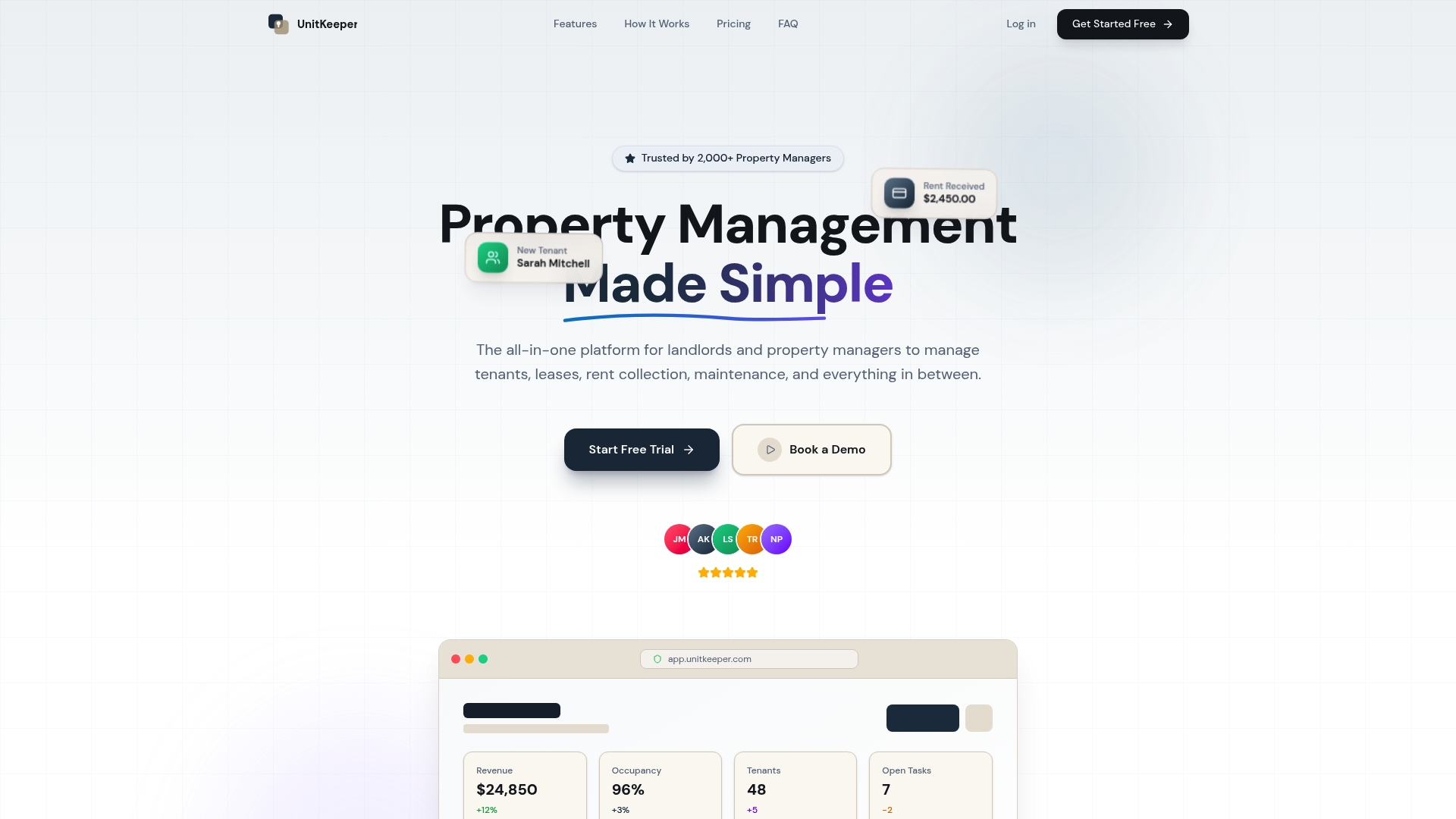
UnitKeeper’s marketing materials state users can go from sign-up to full management in under 15 minutes. The platform combines tenant management, digital leases, automated rent collection, maintenance tracking, inspections, budgeting, and tax record keeping in one place. It targets landlords and managers who want a single dashboard for portfolios that range from a few units to several hundred.
Core Features
A central dashboard shows properties, leases, and payments alongside tenant applications and a self service portal. Digital lease creation, e signing, and automated rent reminders reduce admin work while maintenance requests include vendor assignment and status tracking. The mobile ready platform offers real time updates, inspection scheduling, budgeting tools, and accounting records with bank level encryption for financial data.
Key Differentiator
UnitKeeper focuses on fast onboarding and an intuitive interface that reduces setup time for new accounts. That onboarding claim aims to get teams into active management quickly rather than requiring weeks of configuration. The emphasis on a single, simple dashboard makes it easier for small teams to shift away from spreadsheets.
Pros
The interface is intuitive and lowers the training curve for new staff, which matters for turnover heavy teams. Automation for rent collection and reminders saves time on arrears follow up while built in accounting and tax records cut back on data reconciliation. Plans scale from solo landlords to larger teams and the vendor highlights bank level encryption for payment security.
Cons
-
Pricing can rise quickly because charges apply by unit, which may push total costs higher for large portfolios.
-
The product lists few third party integrations, so you may need manual exports for some accounting or marketing tools.
-
International operations and multi currency handling are not detailed and may be limited.
When It May Not Fit
If you manage thousands of units, per unit charges could make this platform expensive compared with enterprise contracts. If your workflows depend on deep integrations with third party accounting or marketing systems you will likely need workarounds. If you operate across multiple currencies or countries, this product may lack features you need.
Who It’s For
UnitKeeper suits landlords and property managers looking for a simple all in one tool to replace spreadsheets and disconnected apps. Solo owners and small teams will find the interface and automation especially helpful. Growing managers who need team access and basic analytics will also find a fit before they reach enterprise scale.
Real World Use Case
A regional manager moved from spreadsheets to UnitKeeper and consolidated rent rolls, maintenance tickets, and inspection logs in one dashboard. The team automated rent reminders and vendor dispatch which reduced manual tracking. Monthly accounting exports and built in tax records simplified year end reporting for the owner.
Pricing
Start free for 14 days. Plans are Starter at $15/month + $1.6/unit, Professional at $39/month + $1.2/unit, and Business at $79/month + $0.8/unit. Billing is annual and the company advertises discounts for yearly commitments.
Website: https://unitkeeper.com
PropUp
At a Glance
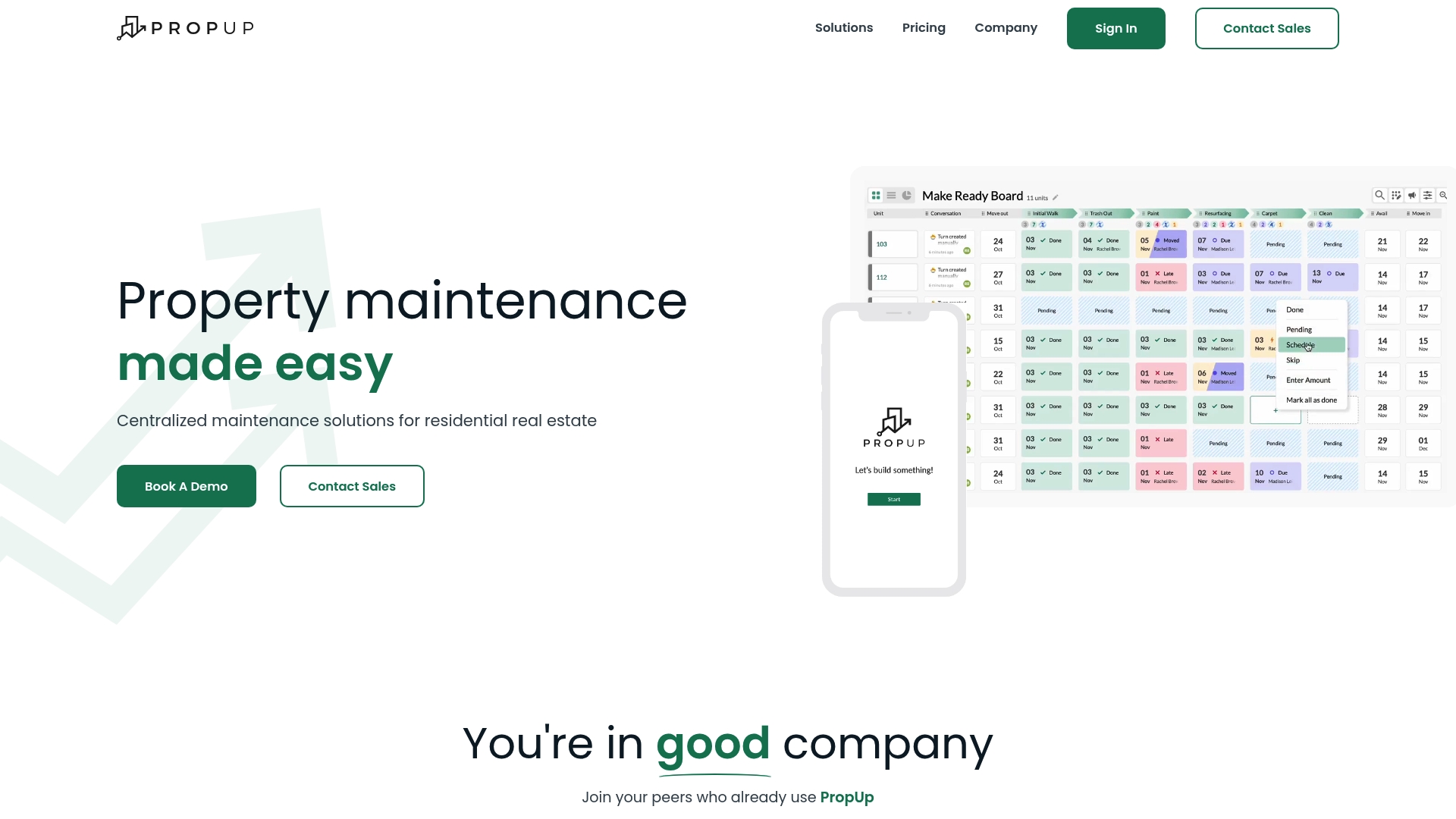
PropUp charges $1 per unit, per month for its vacancy management add-on. The product integrates with mainstream property management systems and runs in any web browser. It bundles inspection apps, work order handling, and KPI dashboards into one vacancy-focused workflow.
Core Features
PropUp delivers an end to end vacancy management workflow and links inspection results to work orders and inventory. The system includes real-time reporting and KPI dashboards that track turnover velocity and maintenance status. Mobile apps let vendors capture photos, update punch lists, and log resident move in inspections.
Key Differentiator
PropUp centers exclusively on vacancy and turnover operations while connecting to an existing property management system. The product emphasizes portfolio visibility by integrating with established PMS platforms rather than replacing them.
Pros
PropUp integrates with major property management systems, which reduces duplicate data entry and centralizes vacancy status. According to the company, one client automated turnovers and reports a significant reduction in vacancy downtime, illustrating the platform’s operational impact. The interface is user friendly and designed for quick onboarding, and the inspection and work order flows improve transparency between leasing, maintenance, and vendors.
Cons
-
Requires an existing property management system for full functionality. Small operators without a PMS will still need a separate solution.
-
Setup and integration can take two to three weeks depending on portfolio complexity. Short timelines may not match urgent operational needs.
-
The $1 per unit, per month price may become costly for very large portfolios with thin margins.
When It May Not Fit
If you need a standalone property management system, PropUp is the wrong fit because it depends on an external PMS. Teams that want an instant cutover should avoid it because the integration and setup process can take up to three weeks. Very large portfolios with tight per unit budgets may find the per unit fee prohibitive.
Notable Integrations
PropUp connects with the following property management platforms:
-
Yardi
-
RealPage
-
AppFolio
-
ResMan
-
Entrata
-
Fortress
Who It’s For
PropUp suits multi family property owners, operators, and property managers who prefer to keep their existing PMS and add vacancy management. It works well for teams that run portfolios on Yardi, AppFolio, or RealPage and want clearer turnover reporting. Compared with Turntrack, PropUp targets portfolio level vacancy control rather than on the ground turnover coordination.
Real World Use Case
A management firm used PropUp to automate unit turnovers while staying on Yardi. The vendor reports the client cut vacancy downtime by 50%, and the team used mobile inspections to reduce rework. That reduction freed leasing staff to focus on showings.
Pricing
PropUp charges $1 per unit, per month. That flat per unit model makes costs predictable, and billing is per unit rather than per user.
Website: https://gopropup.com
ExactEstate

At a Glance
Critical tasks complete in 3 clicks or fewer. ExactEstate focuses on affordable housing, multifamily units, and HOA workflows with built-in lease, rent, and maintenance capabilities. The vendor advertises live guided implementation in days.
Core Features
The platform groups lease administration, rent collection, maintenance, and renewals into one interface and supports HOA communication for community needs. It offers Live guided implementation that the vendor advertises happens in days. It also includes automated reporting and tenant income tracking for affordable housing.
ExactEstate also promotes unlimited users and support with no hidden fees as part of its all inclusive approach.
Key Differentiator
ExactEstate was built by property managers for property managers. That origin shows in small workflow choices, such as the fewer-click task flows and preconfigured forms for compliance. The product centers on quick onboarding and predictable pricing rather than modular add-ons.
Pros
The platform condenses common property management tasks into a single system, reducing the need to switch between tools. Vendor materials highlight strong support and a fast onboarding process that cuts initial setup time. The all inclusive pricing claim and unlimited user model suit teams that need predictable monthly costs.
Cons
-
Potential scalability questions: buyers should verify performance for very large portfolios.
-
Limited public detail on advanced custom integrations may require bespoke work.
-
Feature-by-feature comparisons with competitors are not published, so you must confirm parity with existing workflows.
When It May Not Fit
If your portfolio requires many bespoke integrations, ExactEstate may not fit without development work. Large enterprise portfolios should confirm system performance and data migration paths before committing. Teams that need exhaustive competitor benchmarking will need to request detailed comparisons from the vendor.
Who It’s For
Property managers of affordable housing, multifamily buildings, and HOA communities who want fewer systems to manage leases, maintenance, and community communication. Small to medium-sized management teams that value predictable pricing and fast onboarding will find the product a natural match. Owners seeking consolidated reporting across property types will also benefit.
Real World Use Case
A multifamily property manager uses ExactEstate to handle lease renewals, collect rent, and log maintenance requests in one interface. The manager relies on tenant income tracking for compliance at affordable housing sites. Using the platform reduces manual spreadsheets and centralizes audit history for owners.
Pricing
ExactEstate lists pricing as informational only. The vendor advertises an all inclusive structure with no hidden fees and unlimited users rather than per-seat charges. Prospective buyers should request a written pricing summary that matches their portfolio size and required modules.
Website: https://exactestate.com
Pickspace
At a Glance
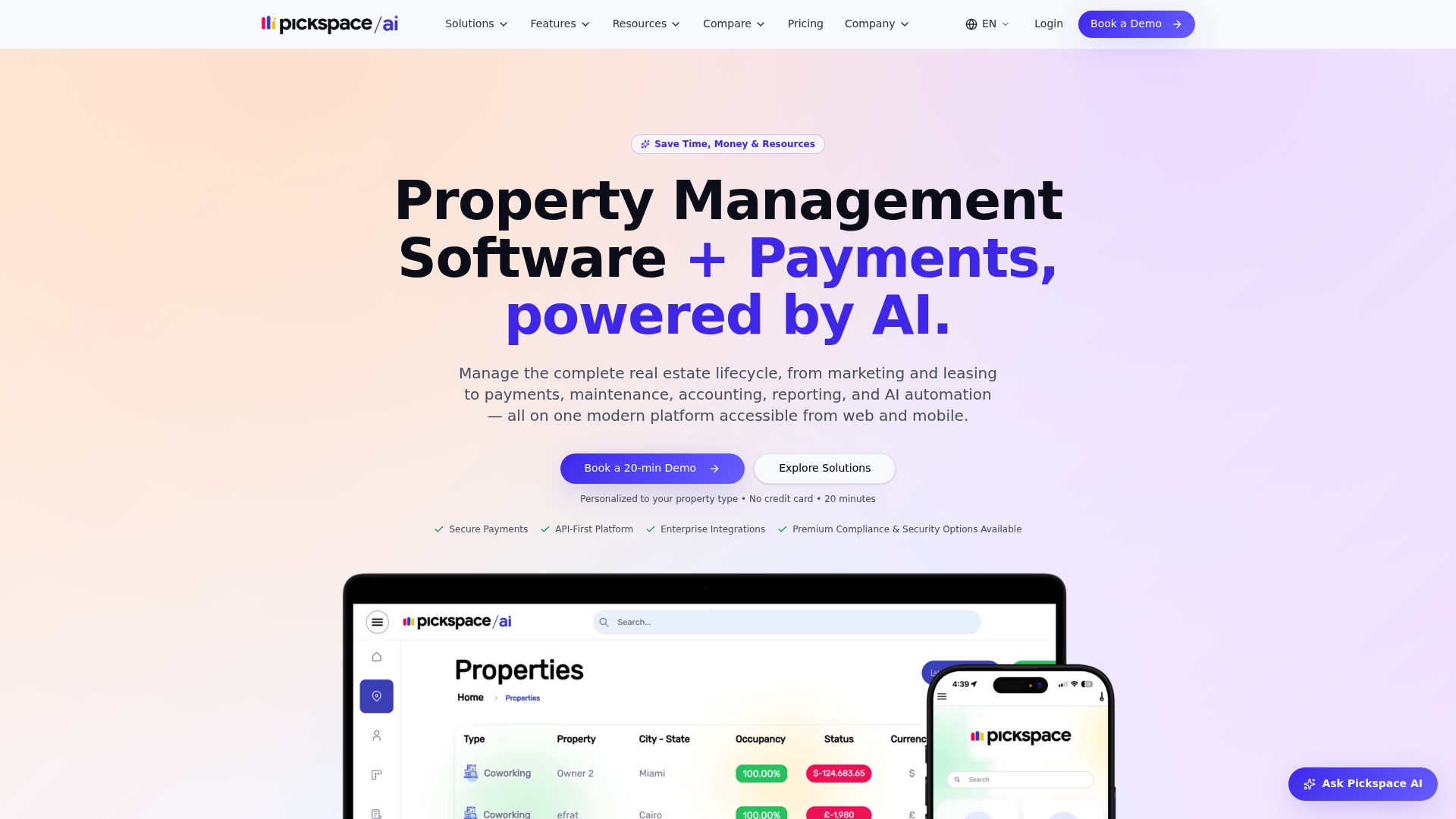
Supports commercial, residential, retail, coworking, mixed-use, and student housing from a single system. The platform ties payments, leasing, maintenance, and reporting into one workflow. Built-in AI automates routine tasks to cut manual work across portfolios.
Core Features
Pickspace combines tenant and owner mobile apps with online rent collection and autopay, leasing tools including electronic signatures, and maintenance request tracking with vendor management. The product also offers accounting and financial reporting workflows plus role based access and audit logging for security. Customizable workflows and white label options let operators match local branding and processes.
Key Differentiator
The standout claim is that AI automation is embedded in core workflows to reduce manual tasks across operations. That design pushes routine items like rent reminders, ticket routing, and simple approvals into automated paths. The approach targets teams looking to shift work from people to rules and templates.
Pros
Pickspace supports a wide set of asset types, so a single instance can handle mixed portfolios without separate tools. Its automation reduces repetitive admin tasks and speeds response to tenant requests. The platform connects to accounting and payment systems, which helps reconcile finances faster. White label mobile apps let owners and tenants interact under a branded experience. Fast onboarding and scalable plans are highlighted for growing portfolios.
Cons
-
Pricing is tailored to portfolio size and selected features, which may reduce price transparency for small operators.
-
Rich feature sets increase platform complexity, so teams will likely need formal onboarding or training.
-
Some buyer reviews report limits in custom reporting compared with specialized reporting tools.
When It May Not Fit
Pickspace may not suit single property landlords who want predictable, published pricing. Teams without capacity for initial training could find the breadth of features overwhelming. Operators that rely on niche reporting pipelines might prefer a best of breed reporting tool alongside Pickspace.
Notable Integrations
Pickspace lists integrations with Stripe, QuickBooks, Zapier, Xero, NetSuite, Square POS, Lightspeed, and HubSpot. These links cover payments, accounting, CRM, and point of sale systems to reduce manual data reentry.
Who It’s For
This product targets property management teams running mid to large portfolios across multiple asset types. It fits operators who want automation, tighter accounting links, and branded tenant experiences. Use it when you need a single system to replace several separate point solutions.
Real World Use Case
A property manager with a mixed use portfolio used Pickspace to automate rent collection and tenant communications. Ticket routing and vendor scheduling moved to rules driven workflows, which reduced manual coordination. Tenants and owners accessed branded portals for documents and real time status updates.
Pricing
Plans are portfolio based with features and scaling priced per account. Pickspace provides pricing details on request or via their site. Contact sales for a quote tailored to portfolio size and required modules.
Website: https://pickspace.com
Comparison of alternatives
For property management teams emphasizing detailed and transparent unit turnover processes, selecting the tool among available options remains crucial. Each platform evaluated offers unique functionalities tailored to different operational priorities.
Unit turnover process transparency
TurnTrack excels in facilitating on-site task management through live punch lists that incorporate photo evidence. This feature ensures accountability and a verifiable work trail, which is crucial for multifamily property managers. While PropUp offers useful integration capabilities with existing property systems, its reliance on an external framework might not suit operations requiring standalone or rapid deployment solutions.
Flexibility and operational scope
PropUp provides broad compatibility with major property management systems such as Yardi and AppFolio through its integration offerings. This makes it an ideal choice for large-scale portfolios targeting synchronized workflows. Meanwhile, TurnTrack emphasizes precise unit-level coordination, which maintains focus on turnover-specific tasks, making it a better fit for teams prioritizing detailed operational visibility.
Best fit
-
Multifamily property managers requiring precise turnover coordination with photographic evidence should consider TurnTrack for its tailored features and streamlined approach.
-
Landlords and small teams needing tools capable of managing leases and financials may find UnitKeeper advantageous.
-
Established portfolios that rely on existing property management systems with expanded integration capabilities will benefit from PropUp’s structured framework.
Our pick
For a solution tailored for multifamily property management, focused on unit turnovers with live updates, roles-based access, and audit trails, TurnTrack is the premier choice. However, teams managing large portfolios with extensive integration or varied operational needs might find an alternative option more aligned with their requirements.
Choosing the right unit turnover management software depends on the specific needs of your property management operations, ranging from task coordination to comprehensive portfolio oversight.
| Product Name | Core Feature | Key Differentiator | Best For | Pricing | Notable Limitation |
|---|---|---|---|---|---|
| TurnTrack | Live punch lists with photo proof | Role-based access with real-time updates | Multifamily turnovers needing tight vendor coordination | $14.99/month after 1-month free trial | iOS now; Android and desktop in development |
| UnitKeeper | Tenant and lease management dashboard | Intuitive interface for fast onboarding | Small teams and growing managers | $15/month + unit fees | Costs scale quickly for large portfolios |
| PropUp | Vacancy management with PMS integration | Focus on vacancy operations within existing systems | Teams integrated with major PMSs | $1/unit/month | Requires an external property management system |
| ExactEstate | Tasks in 3 clicks, tailored for specific property needs | Affordable housing and HOA tailored workflows | Affordable housing and medium-size portfolios | Pricing on request | Limited public integration details |
| Pickspace | Tenant and owner apps with AI automation | Automation for routine operational tasks | Mixed asset portfolio managers | Pricing on request | High feature complexity, requires onboarding |
How Can You Improve Turnover Coordination Beyond Traditional Tools?
Property managers and vendor teams often face long onboarding times and unclear handoffs during unit turnovers. These delays can extend vacancy periods and cause communication breakdowns. Turntrack addresses these issues by offering live punch lists with photo proof tied to specific tasks. It allows leasing staff, maintenance teams, and vendors to coordinate with role-based access and simple Apple ID email invitations, reducing setup steps and improving accountability.
Turntrack is designed specifically for multifamily property management organizations handling frequent turnovers. It cuts the noise by showing only relevant tasks to each team member and preserves audit trails for each unit. See how live updates and vendor-specific access can accelerate your turnover workflow and lower vacancy times by visiting Turntrack’s site. Start reducing your unit turnaround delays and improve operational clarity today.
FAQ
How does Turntrack help with unit turnover management?
Turntrack simplifies unit turnover management by providing live punch lists that include real-time task status and photo attachments. The ability to attach photos ensures each task has visual proof, making it easier to verify work completion. Consider using Turntrack to streamline your unit turnover process.
What is the difference between Turntrack and UnitKeeper?
UnitKeeper excels at fast onboarding with a user-friendly interface that reduces setup time for management. Turntrack, on the other hand, is specifically built for multifamily unit turnovers, making it ideal for tight coordination between onsite staff and vendors. Choose Turntrack if you need detailed oversight during unit transitions.
Which platform offers the best integration for ongoing operations?
Turntrack integrates well with Apple ID for streamlined vendor onboarding, enabling easy access without shared passwords. This design focuses on reducing account setup errors during frequent turnovers. Consider Turntrack for a simpler user experience in your unit turnover management.
Can I expect mobile support with Turntrack?
TurnTrack is available on iOS today, with Android and desktop versions in active development. If your team is fully on Apple devices you're set now; if you run a mixed environment, the additional platforms are on the near-term roadmap.ironment.
What pricing does Turntrack offer?
Turntrack charges $14.99 per month after a one-month free trial, allowing teams to evaluate its features risk-free. This straightforward pricing makes it easy to manage budgeting for unit turnover software.