
For most maintenance teams evaluating UpKeep substitutes in 2026, the short answer breaks down by job: Limble CMMS for cost-conscious multi-site operations, MaintainX for mobile-first technician adoption, IBM Maximo or IFS Cloud for enterprise EAM with deep lifecycle requirements, and TurnTrack for multifamily unit-turn workflows. Each solves a different operational problem, and picking the wrong one based on feature lists alone is how teams end up paying for capabilities they never use.
- Cost-sensitive multi-site teams: Limble CMMS or eMaint (Fluke) offer strong multi-site rollup without enterprise pricing cliffs.
- Mobile-first adoption: MaintainX is built around the technician's phone first, the desktop second.
- Enterprise EAM: IBM Maximo, IFS Cloud, and SAP EAM handle complex asset hierarchies and ERP integration at scale.
- Multifamily unit turns: TurnTrack is a workspace-level subscription at $14.99 per month with a free trial, covering the invited team under a single subscription. It manages the Make-Ready workflow only — not rent, leases, or accounting.
One pricing shape worth flagging early: most of the platforms below bill per user, which creates steep cost curves as teams scale. Workspace-level flat pricing, like TurnTrack's model, sidesteps that entirely for property-level operations. The ISO 55000 asset management standard is the recognized framework for evaluating any CMMS against lifecycle and risk criteria — worth knowing before you sit down with any vendor.
Table of Contents
- How the top UpKeep alternatives compare at a glance
- Detailed reviews: which UpKeep alternative fits your operation?
- How to choose the right UpKeep alternative and migrate cleanly
- Which alternative is best for your specific maintenance need?
- Data migration challenges when switching from UpKeep
- Key Takeaways
- The CMMS market rewards honest fit, not feature counts
- TurnTrack: built for multifamily unit turns, not industrial CMMS
- Useful sources and methodology note
How the top UpKeep alternatives compare at a glance
| Alternative | Best for | Pricing model / entry price | Deployment | Mobile / offline | Core features | Integrations / API | Scalability | Support & onboarding |
|---|---|---|---|---|---|---|---|---|
| Limble CMMS | Multi-site cost control | Per-user / starts ~$28/user/mo | Cloud SaaS | Mobile app / offline available | WOs, PMs, asset registry, inventory | REST API, 40+ integrations | Strong multi-site rollup | Live chat, onboarding included |
| MaintainX | Mobile-first field teams | Per-user / starts ~$16/user/mo | Cloud SaaS | Mobile-first / offline sync | WOs, PMs, asset registry, messaging | API, IoT, ERP connectors | Mid-market to enterprise | In-app support, guided setup |
| Fiix | Mid-market with ERP needs | Per-user / custom tiers | Cloud SaaS | Mobile app / limited offline | WOs, PMs, asset registry, analytics | Rockwell Automation ecosystem | Mid-market to large | Dedicated CSM on higher tiers |
| eMaint (Fluke) | Reliability-focused teams | Per-user / custom pricing | Cloud or on-prem | Mobile app / offline capable | WOs, PMs, asset registry, inventory | Fluke tools, REST API | Multi-site enterprise | Onboarding team, 24/7 support |
| Hippo CMMS (Eptura) | Facilities management | Per-user / starts ~$35/user/mo | Cloud SaaS | Mobile app | WOs, PMs, asset registry | API, Eptura ecosystem | SMB to mid-market | Email/phone support |
| Fracttal | IoT-connected assets | Per-user / custom pricing | Cloud SaaS | Mobile app / offline | WOs, PMs, IoT asset monitoring | IoT sensors, REST API | Mid-market | Onboarding + training |
| IBM Maximo | Enterprise EAM / utilities | Custom / enterprise pricing | Cloud, on-prem, hybrid | Mobile app | Full EAM suite, lifecycle mgmt | Deep ERP/SAP integration | Large enterprise | Dedicated implementation team |
| IFS Cloud | Complex asset lifecycle | Custom / enterprise pricing | Cloud or on-prem | Mobile app / offline | EAM, FSM, ERP modules | IFS ecosystem, REST API | Large enterprise | Multi-month implementation |
| SAP EAM / S/4HANA | SAP-integrated enterprises | Custom / enterprise pricing | Cloud or on-prem | SAP mobile apps | Full EAM, plant maintenance | Native SAP ecosystem | Global enterprise | SAP partner network |
| TurnTrack | Multifamily unit turns | Workspace / $14.99/mo flat | Cloud SaaS (iOS) | iOS app | Turn records, inspections, punch lists, vendor coordination, Property Standards Library | Activity feed, photo documentation | Single-property to portfolio | Free trial, self-serve onboarding |
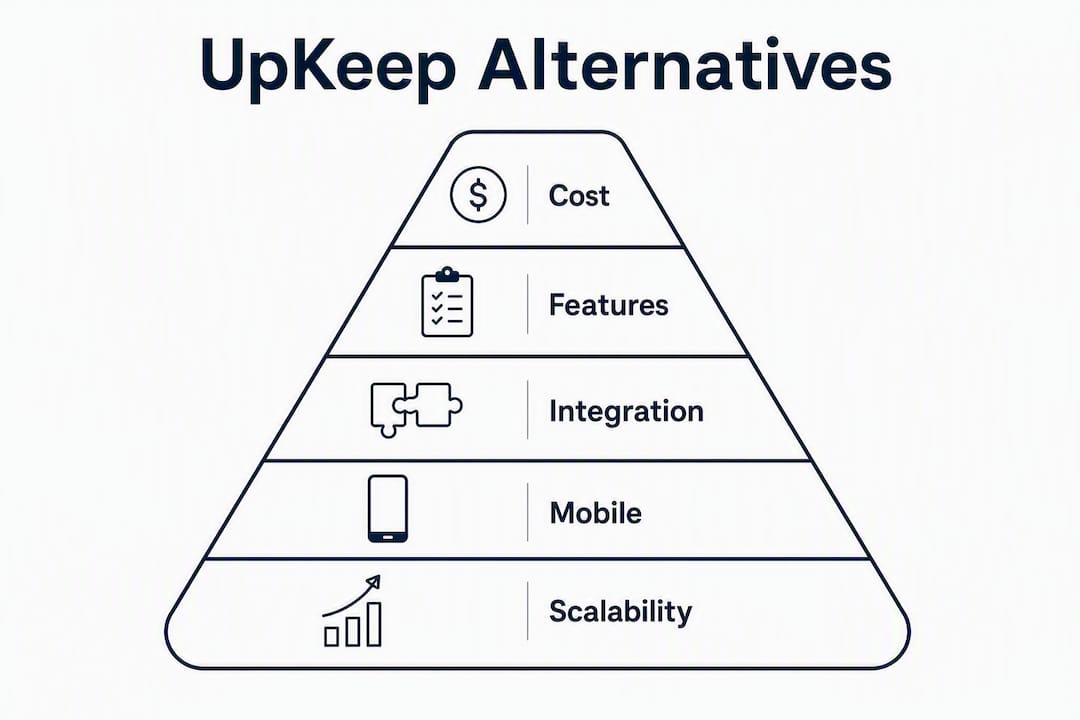
Pricing and tier features change frequently. Verify current figures directly with each vendor before committing. Comparison axes: cost-per-outcome, mobile/offline readiness, multi-site economics, and implementation time.
Detailed reviews: which UpKeep alternative fits your operation?
Maintenance managers commonly leave UpKeep because of limits in advanced reporting, integration friction, and scalability challenges for multi-site organizations. The profiles below are written to help you match a platform to your actual constraints, not just your wish list.

1. Limble CMMS
Limble is the most frequently cited UpKeep replacement for teams that need strong multi-site reporting without jumping to enterprise pricing. Its dashboard gives managers a consolidated view across locations, and the mobile app holds up well in the field.
- Pros: Intuitive UI with fast technician onboarding; strong PM scheduling and asset hierarchy; solid reporting across sites; REST API with 40+ pre-built integrations.
- Cons: Per-user pricing adds up for larger crews; some advanced analytics sit behind higher tiers; customization depth is limited compared to enterprise EAM.
- Pricing: Starts around $28/user/mo on published tiers; verify current pricing with Limble directly.
- Best for: Multi-site facilities teams that need consolidated reporting and a short ramp-up time.
2. MaintainX
MaintainX is built around the technician's phone. Work orders, procedure checklists, and messaging all live in the same mobile interface, which is why mobile-first design drives better technician adoption than a long feature list. The desktop is capable, but the field experience is the product.
- Pros: Best-in-class mobile UX; built-in messaging reduces radio/text fragmentation; fast work order creation; strong PM templates.
- Cons: Per-user pricing scales steeply for larger teams; some reporting features require higher tiers; enterprise integrations need the top plan.
- Pricing: Starts around $16/user/mo; enterprise tiers are custom-quoted.
- Best for: Field-heavy teams where technician adoption is the primary risk in any platform switch.
3. Fiix
Fiix sits in the mid-market sweet spot for teams that need solid CMMS fundamentals plus a path toward ERP integration. Its acquisition by Rockwell Automation gives it a credible roadmap for industrial environments.
- Pros: Clean work order and PM engine; strong asset registry; Rockwell ecosystem integration for industrial teams; good analytics on higher tiers.
- Cons: Offline mobile functionality is limited on base tiers; pricing is opaque (custom quotes for most tiers); implementation takes longer than lighter alternatives.
- Pricing: Custom tiers; a free plan exists with limited features.
- Best for: Mid-size industrial or manufacturing teams already in the Rockwell ecosystem.
4. eMaint (Fluke)
eMaint is the reliability engineer's CMMS. Fluke's ownership means native integration with Fluke condition monitoring tools, which matters if your team uses vibration analysis or thermal imaging as part of a predictive maintenance program.
- Pros: Deep reliability and condition monitoring integration; flexible deployment (cloud or on-prem); strong multi-site support; 24/7 support on higher tiers.
- Cons: UI feels dated compared to newer mobile-first tools; implementation complexity is higher; pricing requires a custom quote.
- Pricing: Custom pricing; no published entry price.
- Best for: Reliability-focused teams running predictive maintenance programs with Fluke hardware.
5. Hippo CMMS (Eptura)
Hippo, now part of the Eptura platform, covers the core facilities management use case without the complexity of a full EAM suite. It's a reasonable fit for property and facilities teams that need work orders, PMs, and basic asset tracking.
- Pros: Straightforward setup; covers WOs, PMs, and asset registry; Eptura ecosystem for workspace management.
- Cons: Less depth in reporting and analytics than Limble or MaintainX; per-user pricing starts higher than some competitors; mobile app is functional but not a standout.
- Pricing: Starts around $35/user/mo; verify with Eptura.
- Best for: Facilities managers who want a no-frills CMMS with a clear upgrade path into workspace management.
6. Fracttal
Fracttal differentiates on IoT asset monitoring. If your maintenance strategy includes sensor-connected equipment, Fracttal's native IoT integration means condition data flows directly into work order triggers without a middleware layer.
- Pros: Native IoT sensor integration; solid mobile app with offline capability; strong PM and asset monitoring engine.
- Cons: Smaller U.S. market presence than Limble or MaintainX; implementation support varies by region; pricing is custom-quoted.
- Pricing: Custom pricing; contact vendor for U.S. tiers.
- Best for: Operations with IoT-connected assets where condition-based maintenance is a priority.
7. IBM Maximo
IBM Maximo is the benchmark for enterprise EAM. Utilities, oil and gas, transit authorities, and large manufacturers use it because nothing else matches its depth in asset lifecycle management, regulatory compliance, and ERP integration. Enterprise EAM suites like Maximo typically involve multi-month implementations, higher cost, and dedicated admins. That's not a knock — it's the trade-off for that level of capability.
- Pros: Unmatched asset lifecycle depth; strong compliance and audit trail; deep SAP/Oracle ERP integration; cloud, on-prem, and hybrid deployment.
- Cons: Multi-month implementation; requires dedicated admin resources; cost is enterprise-level; overkill for most SMB or property operations teams.
- Pricing: Custom enterprise pricing.
- Best for: Large enterprises in regulated industries with complex asset hierarchies and existing ERP infrastructure.
8. IFS Cloud
IFS Cloud combines EAM with field service management and ERP in a single platform, which makes it attractive for asset-intensive businesses that also run large field service operations. The offline mobile capability is stronger than most enterprise platforms.
- Pros: EAM + FSM + ERP in one platform; strong offline mobile; good for complex multi-site asset management; flexible deployment.
- Cons: Enterprise pricing and implementation timelines; significant admin overhead; not suited for small teams or simple workflows.
- Pricing: Custom enterprise pricing.
- Best for: Asset-intensive enterprises that need EAM and field service management under one roof.
9. SAP EAM / S/4HANA
If your organization already runs SAP for finance and procurement, SAP Plant Maintenance (PM) within S/4HANA is the path of least resistance for EAM. The integration is native, the data model is consistent, and the compliance reporting is already built for regulated industries.
- Pros: Native SAP ecosystem integration; global enterprise scale; deep compliance and lifecycle reporting; strong partner network for implementation.
- Cons: Highest implementation complexity of any option here; requires SAP expertise to configure and maintain; cost is significant; not a standalone CMMS.
- Pricing: Custom enterprise pricing; typically bundled with S/4HANA licensing.
- Best for: Enterprises already on SAP that want maintenance management inside their existing ERP environment.
10. TurnTrack
TurnTrack is not a CMMS. It's a workspace built specifically for multifamily unit-turn and make-ready workflows. If you're managing 5–15 active turns at once across a property, the problem isn't asset lifecycle management — it's that your turn status lives across texts, emails, and people's memory. TurnTrack fixes that.
Every turn gets a shared record with a status (Ready, On Track, At Risk, Overdue) and a timeline: Move-Out → Tech Start → Cleaners → Carpet → Inspection → Make-Ready. Vendor contacts live inside the turn. The Property Standards Library holds property-specific specs — paint codes, filter sizes, preferred vendors — and shares them to a tech without requiring them to have a TurnTrack account.
- Pros: Purpose-built for unit turns; flat workspace pricing at $14.99/mo covers the invited team; inspections (Move-Out, Mid-Turn, Move-In) built in; vendor coordination inside the turn record; Property Standards Library eliminates "what paint goes here?" calls.
- Cons: iOS only; not a PMS (no rent, leases, accounting, or tenant comms); not suited for industrial or facilities CMMS use cases.
- Pricing: $14.99/mo workspace subscription; free trial available.
- Best for: Property managers and service managers running multifamily unit turns who need a shared, structured workflow without enterprise overhead.
Pro Tip: For multifamily teams, purpose-built unit-turn workspaces deliver faster ROI than adapting an industrial CMMS to a make-ready workflow. The over-customization cost is real and often invisible until you're six months in.
How to choose the right UpKeep alternative and migrate cleanly
The most common mistake in a CMMS switch is evaluating platforms on feature lists instead of cost-per-outcome. Total cost includes license fees, implementation time, admin overhead, and the productivity loss during technician onboarding. Evaluating cost-per-outcome rather than per-user sticker price is how experienced operators avoid hidden long-term costs.
Evaluation criteria (ranked by impact)
- Cost-per-outcome: Total license + implementation + admin time over 12 months, not just the monthly seat price.
- Technician adoption: Will your field crew actually use it on day one? Mobile UX and offline capability matter more than dashboard depth.
- Mobile / offline readiness: Verify what happens when a tech loses signal in a mechanical room or a basement unit.
- Asset hierarchy depth: Does the platform model your asset structure (property → building → unit → equipment) without heavy customization?
- Multi-site rollup: Can a manager see consolidated status across properties without exporting to a spreadsheet?
- Integrations: What does your current tech stack look like? ERP, IoT sensors, accounting — map the must-haves before the demo.
- Reporting and analytics: Who needs what reports, and how often? Avoid paying for BI depth you won't use.
- Security and compliance: SOC 2 Type II, role-based access, and audit trails are table stakes for any platform handling asset and maintenance records.
Questions to ask vendors during demos
- What happens to work orders created offline when connectivity is restored? Is sync automatic or manual?
- How does per-user pricing change when you add admin seats or read-only users?
- What does migration support include — data mapping, import validation, or just documentation?
- Is API access available on the entry tier, or is it gated to enterprise plans?
- What is your SLA for support response, and does it vary by tier?
Red flags to watch for
- Per-user pricing that jumps sharply at a specific seat count.
- Offline mobile functionality listed as a feature but only available on the top tier.
- Implementation costs quoted separately and vaguely ("depends on your data").
- Critical features — multi-site rollup, advanced reporting, API access — locked behind enterprise-only tiers.
Migration checklist: switching from UpKeep
- Export your UpKeep data — assets, work orders, PM schedules, and documents. Confirm export formats (CSV, JSON) before you commit to a new platform.
- Normalize the asset hierarchy — map UpKeep's asset structure to the new platform's model. Mismatched hierarchies are the most common migration failure point.
- Map PM cadences and SOPs — redefine preventive maintenance schedules in the new system's terminology. Don't assume a "monthly PM" means the same thing in both platforms.
- Pilot-import on a single property or site — run a full import on one location, validate data integrity, and confirm work order creation before rolling out to all sites.
- Train technicians on mobile first — prioritize the field workflow over the admin dashboard. Adoption in the field drives data quality everywhere else.
- Define rollback criteria — decide in advance what would trigger a return to UpKeep (e.g., data loss, critical workflow failure) so the decision isn't made under pressure.
Pro Tip: Reducing data entry fatigue during migration — by minimizing required fields and setting technician-friendly defaults — improves live adoption and the accuracy of asset histories from day one. Stage the migration in phases rather than flipping everything at once.
Which alternative is best for your specific maintenance need?
- Single-site, mobile-first team: MaintainX. The field UX is the differentiator; technicians adopt it faster than any other option here.
- Multi-site cost control: Limble CMMS. Consolidated reporting across sites without the per-user pricing cliff that hits mid-sized teams hardest.
- Reliability and predictive maintenance: eMaint (Fluke). Native Fluke hardware integration makes it the natural fit for condition-based programs.
- Mid-market with ERP integration needs: Fiix. Solid fundamentals and a credible path to Rockwell Automation's industrial ecosystem.
- Facilities management, simple workflow: Hippo CMMS (Eptura). Covers the basics without the complexity of a full EAM suite.
- IoT-connected assets: Fracttal. Condition data from sensors flows directly into work order triggers.
- Enterprise EAM (utilities, manufacturing, regulated industries): IBM Maximo or IFS Cloud. Both require multi-month implementations and dedicated admins — plan accordingly.
- SAP-integrated enterprises: SAP EAM / S/4HANA. The only option that makes sense if your organization already runs SAP end-to-end.
- Multifamily unit turns: TurnTrack. A $14.99/mo workspace subscription covers the invited team, with a free trial. It handles the Make-Ready workflow — turn records, inspections, vendor coordination, punch lists, and the Property Standards Library — without the overhead of an industrial CMMS. See affordable options for unit-turn workflows if cost is the primary constraint.
Data migration challenges when switching from UpKeep
Switching CMMS platforms is rarely as clean as vendors suggest. The three most common failure points are mismatched asset hierarchies, differing PM cadence definitions, and SOP or document versioning gaps. UpKeep's data model may not map directly to your new platform's structure, which means a raw CSV export is rarely enough.
The recommended approach is: export → normalize → pilot-import on a single property before any wide rollout. This surfaces hierarchy mismatches and missing fields before they become a production problem. Data migration pain points include mismatched asset hierarchies, differing PM cadence definitions, and SOP/document versioning — all of which are easier to catch on one site than across twenty.
One governance step that pays off regardless of which platform you move to: standardizing property-specific standards — paint codes, vendor contacts, filter sizes — in a single source before migration. Staff turnover during a platform switch is common, and operational knowledge that lives in someone's head disappears with them. Getting it into a structured record before cutover is one of the highest-return steps in any migration.
Security and compliance deserve a specific check during migration. Confirm that your new platform supports role-based access controls, maintains an audit trail for work orders and asset changes, and holds a SOC 2 Type II certification if your organization requires it. Enterprise platforms like IBM Maximo and SAP EAM are built for regulated industries; mid-market tools vary significantly in their compliance posture.
Key Takeaways
The best UpKeep alternative depends on your operational model: per-user pricing shapes long-term cost more than any single feature, and technician adoption in the field determines whether the platform actually works.
| Point | Details |
|---|---|
| Match platform to job type | Mobile-first teams need MaintainX; multi-site cost control fits Limble; enterprise EAM points to IBM Maximo or IFS Cloud. |
| Watch per-user pricing cliffs | Per-user models scale steeply; evaluate total cost over 12 months including admin and implementation, not just seat price. |
| Pilot before full rollout | Run a single-site pilot import from UpKeep to catch hierarchy mismatches before they affect your whole portfolio. |
| Validate mobile/offline in demos | Ask vendors exactly what happens to work orders created without signal — sync behavior varies widely across platforms. |
| TurnTrack for unit turns | TurnTrack's workspace subscription is $14.99 per month and covers the invited team; free trial available; iOS only; unit-turn workflows only. |
The CMMS market rewards honest fit, not feature counts
Most teams that leave UpKeep do so because the platform grew in a direction that didn't match their actual work — more features, more tiers, more per-user cost. The honest answer is that no single platform wins across every use case here, and the ones that claim to are usually the most expensive to implement.
What we've seen consistently in property operations: the teams that pick a tool based on what their technicians will actually use on day one outperform the teams that pick based on what looks best in a demo. A platform with 200 features that your crew ignores is worse than a focused tool they open every morning.
For multifamily unit turns specifically, adapting an industrial CMMS to a make-ready workflow is a known trap. The customization cost is real, the adoption is slow, and six months in you're paying enterprise prices for a workflow that a purpose-built workspace handles out of the box. TurnTrack was built to solve exactly that problem — not to compete with IBM Maximo, but to replace the spreadsheet and the group text that most property teams are still running turns on.
The broader point: evaluate any platform against your actual operational constraints (team size, mobile dependency, multi-site complexity, budget shape) rather than against a feature checklist. The right tool is the one your team uses consistently, not the one with the longest spec sheet.
TurnTrack: built for multifamily unit turns, not industrial CMMS
If you manage multifamily unit turns and the CMMS options above feel like they were built for a factory floor, that's because most of them were. TurnTrack is a workspace-level subscription offered at $14.99 per month that covers your invited team under a single subscription. No per-user pricing cliffs, no enterprise implementation timeline.


Every turn gets a shared record with a live status and a timeline your whole team can see: Move-Out → Tech Start → Cleaners → Carpet → Inspection → Make-Ready. Vendor contacts live inside the turn. The Property Standards Library holds your property-specific specs — paint codes, filter sizes, preferred vendors — and shares them to a tech or vendor without requiring them to have an account. Inspections (Move-Out, Mid-Turn, Move-In) are walked on a phone, area by area, building a before/after condition record as a byproduct of the work.
TurnTrack does not do rent, leases, accounting, or tenant communications. It manages the unit-turn workflow only. Free trial available on iOS via the App Store. Start your free trial at TurnTrack and run your next turn in a shared workspace instead of a group text.
Useful sources and methodology note
The shortlist above was built around four evaluation axes: cost-per-outcome (total license + implementation + admin), technician mobile adoption, multi-site operational economics, and implementation time. Pricing figures are directional — verify current tiers and feature availability directly with each vendor before making a decision.
Vendor and analyst sources:
- Gartner: UpKeep Asset Operations Platform Alternatives
- TurnTrack Blog: Property Management Software Landscape
- Capterra: Limble CMMS Reviews
- G2: MaintainX Reviews
- G2: eMaint CMMS Reviews
- Capterra: eMaint CMMS