
Coordinating unit turnovers across teams and vendors creates confusion, delays, and extra communication for property managers. Most standard property management platforms do not offer punch lists, fast vendor onboarding, or automation for turnover workflows unless added through costly integrations. This comparison breaks down pricing, workflow features, and team access so property managers can pick a unit turnover management tool that fits their portfolio and crew size without a trial-and-error process.
Table of Contents
TurnTrack
At a Glance
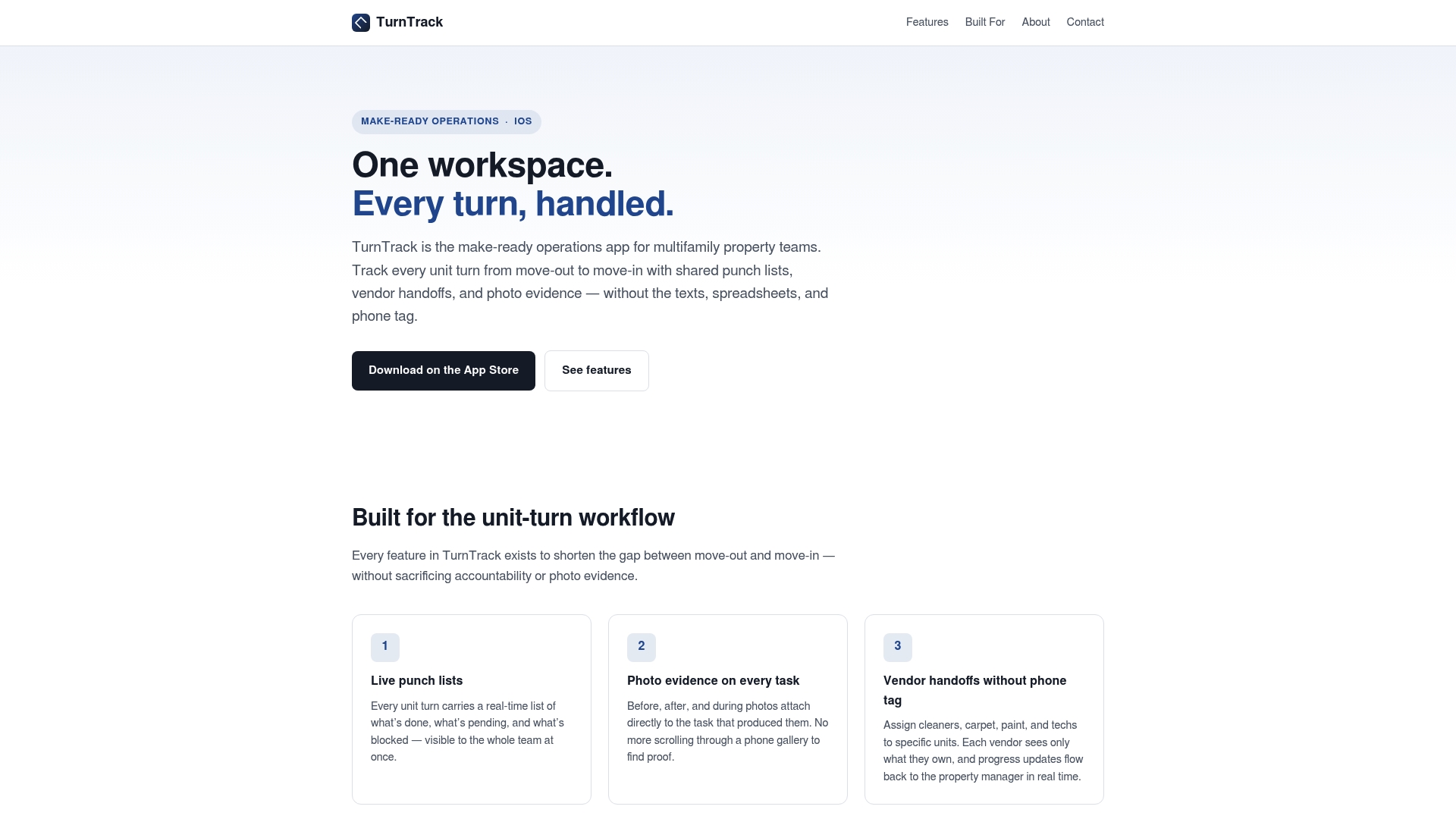
A one-month free trial is followed by $14.99/month billed through Apple ID. The app runs on iOS and targets multifamily teams handling unit turnovers. It attaches photo proof to every task and uses a shared workspace, so onsite staff and vendors see the same updates.
Core Features
TurnTrack centers on live punch lists for real-time task tracking and photo evidence attached to each task to simplify audits. The app supports vendor handoffs with unit-specific assignments and allows unlimited team members under one subscription. Invitations use email to get vendors and seasonal staff into the workspace quickly.
Key Differentiator
Built-ground-up role-based access plus integrated photo documentation tailor TurnTrack specifically to make-ready workflows. The combination keeps responsibility visible by role while preserving a single audit trail for each task. That focus narrows scope but makes turnover coordination easier to manage day to day.
Pros
TurnTrack matches common turnover workflows, so punch lists, vendor assignments, and photo proof live in a single place rather than in texts and spreadsheets. Role-based views reduce confusion about who must complete what, and unlimited team members remove the friction of adding vendors. Email invitations make onboarding quick for temporary crews, which helps short-notice turns.
Cons
- Limited public information on integrations with other property systems.
Who It's For
Property managers, service managers, leasing staff, and maintenance teams who run frequent unit turns and want accountability without extra admin. It fits portfolios that rely on vendors and temporary crews and want to reduce back-and-forth phone calls. Teams that need full accounting or leasing functions will need a separate platform.
Unique Value Proposition
Unlimited team members under a single subscription lets you add vendors and cleaning crews without buying extra seats. That reduces per-turn coordination costs for properties with rotating contractors. For teams that manage many short-term vendors, this pricing model lowers friction when inviting new people to complete tasks.
Real World Use Case
A site manager assigns punch list tasks after a resident move-out and attaches photos to each incomplete item. The vendor sees only their unit assignments, uploads completion photos, and the property manager signs off in the same workspace. That flow replaces multiple texts, saves time on verification, and preserves the audit trail for inspections.
Pricing
TurnTrack charges $14.99/month after a one-month free trial, with billing handled through Apple ID. The vendor lists a single subscription that covers unlimited team members under one account, but detailed tiering is not publicly listed.
Website: https://turntrack.online
PropUp
At a Glance
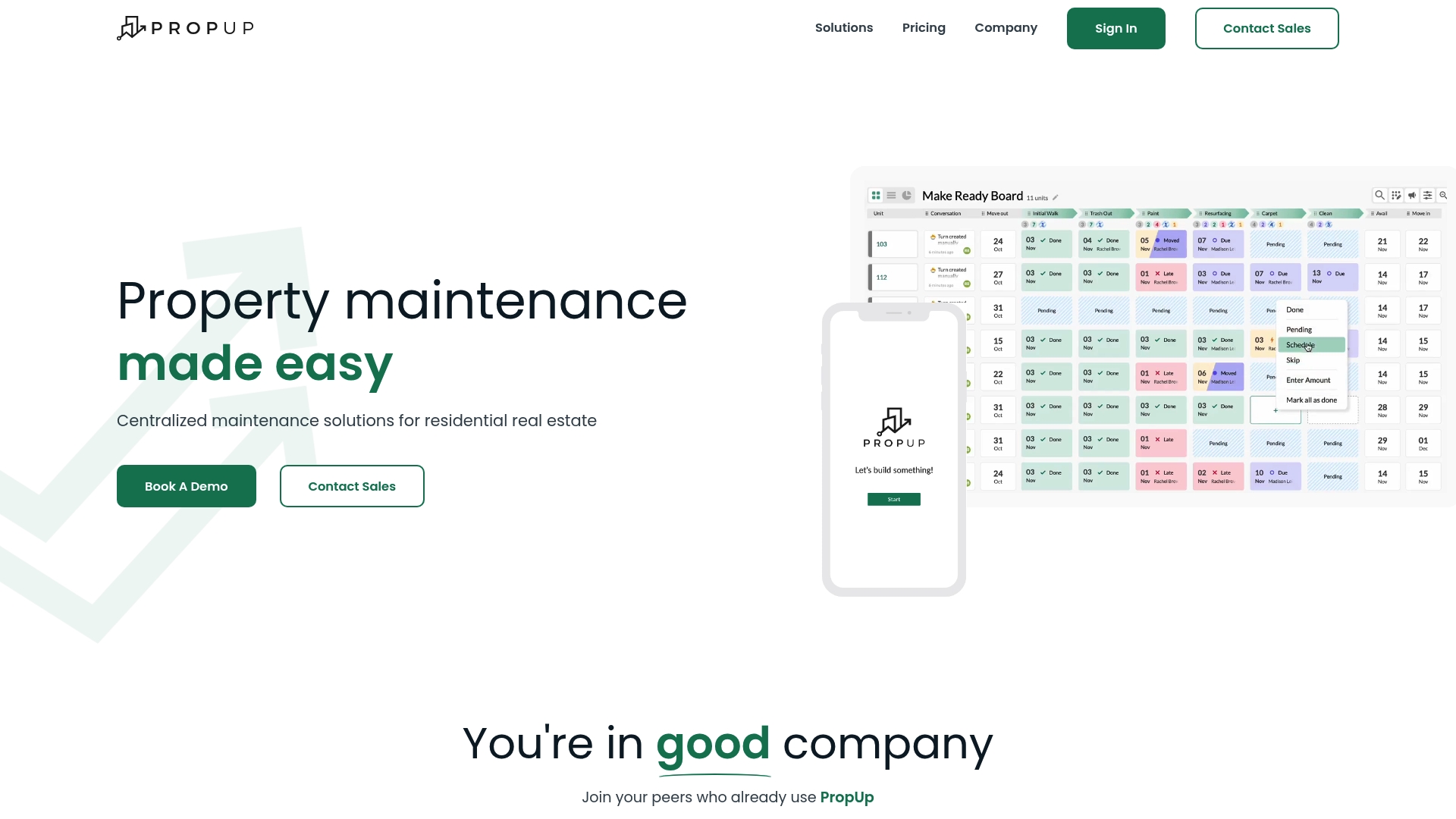
PropUp schedules inspections automatically from lease dates using AI to trigger inspection and maintenance tasks. The platform pairs that scheduling with a mobile app that works offline to keep crews productive in buildings with poor connectivity. The vendor positions the product for portfolio-level vacancy, maintenance, and inspection workflows.
Core Features
PropUp delivers an end-to-end vacancy management workflow that moves units from move-out to lease-up while keeping records attached to each task. The platform offers real-time reporting and analytics, a mobile inspection and maintenance app with offline mode, and automated inspection scheduling driven by AI and date rules. It integrates with major property management systems so work orders and status updates flow between systems.
Key Differentiator
PropUp’s main advantage is its combination of integration depth and field-ready tooling. The product links into systems like Yardi and RealPage while running inspections on a mobile app that supports offline data capture. That mix suits operations that need enterprise connections and reliable field execution.
Pros
PropUp gives portfolio teams clear visibility into vacancy and maintenance pipelines so managers can prioritize work across properties. Integration with established property management platforms reduces duplicate data entry and lowers onboarding friction for teams that already use a core PMS. Customizable workflows and templates let maintenance leads match inspections and repairs to internal standards. The mobile app with offline capability helps technicians capture photos and notes even where cellular service is unreliable.
Cons
-
Pricing is custom and may require a sales conversation to get a clear figure.
-
Full integration setup can take up to 2 to 3 weeks, which delays immediate rollouts for teams on tight timelines.
-
The feature set and scalability target larger portfolios, so smaller owners may not get full value.
When It May Not Fit
PropUp is primarily built for multifamily portfolio management, so single-family operators or niche asset classes may find the platform overly complex. Organizations that need a simple, low-cost work-order app will likely spend more than they need. Complex portfolios may require tailored setup and training, which adds project time and cost.
Notable Integrations
PropUp lists integrations with major property management systems. These include Yardi, RealPage, Appfolio, ResMan, Entrata, Fortress, Buildium, and RentManager. The integrations let status and work-order data flow between platforms.
Who It's For
PropUp fits multifamily owners, regional property management companies, and onsite maintenance supervisors who manage many units and need consistent inspection and vacancy processes. It also suits operations that require strong PMS connectivity and mobile tools for field technicians.
Real World Use Case
The vendor advertises that Elmington Property Management reduced vacancy and turnaround times significantly by using PropUp’s automation and workflow tools. That example shows how linking lease-date scheduling to inspections and repairs helps allocate crews and shorten time to lease-up. Teams with similar staffing and portfolio scale can get comparable operational clarity.
Pricing
Pricing is variable and custom, scaled to portfolio size and requirements. Prospective buyers must contact sales for a tailored quote and implementation estimate.
Website: https://gopropup.com
ViziSmart
At a Glance
ViziSmart's marketing materials claim it automates 80% of routine maintenance tasks. That claim frames the product as an AI driven tool for maintenance coordination and logging. The vendor pitches the concept as a way to cut repetitive scheduling and reduce manual follow-up time.
Core Features
ViziSmart combines AI powered automation with property level tracking and tenant request handling through an assistant. The platform includes service bidding, contractor management, and approval workflows for landlords and managers. Logs and status updates provide a single view of maintenance activity across a portfolio.
Key Differentiator
ViziSmart centers automation as the organizing principle. The product aims to remove the manual overhead of recurring maintenance work and unite managers and service teams in one coordination hub. That focus on automation targets teams that run frequent turns or high volume maintenance queues.
Pros
The main strength is time savings if the automation performs as advertised. Real time visibility into property and job status helps managers prioritize work and follow approvals. The bidding and contractor management features reduce email and text coordination for vendor selection. Pricing that scales with portfolio size supports incremental growth for landlords and operators. The product is built by people with property management experience, which shows in workflow choices and role oriented controls.
Cons
- Page errors on the vendor site limit access to full feature details and integration lists. This makes evaluation slower.
- Pricing varies by asset count, so very large portfolios may face higher bills without a published per unit figure.
- Several feature pages are not accessible or lack depth, which leaves questions about advanced workflows and reporting.
When It May Not Fit
If you need an accounting or leasing system in the same tool, ViziSmart is not that. Teams that require a public list of integrations or API documentation will find the site incomplete. Very large enterprises that need fixed per unit pricing or a transparent rate card may prefer a provider with clear published tiers.
Who It's For
Property operators and managers who want to reduce hands on maintenance work will get the most value. Small portfolios that want a free entry plan can trial the automation features. Service managers who coordinate vendors and approvals will appreciate the role based workflows and logs.
Real World Use Case
A midsize property management firm uses ViziSmart to receive tenant requests through an AI assistant and route jobs to preferred contractors. Managers set approval thresholds and track work in a shared view, which reduces back and forth and shortens resolution cycles. That workflow moves administrative time from staff to the platform.
Pricing
ViziSmart uses tiered subscription plans that start with a free option for small portfolios and scale to custom enterprise solutions. The vendor states pricing varies by asset count and offers bespoke quotes for large portfolios.
Website: https://vizismart.com
Comparison of alternatives
Product options for unit turnover management differ in their approaches to accountability, integration, and workflow automation. By understanding the unique advantages and tradeoffs of each, property managers can select the solution that best suits their operations.
Accountability and Task Coordination
TurnTrack provides a distinct advantage for teams managing frequent unit turnovers thanks to its role-based task management system. This system ensures clarity in team member responsibilities while preserving shared visibility and documentation throughout the process. In contrast, PropUp offers specialized workflow templates that support portfolio management standards, and ViziSmart focuses on automation to reduce manual tasks such as vendor coordination.
Integration Depth
PropUp wins on integration capabilities by supporting a wide range of established property management systems including Yardi and RealPage. This reduces duplication of data entry and allows data continuity across portfolios. TurnTrack does not explicitly include integration with broader platforms, focusing instead on its specialized turnover features. ViziSmart lists limited information about its integrations, which may restrict adoption by large enterprises requiring published API details.
Best fit
- TurnTrack particularly suits frequent unit turnovers needing task coordination. Its subscription model allows adding temporary vendors without incurring additional costs.
- PropUp integrates well into operations requiring compatibility with property management systems to maintain procedural efficiency for large portfolios.
- ViziSmart fits maintenance operations prioritizing repetitive task automation for medium-size portfolios seeking to reduce manual vendor follow-ups.
Our pick
TurnTrack excels in coordinating operations for frequent unit turnovers. Its role-based access and unlimited team member subscription model simplify onboarding and accountability, making it ideal for properties that emphasize clear workflows and ease of collaboration. Property managers requiring deep integrations or high automation levels may prefer PropUp or ViziSmart, respectively.
Discover the key functionalities and distinctions of leading unit turnover management platforms to find the best solution for your property management needs.
| Software | Core Features | Key Differentiator | Best For | Pricing | Notable Limitation |
|---|---|---|---|---|---|
| TurnTrack | Live punch lists, photo documentation, vendor management | Focused role-based access with integrated photo audits | Multifamily teams handling frequent unit turnovers | $14.99/month | Limited information on integrations |
| PropUp | AI scheduling, mobile app with offline mode, real-time reporting | Integration with major property systems and offline tool capabilities | Multifamily portfolios with strict vacancy timelines | Price not published | Implementation setup time required |
| ViziSmart | AI automation, service bidding, tenant request assistance | Focused on automation for routine tasks | Property operators aiming to reduce manual maintenance steps | Tiered plans, free option for small operations | Limited feature details available on the vendor site |
How to Choose the Best Software for Property Managers Struggling with Turn Coordination
Managing frequent unit turns means juggling punch lists, vendor tasks, and photo documentation while avoiding missed deadlines and confusing communication. Many property teams face chaos when relying on texts and spreadsheets to track who does what and when. TurnTrack focuses exactly on this problem. It offers role-based views, photo proof for every task, and automated reminders to keep property, service, leasing staff, and vendors in sync.
If you handle multifamily property turns and want clear accountability without extra administrative work, TurnTrack provides a simple shared workspace built by a service manager who lived the challenge. Learn how TurnTrack solves key pain points from move-out to move-in at TurnTrack.online. This focused tool helps you track every punch list and vendor handoff in one place so you can verify completion fast and cut back-and-forth calls.
Try TurnTrack today and assign tasks with photo proof attached. See how transparent turn management reduces confusion and saves time. Visit TurnTrack’s homepage to start your free trial and bring order to your turnover process.
FAQ
How does TurnTrack support vendor management during unit turnover?
TurnTrack facilitates vendor management by allowing contracted vendors to view only their specific unit assignments. The app's automatic email invitations enable quick onboarding for temporary crews, which helps ensure fast task completion during unit turnovers.
What is the difference between TurnTrack and PropUp in terms of inspection scheduling?
PropUp automates inspections by scheduling them directly based on lease dates, leveraging AI for task triggering. While TurnTrack focuses on real-time punch lists and photo documentation, PropUp excels in automated scheduling for maintaining inspection rhythms across vacancies.
Can I use TurnTrack if my team frequently requires photo documentation for completed tasks?
TurnTrack is designed for this very need, as it attaches photo proof to every task, simplifying audits and enhancing transparency. This feature supports property managers by providing clear, visual confirmation of task completion and accountability.
What unique advantage does TurnTrack offer in terms of team accessibility?
TurnTrack offers unlimited team members under a single subscription, which allows property managers to add vendors and cleaning crews without incurring extra costs. This model suits properties that rely on rotating contractors and helps reduce coordination expenses.
How does TurnTrack's role-based access benefit project managers during unit turns?
TurnTrack provides role-based access to ensure that responsibilities are clear and tasks are easily assigned. This visibility improves management of team duties during turnover, allowing property managers and service teams to coordinate more effectively without confusion.