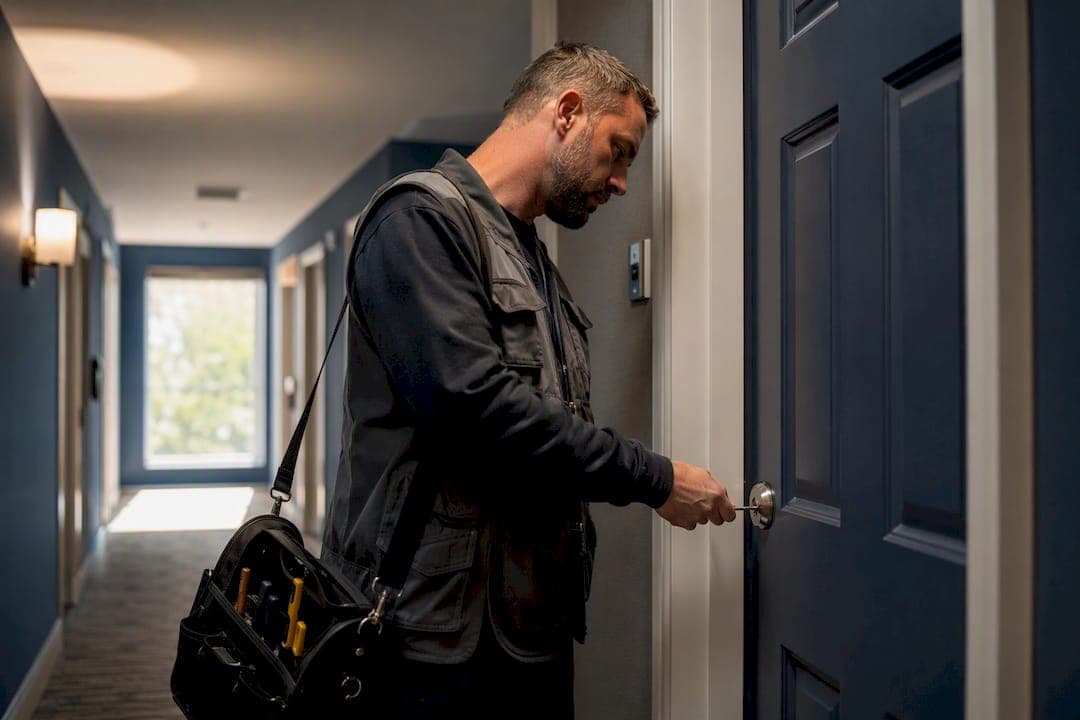
Team invites let you add the exact people who need access to a unit-turn record so they can update status, upload photos, and complete inspection items. Send the invite by email to whoever needs in right now, whether that's a maintenance tech or the carpet vendor waiting on the cleaner. In practice-tested turn software like TurnTrack, that person gets scoped access tied to a specific unit, not your whole portfolio, at a workspace subscription of $14.99/month with a free trial.
What an invite unlocks:
- Real-time visibility into the turn timeline and activity feed
- The ability to check off tasks and attach photos during inspections
- Direct access to vendor contacts and property specs, without a separate phone call
Key Takeaways
Team invites work because they replace scattered texts and spreadsheets with one scoped, shared record that vendors and techs can update directly.
| Point | Details |
|---|---|
| Invite by role, not by default | Give vendors inspection-only and photo-upload access; save manager-level access for supervisors. |
| Scope every invite to a unit | Tie access to the specific property or turn instead of the full portfolio. |
| Send invites at handoff points | Invite the next vendor when their step in the Move-Out to Make-Ready timeline starts. |
| Use the Property Standards Library | Share paint codes and filter sizes with vendors without requiring them to create an account. |
| TurnTrack covers the team under one plan | A $14.99/month workspace subscription with a free trial includes your invited team on iOS, with Android coming soon. |
Table of Contents
- What Team Invites Actually Change for a Unit Turn
- How Do You Invite a Teammate or Vendor to a Turn?
- What Permission Defaults Actually Work for Vendors and Techs
- When Should You Invite a Vendor Instead of Calling?
- How TurnTrack Puts Invites, Inspections, and Vendor Coordination Together
- Why Most Teams Get Invites Wrong
- Set Up Your Workspace and Send Your First Invite
- Frequently Asked Questions
- Sources
What Team Invites Actually Change for a Unit Turn
Texting a vendor a status update works until three people are texting three different vendors about the same unit. Invites replace that with one shared record. Everyone invited to a turn sees the same timeline, from Move-Out through Make-Ready, and the same activity feed showing who did what and when.
That shared visibility changes behavior on the ground. A tech can mark an inspection item complete and attach a photo without calling the property manager to confirm it's logged. A supervisor can see a turn slide from On Track to At Risk without waiting for someone to mention it in passing.
The operational payoff shows up in three places:
- Fewer missed vendor handoffs, because the next person in line sees exactly what's done
- Faster readiness verification, since inspection results live in the record instead of a memory
- Less rework and fewer disputes, because photo-tied documentation settles "who did what" arguments before they start
Field-tested inspection tools that minimize steps for techs, quick photo attachments, guided area walks, tend to see higher completion rates simply because the friction of documenting work drops.
How Do You Invite a Teammate or Vendor to a Turn?
Most property operations platforms handle invites the same basic way: an admin enters an email, assigns a role, and the system tracks the invite until it's accepted. Here's the sequence that works on a phone, standing in a unit.
- Open Team or Settings. Find the invite function inside the workspace, usually under a Team or Members tab.
- Select Invite Member. Enter the email address the person actually checks daily, not a corporate address they ignore.
- Choose a role. Pick the permission level that matches the job (more on this below).
- Assign the property or unit. Scope the invite to the specific building or turn, not the entire portfolio.
- Send it. The invite goes out immediately; the recipient accepts through email and gets workspace access tied to that scope.
- Check pending invites. If someone hasn't accepted within a day or two, resend it. People miss emails, especially vendors juggling five other apps.
Troubleshooting is usually simple. Invite links often expire after a set window (commonly around seven days), so a stale invite just needs reissuing. Wrong email on file? Cancel the pending invite and send a new one to the correct address. If someone says they never got it, check spam before assuming the software failed.
Pro Tip: Send the invite before the vendor shows up on-site, not after. A tech standing outside a locked unit with no app access is a wasted trip, and you'll be the one fielding the call about it.
One subscription covers your invited team; you're not paying per seat when you add a vendor or a new hire.
What Permission Defaults Actually Work for Vendors and Techs
Not everyone invited to a turn needs the same access, and giving a carpet vendor manager-level visibility into every unit in the building is a mistake most teams make once and then fix. The right default depends on the role:
- Vendors: inspection-only access plus photo upload. They need to confirm work and prove it, nothing more.
- Techs: task-complete permissions plus inspection access, since they're documenting and closing out punch list items.
- Supervisors: manager-level access across the properties they oversee, with visibility into every active turn.
- Viewers: read-only access for anyone who just needs status, like a regional director checking progress.
Granular permission sets like this reduce risk and actually increase adoption, because vendors are more willing to use a tool that doesn't expose data outside their job.
Two habits keep this clean over time. Scope every invite to the property or unit it applies to, never the full portfolio by default. And treat time-limited access as normal for one-off contractors, not just as a security afterthought, so a plumbing crew you hire once doesn't have standing access six months later.

Pro Tip: Review pending and active invites monthly. Turnover among vendors and part-time techs is high, and an old invite with live access is the kind of thing nobody notices until it's a problem.
When Should You Invite a Vendor Instead of Calling?
The Move-Out to Make-Ready timeline gives you natural trigger points for invites. Move-out gets logged, the cleaner gets assigned and invited, and once the cleaner marks the unit "ready for carpet," the carpet crew gets invited next. The inspector comes in last, for the final walk.
The rule of thumb: invite when a vendor needs to update status or upload proof of completed work. Call when it's a single yes-or-no confirmation that doesn't need a record, like asking if someone can start a day early.
- Move-out logged → cleaner invited and assigned
- Cleaner reports ready-for-carpet → carpet crew invited
- Carpet complete → inspector invited for final walk
- One-off scheduling question → phone call, no invite needed
The Property Standards Library removes a layer of back-and-forth that usually eats up a service manager's day. Paint codes, HVAC filter sizes, preferred vendor names, all of it lives in the turn record and can be shared to a vendor without requiring them to create an account. A painter asking "what white goes on these walls?" gets the answer from the spec sheet instead of a text chain that goes nowhere for twenty minutes.
How TurnTrack Puts Invites, Inspections, and Vendor Coordination Together
TurnTrack was built around one problem: a service manager running 5 to 15 active turns at once, with the details scattered across texts, spreadsheets, and whoever happens to remember what the last inspection found. Invites are the mechanism that fixes the scattering.
- Workspace-level invites add teammates who can update turn records and post to the activity feed for a specific unit
- Inspections (Move-Out, Mid-Turn, Move-In) get walked area by area, and photos attach to inspection items or activity updates when the property requires proof, not automatically on every task
- Vendor coordination sits inside the turn itself, so the carpet crew's contact info is right there when you need it, not buried in your phone
- The Property Standards Library holds paint codes, filter sizes, and preferred vendors, shareable with a tech or vendor with no TurnTrack account required
Photos are a capability the team uses where documentation genuinely matters, like recording the date on a replaced smoke detector, not a hoop every task forces you through.
The subscription runs $14.99 per month at the workspace level with a free trial, and it covers your invited team under one purchase. The iOS app is live now on the App Store; Android is coming soon. Worth saying plainly: TurnTrack is not a property management system. It doesn't touch rent, leases, or tenant communication. It manages the turn itself, and that's the whole job.
Why Most Teams Get Invites Wrong
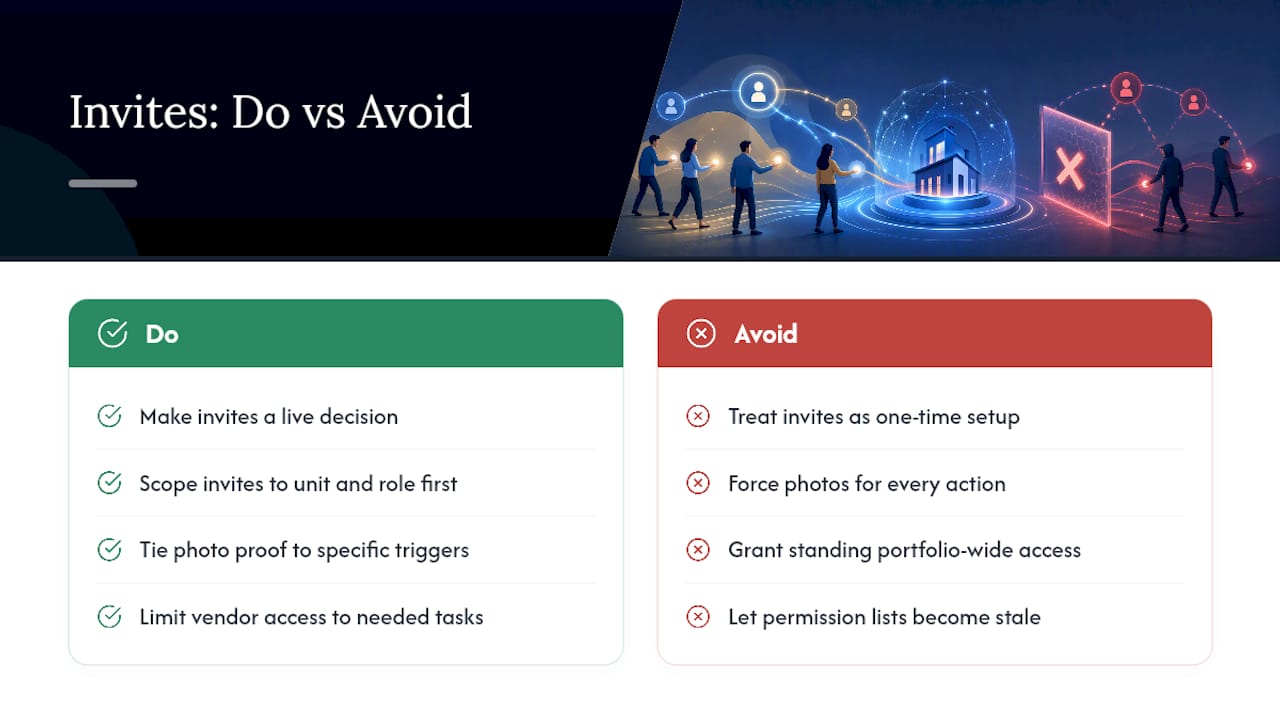
The conventional advice on team software treats invites as a setup checkbox, something you configure once during onboarding and forget. That's backwards for how multifamily turns actually work. Invites are a live operational decision made every time a new vendor shows up or a lease turns over, and treating them as a one-time setup task is why permission lists get bloated and stale within a few months.
The bigger miss is on documentation. Teams tend to either force photo proof on everything, which vendors resent and eventually route around, or skip it entirely and lose the audit trail when a dispute over a damaged unit lands on someone's desk. Neither extreme works. Photo documentation earns its place when it's tied to something specific, like a smoke detector date or move-out condition, not applied as a blanket rule.
If there's one thing to prioritize first, it's scoping. Get invites tied to the right unit and the right role before worrying about anything else. A vendor with inspection-only access to one property causes no harm if their account is ever compromised. A vendor with standing access to your entire portfolio is a different kind of exposure entirely, and most teams don't think about that until something goes wrong.
Set Up Your Workspace and Send Your First Invite
TurnTrack replaces the text threads and spreadsheet columns most smaller multifamily teams still juggle for turn coordination, without asking you to adopt an enterprise system built for portfolios ten times your size.

Everything covered above, the invite flow, role-scoped permissions, activity feed, area-by-area inspections, and the Property Standards Library, is live in the app today. A single workspace subscription runs $14.99 a month, includes a free trial, and covers your entire invited team under one purchase. The iOS app is available now on the App Store; Android is on the way.
If you're running turns across texts and spreadsheets right now, start the free trial, invite your first tech or vendor, and see how fast a shared turn record replaces the guesswork. For a broader look at how turn operations fit into the rest of your workflow, the multifamily property management guide is a useful next read, and the unit readiness checklist pairs directly with the inspection steps described here.
Frequently Asked Questions
Does inviting more team members cost extra on TurnTrack? No. TurnTrack charges at the workspace level, $14.99 a month with a free trial, and that single subscription covers your invited team rather than billing per person added.
Can a vendor use TurnTrack without creating an account? Vendors invited into a turn do need to accept an invite to update status or upload photos, but the Property Standards Library can be shared with them for reference (paint codes, filter sizes, vendor specs) without requiring a full account.
What's the difference between inspection-only and task-complete access? Inspection-only access lets someone view and complete inspection items and attach photos where required. Task-complete access extends that to checking off punch list items tied to the turn, which fits techs handling multiple job types.
How long does a team invite stay valid before it expires? Invite links in most property operations platforms expire after a set window, commonly around seven days. If it lapses, cancel the pending invite and resend a fresh one.
Is TurnTrack a property management system? No. TurnTrack manages the unit-turn and make-ready workflow only, inspections, activity feed, vendor coordination, and property standards. It doesn't handle rent, leases, or tenant communication.
Is TurnTrack available on Android? The iOS app is live now on the App Store. The Android version is complete and arriving on Google Play soon.