
The five moves that cut the most days off a vacant unit are: schedule a pre-move-out inspection 30 days before vacate, embed vendor assignments inside the turn record, trigger your listing the moment the unit clears inspection, automate screening so approved applicants get lease documents the same day, and start renewal conversations 90–120 days before lease end. Done together, these compress the leasing cycle by targeting every handoff where days disappear, not just the tasks themselves. Operators who close those handoffs report recovering about 8–14 vacant days per turn, especially when automating the listing, screening, and lease signing steps.
TL;DR: Pre-inspect → pre-order → vendor-in-sequence → list on ready → auto-screen → digital lease → renew early.
Table of Contents
- Why do units actually sit vacant longer than they should?
- How to split the vacancy timeline into measurable intervals
- What daily and weekly practices reliably cut days-to-ready?
- How do you schedule vendors so they stop creating lag?
- Which KPIs should you track, and what are the red-flag thresholds?
- How do retention and leasing operations reduce vacancy events?
- How TurnTrack closes the coordination gap
- Seven things to change this week
- Key takeaways
- What we change first, and the pitfalls that trip teams up
- TurnTrack keeps your turns moving
- Further reading and sources
Why do units actually sit vacant longer than they should?
Vacancy isn't usually caused by slow work. It's caused by slow handoffs. The unit sits between move-out and vendor start because nobody confirmed the crew. It sits between inspection and listing because nobody triggered the publish. Each gap is small; together they stack into two weeks of lost rent.

| Symptom | Likely root cause | Fast check |
|---|---|---|
| Days-to-ready keeps climbing | Vendor not confirmed before move-out | Check: when was the crew booked relative to vacate date? |
| Unit ready but not listed | No auto-trigger from inspection to marketing | Check: who owns the "list now" step and what fires it? |
| Applications sitting unanswered | Manual review queue, no parallel workflow | Check: average hours from application received to first action |
| Long showing-to-application gap | No pre-qualification before the showing | Check: are prospects screened before they book? |
| Approved tenant, slow lease signing | Paper or email lease process | Check: is eSignature in use? |
The most common false assumption is that the work itself takes too long. Fragmented vendor scheduling and delayed parts ordering are the primary drivers of extended turns, not the tasks.
How to split the vacancy timeline into measurable intervals
Treat vacancy as a chain of intervals, not a single number. Each interval has a baseline and a compression tactic. Tracking them separately shows exactly where days are lost.
| Interval | Typical baseline | Compression tactics |
|---|---|---|
| Notice → pre-move-out inspection | 7 days | Schedule inspection the day notice is received |
| Pre-move-out inspection → parts ordered | 1–3 days | Order from inspection findings same day; use a pre-bundled kit |
| Move-out → vendor start | 1–4 days | Pre-confirm crew before vacate; use vendor holds |
| Vendor start → make-ready complete | 3–7 days | Sequence tasks (trash-out → repairs → paint → clean); no gaps |
| Make-ready complete → listing live | 1–3 days | Auto-trigger listing on inspection sign-off |
| Listing live → first inquiry response | Hours–1 day | Automate response; target under 1 hour |
| Showing → application | 1–3 days | Pre-qualify before showing; online application link in confirmation |
| Applied → approved | 2–5 days | Parallel screening with same-day report delivery |
| Approved → lease signed | 1–7 days | eSignature; send documents immediately on approval |
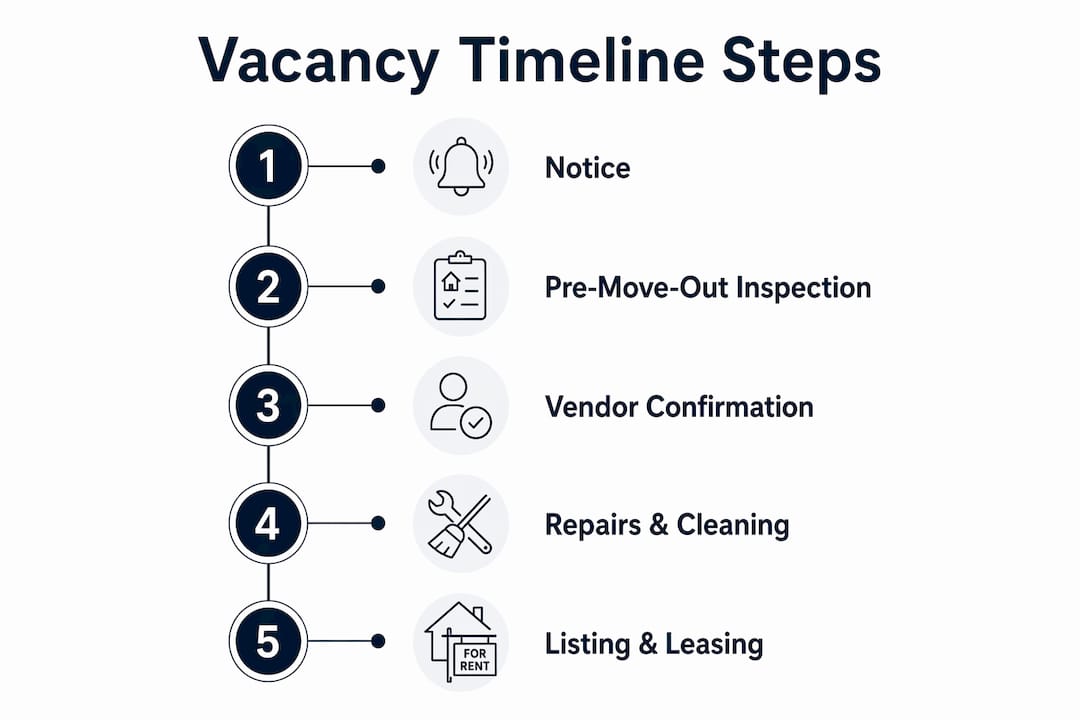
7-day fast turn: Pre-inspection done at 30 days, parts pre-ordered, crew confirmed before vacate, tasks sequenced with no gaps, listing auto-triggered, screening automated. Unit leased before the next one even clears.
14-day manual turn: Crew booked after move-out, parts ordered mid-turn, listing posted manually two days after ready, applications reviewed in batches. Every gap is a day.
What daily and weekly practices reliably cut days-to-ready?
The field team needs repeatable habits, not one-off heroics.
- Pre-move-out inspection at 30 days: Walk the unit with the tenant present. Capture findings in the turn record. Order parts and confirm vendors before the unit is empty. This single step eliminates the most common source of vendor lag.
- Standardized make-ready checklist: Tie every item to your unit readiness checklist and Property Standards Library. Techs know exactly what paint, filter size, and faucet model to use without calling you.
- Batch scheduling: Group 2–4 units with similar scope on the same crew day. Crews stay in flow; you avoid the dead time of a single-unit dispatch.
- Pre-bundled turn kits: Stock the top 3 unit types with a pre-assembled kit (paint, filters, hardware, caulk). No mid-turn supply runs. Pre-ordering tied to known lease expirations keeps materials on hand before you need them.
- Mandatory tech start dates and final sign-off: Every turn has a confirmed start date. No start date, no crew on-site. Final sign-off includes a "ready" checklist and, where the property requires it, optional photo proof attached to the task.
Pro Tip: Use repair history to pre-diagnose turn needs before the inspection. Units with recurring HVAC calls almost always need a filter and coil clean. Pre-stage those parts and you cut the first-visit return rate.
How do you schedule vendors so they stop creating lag?
Vendor lag is a scheduling problem, not a vendor quality problem. The fix is to make every vendor commitment visible and auditable inside the turn record itself.
Embed vendor assignments with confirmed ETA windows directly in the unit's turn timeline. Leasing and ops can both see whether the carpet crew is confirmed for Thursday or still unscheduled. No more "I thought you called them."
The vendor-hold template that works: For each turn, send a brief confirmation to the vendor: unit number, scope, start date/time, expected completion, and a single contact for questions. Require a reply confirmation within 24 hours. Log the confirmation in the turn record. If no reply, escalate to the backup vendor immediately — not after the start date passes.
Sequence tasks with dependency locks: trash-out must complete before repairs start, repairs before paint, paint before clean, clean before inspection. A vendor who shows up out of sequence wastes everyone's time and adds a day. A single coordinated crew handling trash-out, repairs, cleaning, and painting in one sequence can turn a unit in 24–48 hours for appropriately scoped work.
When a vendor misses a start window: document the miss in the turn record, notify the leasing coordinator immediately (the unit is not ready on schedule), and reassign to the backup vendor. Track missed windows as a vendor performance metric.
Which KPIs should you track, and what are the red-flag thresholds?
Stop tracking a single blended vacancy number. Track each handoff separately and you'll see exactly which stage is burning days.
| KPI | Target | Red flag | What it signals |
|---|---|---|---|
| Days-to-ready | ≤5 days | 14 days | Vendor lag or parts delay |
| Days-on-market (vacant to lease) | ≤14 days | — | Marketing reach or pricing issue |
| Applied-to-approved | ≤24 hours | >48 hours | Manual screening queue |
| Lead response time | <1 hour | >4 hours | No automation on inquiry capture |
| Listing-to-first showing | ≤2 days | >5 days | Showing friction or pricing |
| Vacancy loss ($/day) | Track per unit | Rising trend | Any upstream delay compounding |
| Turn cost per event | Track baseline | Rising trend | Rework or emergency procurement |
Weekly ops snapshot for regional managers: Stage-by-stage averages for the past 7 days, top 5 units by delay with the specific stage causing the hold, and a 30-day trend line for days-to-ready and days-on-market. Keep it to one page.
How do retention and leasing operations reduce vacancy events?
The cheapest turn is the one that never happens. Start renewal conversations 90–120 days before lease end. Move renewals to digital sign-off. A tenant who renews early eliminates the marketing cost, the turn cost, and the vacancy gap entirely.
When a turn does happen, leasing speed depends on removing friction at every step. Automated 24/7 inquiry capture means a prospect who finds your listing at 10 PM gets a response before they move on. Self-scheduled showings let prospects book without a phone call. Pre-qualification before the showing filters out unqualified applicants so your team's time goes to real prospects.
The applied-to-approved interval is where most operators leave days on the table. Parallel screening workflows and automated document triggers can cut approval time from days to hours. An approved applicant who receives lease documents immediately is far more likely to sign the same day.
On the marketing side: real-time listing syndication, professional photos, and virtual tours reduce days-on-market without requiring concessions. Targeted, short-term concessions (one-time move-in discount rather than ongoing rent reduction) protect long-term revenue while filling the unit faster.
How TurnTrack closes the coordination gap
Here's what the gap looks like in practice: a service manager running 10 active turns, each with its own vendors, deadlines, and unit conditions, tracking everything across texts and a shared spreadsheet. A vendor gets missed. A unit gets shown before it's ready. Nobody can prove what happened.
TurnTrack gives every turn a shared record with a live status (Ready, On Track, At Risk, Overdue) and a timeline the whole team sees: Move-Out → Tech Start → Cleaners → Carpet → Inspection → Make-Ready. Vendor contacts live inside the turn, not in someone's phone. The Property Standards Library holds the exact paint shade, filter size, and preferred vendor for each property, shareable to any tech without requiring them to have a TurnTrack account.
Before TurnTrack: A unit that needed carpet, paint, and a plumbing repair took 12 days because the carpet crew wasn't confirmed until day 4 and the paint spec required a call to the office. After adopting coordinated turn records and vendor assignments inside the app, the same scope ran 4–6 days.
| Stage | Without coordination | With TurnTrack |
|---|---|---|
| Vendor confirmed | After move-out | Before move-out |
| Paint spec lookup | Phone call to office | Property Standards Library |
| Inspection findings | Verbal or text | Activity feed with optional photos |
| Turn status visibility | Ask the tech | Live status in the app |
| Documentation | Reconstructed later | Built as the work happens |
TurnTrack is not a property management system. It does not handle rent, leases, accounting, or tenant communications. It manages the turn and make-ready workflow only. Workspace subscription: $14.99/month, one-month free trial, iOS. One subscription covers the invited team.
Seven things to change this week
- Schedule pre-move-out inspections for every 30-day notice on hand. Owner: maintenance lead. Deadline: today.
- Enable live listing syndication so the unit goes live the moment it clears inspection. Owner: leasing coordinator. Deadline: today.
- Switch to self-scheduled showings with pre-qualification questions. Owner: leasing coordinator. Deadline: day 1.
- Create pre-bundled supply kits for your top 3 unit types. Owner: maintenance lead. Deadline: day 3.
- Set a 24-hour vendor confirmation SLA and document it in the turn record. Owner: service manager. Deadline: day 2.
- Enable application-to-approval automation so screening triggers on submission. Owner: leasing coordinator. Deadline: day 3.
- Begin 90-day renewal outreach for every lease expiring in the next quarter. Owner: property manager. Deadline: day 5.
Day 3 check: Are vendor confirmations arriving within 24 hours? Is listing syndication live on the first ready unit? Day 7 check: Days-to-ready trend, lead response time, and number of renewals initiated.
Key takeaways
Cutting vacancy time in multifamily comes down to owning the handoffs between stages, not just speeding up the tasks inside them.
| Point | Details |
|---|---|
| Track handoffs, not blended vacancy | Measure each interval separately to find where days are actually lost. |
| Pre-move-out inspection at 30 days | Order parts and confirm vendors before the unit is empty to eliminate the biggest source of lag. |
| Automate listing and screening | Recovering 8–14 days per turn is achievable when listing, screening, and lease signing are automated. |
| Start renewals at 90–120 days | Early renewal outreach eliminates the turn cost and vacancy gap entirely for retained tenants. |
| TurnTrack for turn coordination | At $14.99/month with a free trial, TurnTrack consolidates vendor assignments, inspections, and turn status in one shared record. |
What we change first, and the pitfalls that trip teams up
The instinct is to automate first. That's usually the wrong order. Automating a broken process just produces broken results faster. The first change is always to assign clear stage owners with response SLAs. Who owns the handoff from inspection to listing? Who confirms the vendor? Until those questions have names attached, no software fixes the gap.
The second pitfall: skipping the make-ready standard. A tech who doesn't know the paint spec will either call you or guess. Both cost time. Build the standard first, then automate around it. The make-ready execution guide is a practical starting point for getting that standard documented.
Field-proven: pre-order parts for your top 3 unit types and reserve vendor slots for the days of the month when most leases expire. Most 12-month leases cluster around the same end dates. You already know when the surge is coming.
TurnTrack keeps your turns moving
Running 5–15 active turns at once, across texts and spreadsheets, means something gets missed. TurnTrack puts every turn in one shared workspace: live status, vendor contacts inside the record, a Property Standards Library your techs can pull up on-site, and optional photo documentation where the property requires it.

At $14.99/month for the whole team, with a free trial and no enterprise contract, the practical move is to pilot it on your next 5–10 turns and measure the day savings yourself. Download TurnTrack on iOS and run the next set of turns with a shared record instead of a group text.
Further reading and sources
- How to lease faster in a soft multifamily market — interval breakdown and leasing velocity benchmarks; use for KPI targets and timeline modeling.
- How property managers cut vacancy by 12 days — automation sequencing and worked example of day recovery; use for rollout planning.
- Vacancy reduction guide — pre-bundled kits and predictive scheduling tactics; use for operational checklist implementation.
- Tenant retention strategies — renewal timing, self-showings, and KPI tracking; use for the retention and leasing operations playbook.
- Cut vacancy time with property management software — leasing step benchmarks and syndication rollout guidance; use for software selection and metrics reporting.
- Multifamily unit readiness checklist — detailed make-ready checklist for field teams.
- Apartment make-ready execution guide — step-by-step procedures and inspection instrumentation.
- Ready for rent: property manager's guide — practical execution advice for getting units rent-ready faster.
- Reduce vacancy time: multifamily turnover services guide — single-crew sequencing and 24–48 hour turn evidence.