
Share a single, live no-login spec link, plus a downloadable PDF snapshot, so every vendor sees the current property specs without hunting through texts and email threads. That link needs to show at minimum a working contact, acceptance criteria for the job, exact model or size numbers, and any required photos. TurnTrack builds this around a Property Standards Library and no-account share links, since most techs will never install an app for a one-day job.
TL;DR:
- Live no-login links are ideal for quick, mobile tasks because they always display the latest property specs without confusion.
- PDF snapshots are essential for invoicing, permits, and locations with poor signal, as they lock specifications for record-keeping.
- Property standards should be a single, regularly updated document with machine-readable labels, most critical info at the top, and linked to detailed specs.
- Access controls like expiry dates, view-only permissions, and audit logs protect your specs when sharing with external vendors.
- Vendors will use your specs more effectively if you send concise instructions first, request photo proof upon completion, and stick to a clear communication channel.
Table of Contents
- How Do You Actually Share Property Specs With Vendors?
- What Belongs in a Vendor-Facing Spec Package
- Structuring Specs So Vendors Don't Have to Call You
- Who Can See What, and How Do You Prove It?
- Getting Vendors to Actually Use Your Spec Format
- Field-Proven Workflow: How Operators Use TurnTrack to Share Specs and Verify Work
- What Service Managers Actually Do Differently
- How TurnTrack Puts This Workflow Into Practice
- Sources
How Do You Actually Share Property Specs With Vendors?
Most property teams default to whatever is fastest in the moment: a text with a blurry photo, a forwarded email chain, a PDF attachment nobody can find later. That works until it doesn't. The vendor shows up with the wrong filter size, or paints a wall the wrong shade of white, and now you're eating the cost of a redo.
The fix is choosing the right sharing method for the situation, not defaulting to one method for everything.
- Live no-login links work best for ad hoc jobs and mobile crews. The link always shows the current version, so there's no "which PDF is the real one" confusion.
- Downloadable PDFs matter for invoicing, permits, and any vendor working somewhere without reliable signal. A snapshot locks the spec in place at a moment in time, which is exactly what you want for a paper trail.
- QR codes posted at the unit or in the utility closet cut out transcription errors entirely. The tech scans, reads, done.
- Email bundles still make sense for vendor firms with dispatch offices that route paperwork before assigning a crew.
For security, set link expiry dates, add a passcode for sensitive documents, and consider a light watermark on PDFs tied to vendor invoicing disputes. None of this needs to be complicated. It just needs to be consistent.
What Belongs in a Vendor-Facing Spec Package
A spec package is only useful if a vendor can act on it without calling you first. Build every package around this order:
- Contact info and availability windows. Name, phone number, and the actual hours someone will be on-site to let a vendor in.
- Property Standards snapshot. Paint codes, filter sizes, hardware models, and finish schedules specific to that unit or property.
- Acceptance criteria. State the tolerance, not just the task. "Replace filter" is vague. "16x25x1 MERV8, airflow arrow pointing toward the unit" is not.
- Vendor documentation. License and insurance verification, surfaced where the vendor expects it, not buried in a separate onboarding form.
- Photo requirements. Specify what to photograph, when, and by what deadline, along with any payment or service-level terms tied to that proof.
- Links, not attachments. Point to floor plans, serial numbers, and warranty documents rather than stuffing every file into one bloated PDF.
That order matters. Contact and acceptance criteria come first because they answer the two questions a vendor asks before touching anything: who do I call, and how do I know I'm done.
Structuring Specs So Vendors Don't Have to Call You
Ambiguity is what turns a five-minute job into a phone tag marathon. Industry data backs this up directly: standardizing spec language and formats reduces project delays because vendors stop guessing at what a manager meant.
The fix starts with treating your Property Standards Library as the single source of truth, per property or across a portfolio, rather than letting specs live in whoever's memory happens to be on shift.
- Use machine-readable field labels: "HVAC filter: 16x25x1 MERV8" instead of "the usual filter."
- Give vendors a one-page quick sheet for the field, then link out to the full spec pack for anything procurement-related.
- Keep one living document per property. Update it in place, and log a short change note every time something shifts.
- Put the most-checked fields (filter size, paint code, lockset model) at the top of the sheet, not buried on page six.
Pro Tip: Map your paint code and filter size onto the quick sheet exactly the way the vendor will search for them. "SW 7005 Pure White, eggshell" and "16x25x1 MERV8" save more callback calls than any onboarding email ever will.
Centralized spec platforms that push live updates to field teams do this at scale on construction jobs. The same logic applies to a 200-unit portfolio: specify once, update in one place, and let the link do the rest.
Who Can See What, and How Do You Prove It?
Sharing a spec doesn't mean losing control of it. Set your links to view-only with an expiry date for any vendor outside your regular rotation, and keep an audit log showing when a link was opened and by whom.
- View-only, time-limited links for external or one-off vendors
- Access logs showing timestamps and downloads, not just "sent"
- Version labels and short change notes so nobody argues about which spec was "the latest"
- Milestone snapshot PDFs at handoff points, useful for invoicing and any later dispute
- For vendors who refuse to create accounts: stick with no-login links, but require photo proof on critical tasks so the record still exists
That last point covers the vendors you'll deal with constantly. Small crews rarely want another login to manage, and live share links without account creation remove that friction while still leaving a usable record behind.
Getting Vendors to Actually Use Your Spec Format
- Send access first, explain second. One message with the link, one line on what to photograph, and who signs off on completion.
- Request photo proof at the moment of completion, not after you've already paid the invoice.
- Pick one channel and stick to it. Text for urgent jobs, email for anything with paperwork attached, and agree on how fast each side responds.
- Watch for red flags. A vendor who can't open the link twice, or keeps asking questions the quick sheet already answers, needs a phone call before the next job, not a third resend.
Pro Tip: If the same question comes in from three different vendors, the answer belongs on the quick sheet, not in your inbox.
A contractor onboarding checklist built around this sequence turns a new vendor relationship into a five-minute setup instead of a week of clarifying calls.
Field-Proven Workflow: How Operators Use TurnTrack to Share Specs and Verify Work
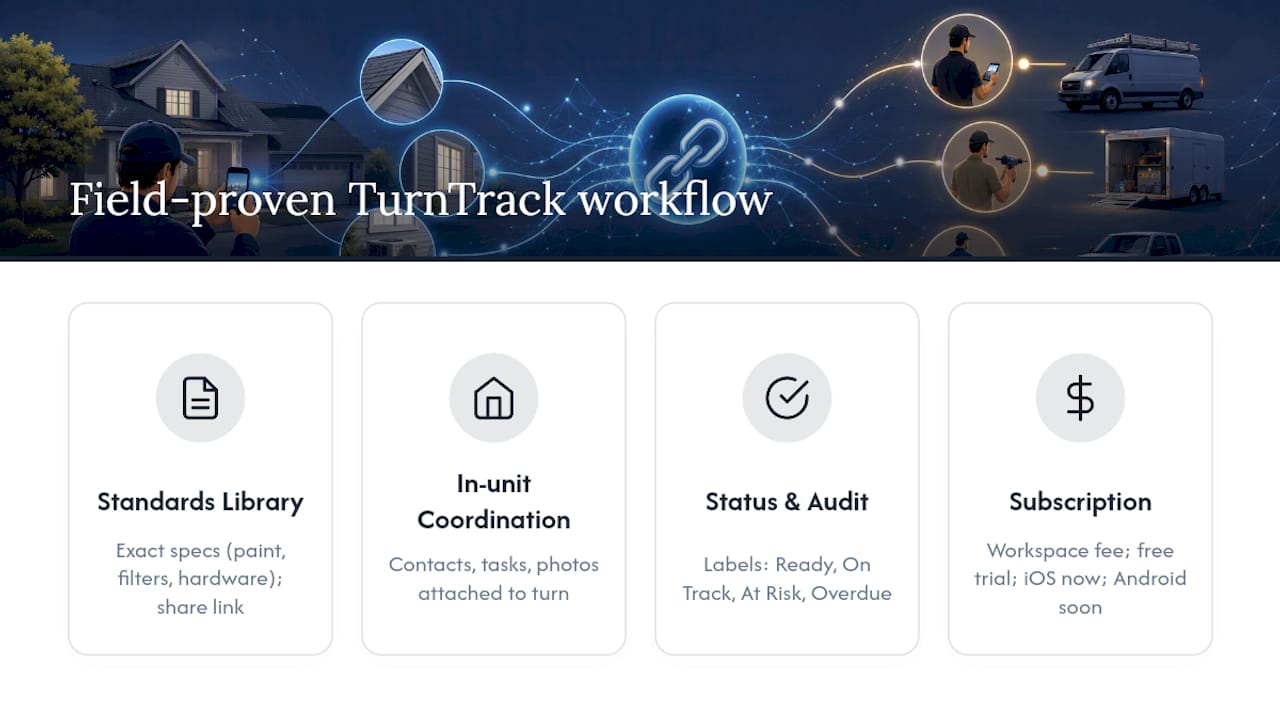
TurnTrack's Property Standards Library holds the exact paint codes, filter sizes, and hardware models for a property, shared to a vendor without requiring them to create an account. Vendor coordination lives inside each unit turn, so contacts, task assignments, and photo attachments sit next to the work itself rather than in a separate list. Status labels (Ready, On Track, At Risk, Overdue) paired with the activity feed create a running record of who did what and when. Subscription is workspace level with a monthly fee, including a free trial, available now on the iOS App Store, with Android arriving soon.
What Service Managers Actually Do Differently
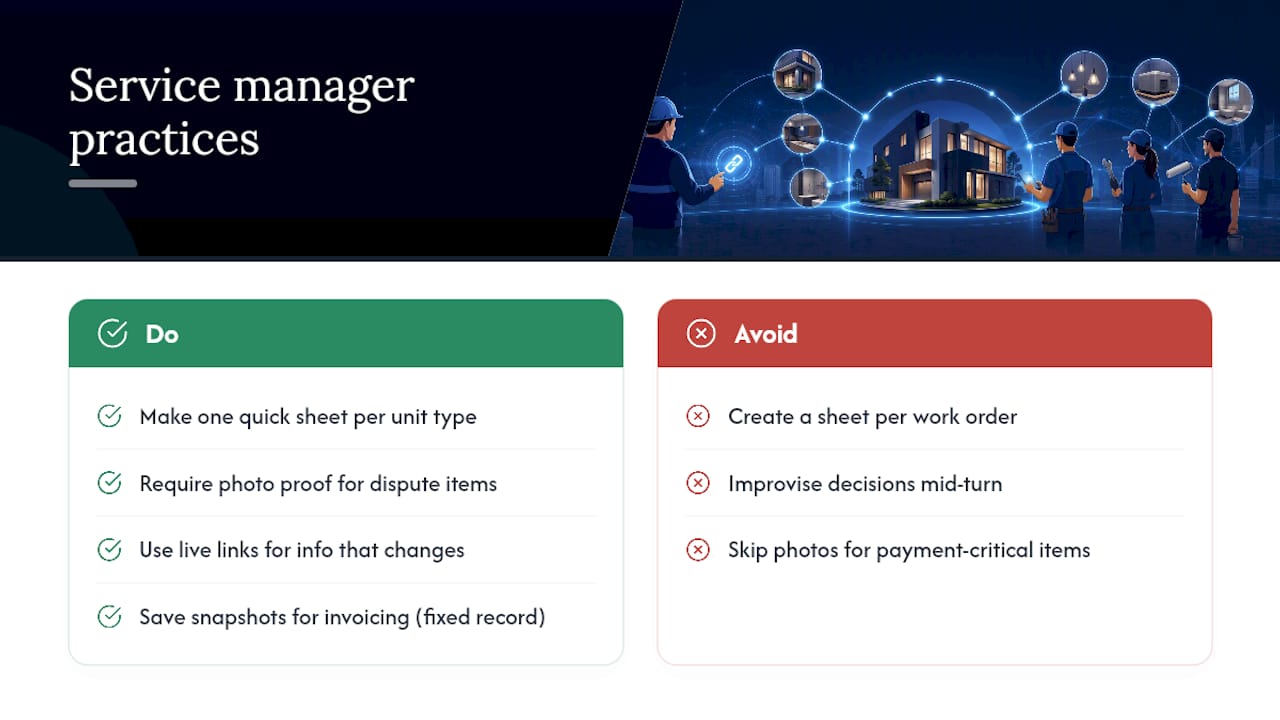
Build one vendor quick sheet per unit type, not per work order. A one-bedroom with the same finish package doesn't need a new sheet every turn. Require photo proof on anything that causes payment disputes when it's wrong: smoke detectors, filters, locksets. It's the cheapest insurance you'll buy all year.
Live links win for anything that changes often, since paint codes and vendor lists shift more than most managers admit. Snapshots earn their place at invoicing time, when you need a document that doesn't move once it's issued. The teams that argue least with vendors are usually the ones that decided this in advance instead of improvising it mid-turn.
— TurnTrack Team
How TurnTrack Puts This Workflow Into Practice
TurnTrack gives property and service managers a real place to run this exact workflow, not just a set of habits to remember. The Property Standards Library holds your specs once; vendor coordination sits inside each unit turn so contacts and task assignments are never a separate hunt; and photo attachments on inspections and activity updates build your proof-of-work record as a byproduct of the job itself, not extra paperwork tacked on afterward.

It runs on a workspace-level subscription with a free trial, and it's available now on the iOS App Store, with Android arriving soon. If you're still coordinating vendors through a group text and hoping nobody deletes the thread, start your free trial and see what a shared spec record actually does to your callback rate.
Sources
For deeper reading on the systems behind this workflow, Procore's specification management tools show how centralized, revision-tracked specs work at construction scale. Keller Schroeder's research on standardization explains why consistent formats cut project delays. And platforms like SpecIQ demonstrate the live-link, no-account pattern this article recommends for vendor access.
- Construction Specification Management Software | Procore
- Digital transformation and standardization reduce project delays | Keller Schroeder
- AI Spec Sheet Generator for Manufacturers & Exporters | SpecIQ | SpecIQ