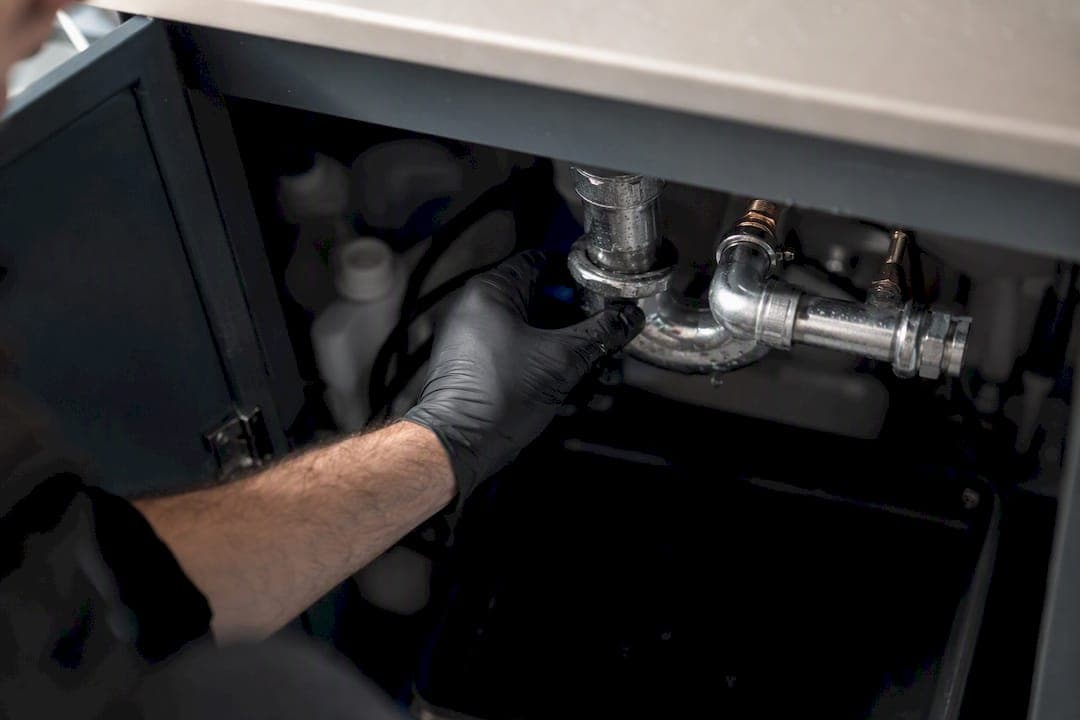
Centralize every faucet's brand, model, and cartridge details in one shared spec sheet tied to the unit turn, and photograph the fixture plus any stamped part number the moment a tech steps into the unit. That single habit is what stops the second truck roll. Facility teams consistently name scattered specs as the top cause of turnover delays, which is why a single source of truth for faucet data matters more than any app you buy.
Do this on every turn:
- Log the faucet brand, model, and cartridge type in a Property Standards Library linked to the unit turn record.
- Snap one wide shot of the fixture and one close-up of the cartridge, stem, or stamped model number at move-out or tech start.
- If the marking is worn off or missing, run the photo through an image-recognition tool like Partelligence and attach the match to the turn.
Key Takeaways
Faucet model tracking works when a photo, a part number, and a spec entry all attach to the same unit turn record instead of living in separate places.
| Point | Details |
|---|---|
| Centralize the spec | Log faucet model, cartridge type, and finish in a Property Standards Library tied to the turn. |
| Photo before ordering | Capture a wide shot plus a close-up of any stamped part number at move-out or tech start. |
| Use image recognition as backup | Tools like Partelligence identify worn or missing markings, then confirm against a parts catalog. |
| Stock smart, not deep | Set min/max thresholds and build technician kits around your actual cartridge mix. |
| Caption every proof photo | Note the part used, date, and tech name so disputes settle in seconds, not searches. |
Table of Contents
- The 60-second faucet check every tech should run
- What the field workflow looks like from move-out to close-out
- Which tools actually speed up faucet identification?
- Keeping the right parts on hand before the tech arrives
- What proof actually holds up when a repair gets questioned
- How TurnTrack's features map to faucet model tracking and faster turns
- The gap between "track the model" and actually doing it
- Sources
The 60-second faucet check every tech should run
You don't need a plumbing degree to get this right. You need a habit that takes less time than waiting for the elevator.
- Take two photos: one of the full fixture, one close-up of any part number, cartridge, or stem marking. Label both with the unit number and turn ID.
- Write down the aerator size, finish (chrome, brushed nickel, oil-rubbed bronze), and exact location (kitchen, hall bath, primary bath).
- Check the Property Standards Library or run an image-recognition scan before calling in an order.
- Flag any unit where the part number is missing entirely, and note whether a temporary fix holds until the correct cartridge arrives.
Pro Tip: If a faucet has no visible model number and the image match comes back uncertain, photograph the valve body from three angles instead of guessing. A vendor can usually confirm from angles faster than from a single blurry shot.
Skipping step four is the mistake that costs the most time. A tech who "just orders something close" on a stamped model creates a second visit almost every time the part doesn't fit.
What the field workflow looks like from move-out to close-out
Model capture works best when it happens at one of two moments: the move-out inspection or tech start, whichever your team already walks the unit for. Record it once, in the turn record, and everyone downstream reads from the same page instead of re-discovering the fixture from scratch.
- Before the visit: Confirm which parts are already assigned to the work order and check stock. If the cartridge is on the truck, cancel any vendor trip that was scheduled as a fallback.
- On-site: Confirm the model against the photo or the Property Standards Library entry. Only pull the cartridge or stem if the marking is unreadable. Full teardown should be the exception, not the routine.
- Close-out: Attach photo proof, log the exact part used, and move the turn status from At Risk or On Track to Ready.
This sequence removes the guesswork that turns a 20-minute repair into a half-day project. The digital thread concept, linking model data and repair history to daily work, exists precisely because knowledge tied to one person's memory disappears the day that person calls in sick or leaves for a better offer.
Which tools actually speed up faucet identification?
You don't need to overhaul your stack to fix this.
- Labeled photos and physical labels. A QR code or a printed label on storeroom bins for your five most common cartridges cuts guesswork before a tech even leaves the shop.
- Image-recognition apps. Tools such as Partelligence identify cartridges and stems from a photo when stamped numbers are worn smooth, a common problem on faucets installed before 2015.
- EPC and parts-catalog systems. Platforms like Tavant's service parts management validate bills of materials and confirm part compatibility before an order ships, which matters when a single faucet line has three cartridge generations that all look nearly identical.
Image recognition is a supplement, not a replacement for catalog validation. A photo match narrows the field; a parts catalog confirms the fit. Skip the second step and you risk a confident, wrong answer.
IoT sensor faucets from commercial manufacturers stream usage data and maintenance alerts, but they're built for high-traffic hygiene and compliance settings, not standard multifamily units. Retrofitting sensor hardware across a portfolio to solve a documentation problem is usually the expensive way to solve a cheap problem: most turn teams get more value from a documented spec sheet than from smart hardware they'd have to install unit by unit.
Keeping the right parts on hand before the tech arrives
The fastest turn is the one where nobody has to leave the property mid-repair. That starts with inventory rules, not luck.
- Set min/max thresholds on common cartridges and aerators, and link parts consumption directly to the work order so pulling a part updates stock automatically; see this essential rental property maintenance checklist for more tips on maintaining rental properties effectively.
- Build standard technician kits stocked with the three or four cartridge types your property actually uses, based on the faucet lines installed across your buildings.
- Reserve unit-specific parts ahead of the visit when you already know a unit has a nonstandard or discontinued model.
- Set reorder points around your vendor's actual lead time and your typical monthly turn volume, not a round number that sounds safe.
Mobile inventory systems that let a tech scan a part and attach it to a work order in real time, the kind UpKeep's inventory management tools are built around, remove the manual step where stock counts quietly drift out of sync with reality.
What proof actually holds up when a repair gets questioned
A resident disputes a repair charge. A new service manager inherits a unit mid-turn. An owner asks why a faucet was replaced twice in one year. Documentation settles all three, but only if it's specific.
- Attach before and after photos to the turn record, each with a caption naming the part used, the date, and the tech.
- Rely on time-stamped activity logs and the turn's status timeline to show exactly when the work happened, not just that it eventually got done.
- When property policy requires it, add a close-up photo showing the date written on the part or its serial number.
Pro Tip: Skip generic captions like "faucet fixed." Write the cartridge model and date directly in the caption field. Six months later, that three-second habit saves someone a half hour of searching.
How TurnTrack's features map to faucet model tracking and faster turns
TurnTrack was built around the exact bottleneck described above: specs living in someone's memory instead of a shared record. The Property Standards Library holds the faucet model numbers, preferred replacement parts, and vendor notes for each fixture type across a property, so a tech pulls up the answer instead of guessing or waiting on a callback.
Photos and activity updates attach to the same turn record, so proof of a correct repair stays linked to that specific unit and turn instead of scattered across text threads. Vendor contact information and scheduling live inside the turn record too, which means nobody digs through a separate contact list to find the plumbing vendor mid-repair.
A faucet model captured at move-out and matched against a documented spec sheet at tech start is the difference between one visit and three.
On an iPhone, the sequence looks like this: confirm the model against the Property Standards Library entry, mark the cartridge as assigned to the work order, attach a photo once it's installed, and move the turn status forward. That's it.
| Approach | What it solves |
|---|---|
| Text threads and spreadsheets | Nothing centralized; specs vanish when staff turn over |
| Standalone parts-catalog app | Confirms part fit but disconnected from the turn's timeline and photos |
| TurnTrack's Property Standards Library plus turn record | Specs, photos, vendor contact, and status all attached to one shared record |
TurnTrack runs on a workspace-level subscription with a monthly fee and is available on iOS through the App Store. One subscription covers your invited team.
Quick fixes before your team goes live
- Require a unit number and turn ID on every photo file name, or orphaned images pile up fast.
- Train techs to check the Property Standards Library before ordering a full fixture replacement, not after.
- Stage a common-parts kit on trucks for the first 60 days, then adjust the kit based on what actually gets pulled.
Pro Tip: Review the first two weeks of photo captions as a group. Sloppy captions early become sloppy habits permanently.
The gap between "track the model" and actually doing it
Most advice on this topic stops at "document your fixtures," which is true and useless in equal measure. The real failure point isn't a lack of enthusiasm for record-keeping. It's that documentation dies the moment it's harder to update than to skip.
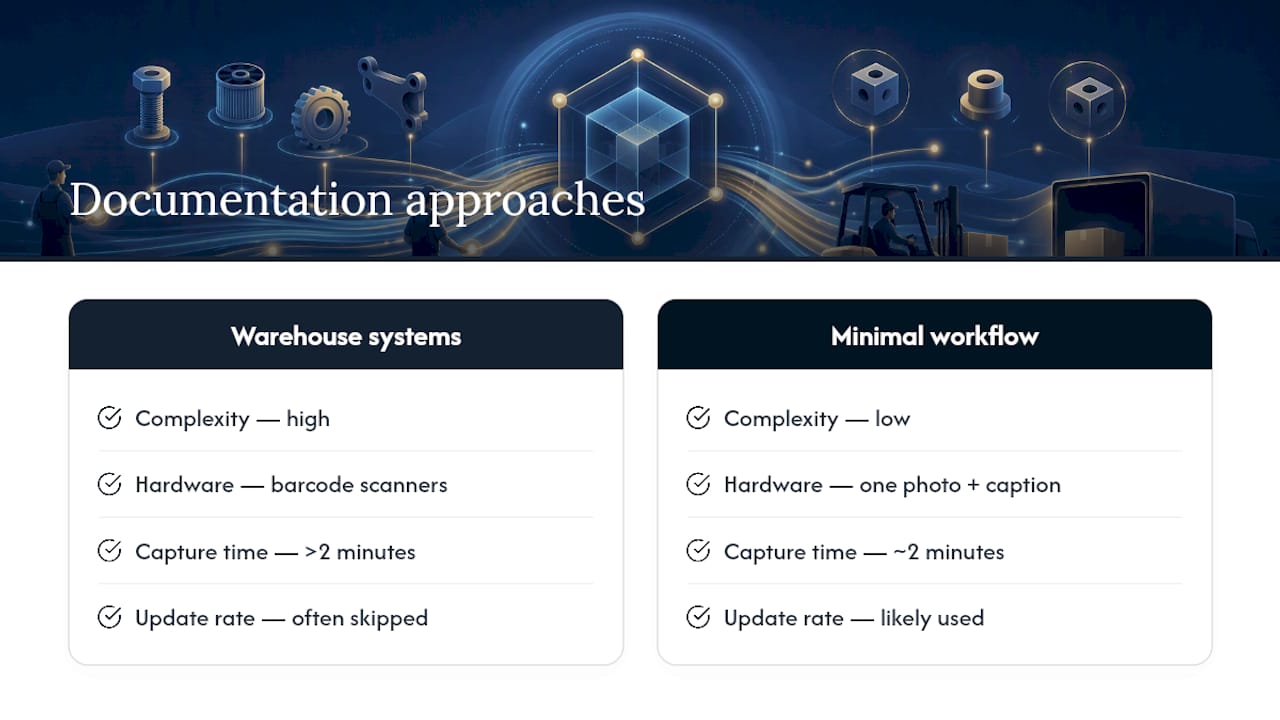
The conventional fix, buying an inventory platform built for warehouses, overshoots what a five-building multifamily portfolio actually needs. You don't need barcode scanners on every cartridge. You need one photo, one caption, and one place that photo lives where the next tech will actually look for it.
What deserves more attention than it gets: the moment of capture matters more than the system you capture it into. A perfect spec library that techs never open at move-out is worse than a rough one they check every time. Build the habit around the two-minute mark, not around software features nobody asked for, and read our turnover punch list guide for how this fits the rest of the checklist.
— TurnTrack Team