
For mid-size multifamily teams running 5–15 active turns at once, TurnTrack is the clearest fit among vendor management apps built specifically for unit-turn coordination. It puts vendor contacts, turn statuses, inspection records, and property specs inside a single iOS workspace your whole team can see in real time.
A few facts worth knowing before you read further:
- Shared turn record: every unit gets a status (Ready, On Track, At Risk, Overdue) and a timeline from Move-Out through Make-Ready that techs and vendors can reference without calling you.
- Vendor coordination inside each turn: the vendor's contact lives on the turn record itself, not buried in someone's phone.
- Pricing: workspace subscription at a monthly fee, with a free trial, billed through the App Store. One workspace covers your invited team.
- Platform: iOS only.
Pro Tip: Start your pilot with 5–15 active turns in the first week. That volume is enough to surface real coordination gaps without overwhelming your team during the learning curve.
Key Takeaways
TurnTrack is the most direct fit for mid-size multifamily teams who need vendor coordination, turn records, and property specs in one iOS workspace at $14.99/mo.
| Point | Details |
|---|---|
| Run a 1-week pilot | Track days to ready, vendor confirmation rate, and staff coordination hours from day one. |
| Onboard primary + backup vendors first | Load at least two vendors per service category before the pilot turn starts. |
| Use the Property Standards Library early | Load paint codes, filter sizes, and vendor contacts before the first pilot turn runs. |
| TurnTrack is not a PMS | It manages make-ready workflow only; rent, leases, and accounting stay in your existing system. |
| TurnTrack pricing and trial | Workspace subscription at $14.99/mo, free trial available, iOS only via App Store. |
Table of Contents
- What should you look for in a vendor management app for unit turns?
- What does this look like in practice?
- How to get TurnTrack running in one week
- Why an app built by a service manager actually matters
- TurnTrack is ready when you are
What should you look for in a vendor management app for unit turns?
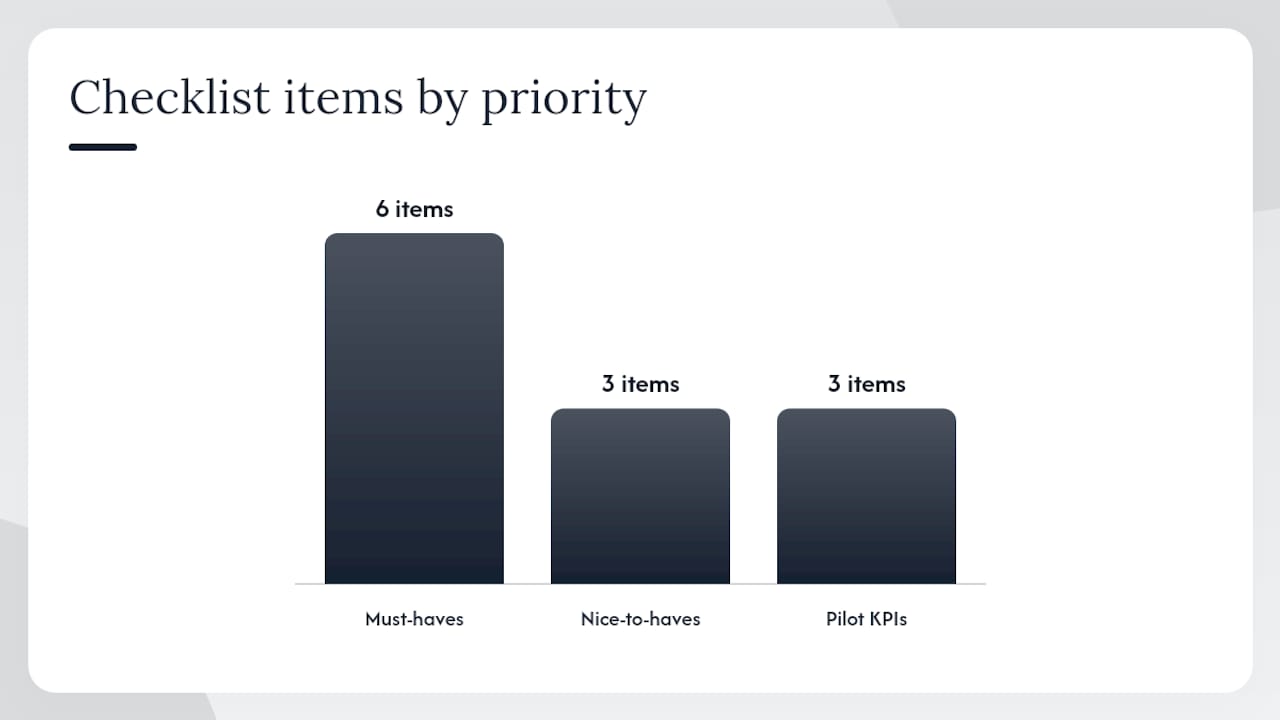
The right contractor management app for unit turns does one thing well: it keeps every vendor, status, and spec attached to the unit, not scattered across texts and spreadsheets. Here is a prioritized checklist.
Must-haves:
- Shared turn record with live statuses (Ready, On Track, At Risk, Overdue)
- Vendor contacts and access living inside each turn, not in a separate directory
- Inspection capability with optional photo attachments for dispute-ready documentation
- A centralized spec library (paint codes, filter sizes, preferred vendors) shareable without requiring vendor accounts
- Parallel task sequencing so cleaners and carpet crews do not wait on each other unnecessarily
- Vendor confirmation windows and backup escalation rules
Nice-to-haves:
- Two-way integration with your PMS for automatic turn triggers
- Vendor scorecards and performance history
- Reporting dashboards for cost-per-turn tracking
A solid vendor management checklist also covers vendor qualification and contract terms before onboarding begins.
| Feature category | Must-have | Nice-to-have |
|---|---|---|
| Shared turn record with statuses | Yes | |
| In-turn vendor contact & access | Yes | |
| Inspection + photo evidence | Yes | |
| Property standards / spec library | Yes | |
| Parallel task scheduling | Yes | |
| Confirmation windows + escalation | Yes | |
| PMS integration / auto-triggers | Yes | |
| Vendor scorecards | Yes | |
| Cost-per-turn reporting | Yes |
Three questions to ask on a demo:
- How long does vendor onboarding take, and do vendors need an account to receive specs?
- Can you set a confirmation window (say, 2 hours) and auto-escalate to a backup if no response?
- Is photo evidence optional per task, or forced on everything?
For pilot KPIs, track three numbers: average days to ready, vendor confirmation rate within the chosen confirmation window, and staff coordination hours per turn. Those three tell you whether the app is actually working within the first week.
Pro Tip: Set your vendor confirmation window to about 2 hours and pre-configure backup escalation before the pilot starts. Confirmation windows are one of the highest-impact settings in any contractor scheduling app.
What does this look like in practice?
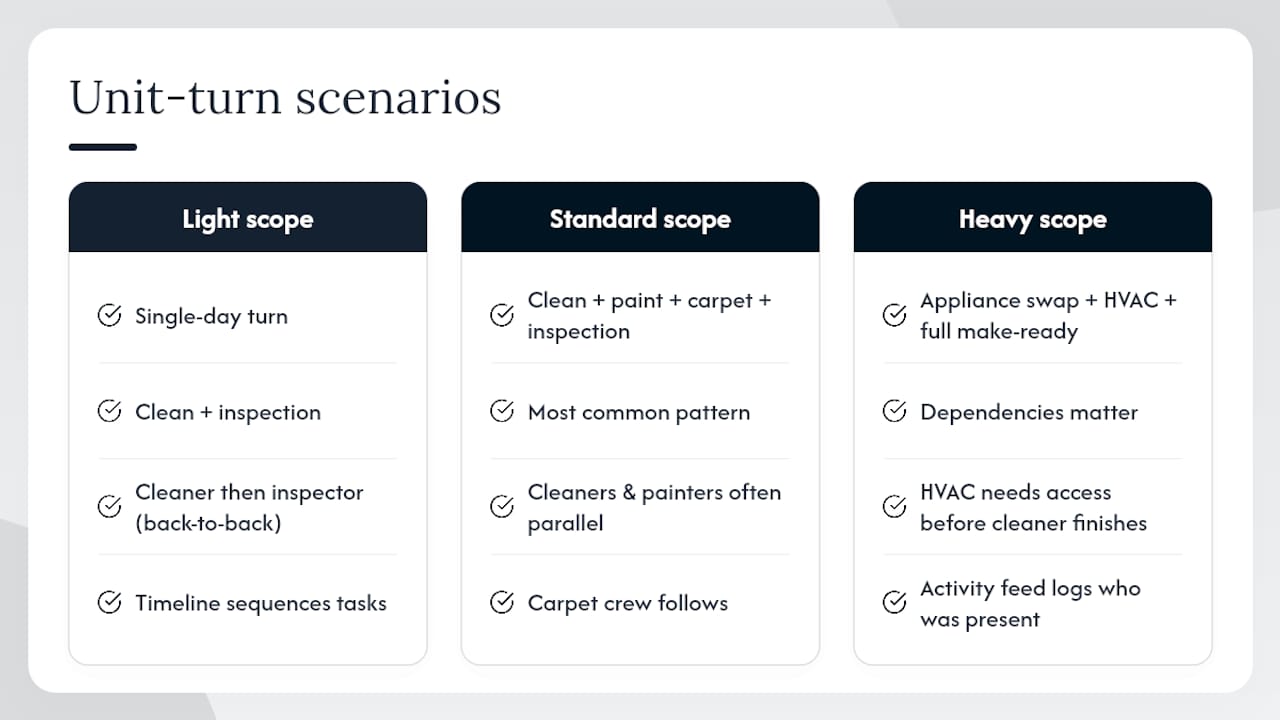
Three scenarios cover most of what mid-size teams deal with.
Light scope (clean + inspection): a single-day turn where the cleaner and inspector can run back-to-back. The turn record shows both vendor contacts, the timeline sequences the tasks, and the move-in inspection closes the record with a photo of the smoke detector date stamp if the property requires it.
Standard scope (clean + paint + carpet + inspection): the most common pattern. Cleaners and painters can often run in parallel on different areas. The carpet crew follows. Without a shared timeline, this is where vendors step on each other or wait. With TurnTrack, each vendor sees their stage and the coordinator sees the whole picture.
Heavy scope (appliance swap + HVAC + full make-ready): dependencies matter here. The HVAC tech needs access before the cleaner finishes. The activity feed logs who was in the unit and when, which matters if a damage dispute comes up later.
Coordination gaps, not the actual work, create most vacancy time. Waiting for vendor confirmations, inspection results, and scope approvals accounts for the majority of days lost between vacate and move-in ready. Automating dispatch and running tasks in parallel is where the time savings actually come from.
Industry data backs this up. One case study of a large firm showed average days to turn dropping from 14.6 to 5.2 after implementing automated vendor dispatch with SMS confirmation and backup escalation, with vendor no-shows falling from 21% to 3.4% and staff coordination hours per turn reduced from 7.1 to 0.63. A separate example of a sizable complex replacing spreadsheets with structured coordination saw days to ready fall from 24 to 9.4, with turnover cost per unit reduced by 35%. These are not TurnTrack-specific claims. They reflect what structured unit-turn management delivers when coordination gaps are closed.
How to get TurnTrack running in one week
A focused pilot takes about five days if your PMS already records lease events digitally.
- Day 1: Create your workspace, invite your team, and import your first property and units.
- Day 1–2: Load your vendor network. Add primary and backup vendors for each service category (cleaning, paint, carpet, HVAC). At least two per category before the pilot starts.
- Day 2: Build three turnover templates covering light, standard, and heavy scope.
- Day 3: Configure inspection checklists for Move-Out, Mid-Turn, and Move-In. Set minimum photo requirements for items your property requires documented (smoke detectors, damage evidence).
- Day 3–4: Set vendor confirmation windows (2 hours is a proven starting point) and configure backup escalation rules.
- Day 4: Run one pilot turn end-to-end. Walk the inspection on your phone, log an activity update, test the vendor contact access from the turn record.
- Day 5: Train your team on exception handling. What happens when a vendor misses the confirmation window? Who escalates, and how?
Follow a contractor onboarding checklist to make sure vendor qualification and contract terms are covered before the pilot turn goes live.
Track three metrics during the pilot:
- Average days to ready
- Vendor confirmation rate within the 2-hour window
- Staff coordination hours per turn
Pro Tip: Move coordinator knowledge into the system before the pilot, not after. Paint codes, filter sizes, preferred vendors: load them into the Property Standards Library on Day 1 so the first real turn tests the full workflow.
Why an app built by a service manager actually matters
Most coordination problems in unit turns are not technology problems. They are memory problems. The service manager knows which vendor to call, what paint goes on the walls, and which unit is actually ready versus which one just looks ready. When that person is out, on another property, or simply overwhelmed with 12 active turns, that knowledge disappears.
TurnTrack was built by a service manager with 9+ years in the field, and that background shows in specific design choices. Vendor contacts live on the turn record because that is where you need them, not in a separate CRM. The Property Standards Library exists because the question "what white goes on these walls?" gets asked constantly, and the answer should not depend on who picks up the phone. Photo evidence is optional because forcing photos on every task creates friction that kills adoption; attaching a photo of a dated smoke detector swap to that specific task is genuinely useful.
The deliberate limit, not being a PMS, is also a design choice. Tools that try to replace your entire property management stack end up being adopted by nobody on the field team because they are too complex for the job at hand. A focused make-ready workspace that your techs and vendors can actually use on a phone in a unit is worth more than a feature-complete platform that lives only on a desktop in the office.
For mid-size portfolios running 5–15 concurrent turns, the vacancy reduction playbook that comes from closing coordination gaps is straightforward: shared visibility, vendor contacts where you need them, and specs that do not live in one person's head.
TurnTrack is ready when you are
Running 5–15 active turns without a shared system means someone is always playing catch-up. TurnTrack gives your team a single iOS workspace where every turn has a live status, every vendor contact is on the record, and every spec your techs need is in the Property Standards Library.

The workspace subscription is $14.99/mo with a free trial, billed through the App Store. One subscription covers your invited team. Photos are optional and attached to inspection items where your property requires documentation, not forced on every task.
To start: create your workspace, invite your team, import one property, and run a pilot turn. The onboarding takes less than a day if your lease events are already tracked digitally. Support and guidance are available through TurnTrack's published playbooks and operator-focused content.
Start your free trial at TurnTrack and have your first pilot turn running by end of week.