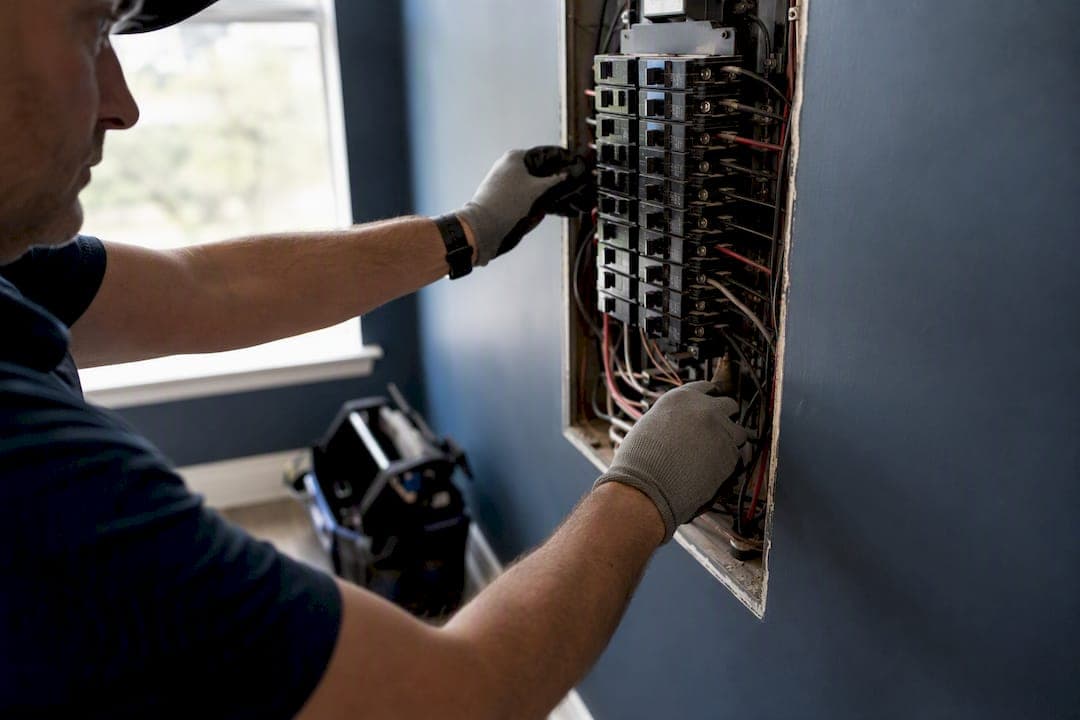
Prevent scope creep in maintenance work by locking a written scope baseline, setting a hard scope-freeze date, and routing every single addition through a documented change control process that forces a trade-off decision. Skip any one of those three and "while you're in there" work will eat your schedule and your budget before you notice it happening.
Do this as soon as possible, ideally within the next few days:
- Write and circulate a one-page scope statement for the current job or shutdown, listing what's in, what's out, and who signs off on changes.
- Set a scope-freeze date and tell every stakeholder, vendor, and tech that anything requested after that date needs a written change request, not a verbal ask.
- Start a simple log of tasks added after the freeze, tracking hours and estimated cost against each one.
Pro Tip: Post the freeze date somewhere physical, on the whiteboard in the shop, in the shift handoff sheet, wherever your crew actually looks. A rule nobody sees gets ignored by accident, not malice.
This is standard scope management practice adapted for maintenance timelines, and it's the same logic built into how TurnTrack structures an unit turn record: a status, a timeline, and a documented history that everyone on the job can see.
Key Takeaways
Preventing scope creep in maintenance work comes down to a visible scope baseline, an enforced freeze date, and a change control process that forces every addition through a documented trade-off decision.
| Point | Details |
|---|---|
| Lock the baseline first | Write a scope statement with deliverables, exclusions, acceptance criteria, and a WBS before work starts. |
| Set and enforce a freeze date | Pre-stage parts, verify permits, and lock resources before the freeze so late additions carry a real cost. |
| Route every change through impact assessment | Require cost, schedule, safety, and permit fields before any request gets approved. |
| Track post-freeze metrics weekly | Log tasks added, hours added, and cost by approver, and review the log out loud regularly. |
| Keep the baseline visible during execution | TurnTrack gives unit turns a shared record, timeline status, and Property Standards Library so the baseline stays the reference everyone works from. |
Table of Contents
- What Is Scope Creep in Maintenance, and Why Does It Happen So Easily?
- How Do You Set a Scope Baseline for Maintenance Work?
- How Should Maintenance Teams Handle Change Requests?
- When Should You Set a Scope Freeze for a Maintenance Shutdown?
- What Metrics Actually Catch Scope Creep Before It's Too Late?
- How Do You Say No to Scope Changes Without Damaging Relationships?
- Why Should Maintenance and Capital Project Governance Stay Separate?
- How TurnTrack's Features Reduce Informal Scope Growth in Unit Turns
- What Habits Keep Scope Discipline From Fading Over Time?
- Put These Controls to Work With TurnTrack
- Sources
What Is Scope Creep in Maintenance, and Why Does It Happen So Easily?
Scope creep is the gradual expansion of a job's work, cost, or timeline beyond what was originally approved, usually through small, individually reasonable additions rather than one big change. In maintenance work, it shows up as "since the panel's already open, let's replace that breaker too" or "the carpet crew is here anyway, might as well do the closets we skipped." Each request sounds harmless. Stacked together across a shutdown or a unit turn, they blow the schedule.
The reason maintenance is especially exposed comes down to access. A capital project has a defined start and finish with formal sign-offs at every gate. A maintenance window opens up physical and administrative access, an open wall, an idle crew, a signed work order, that makes new requests feel free even though they never are. Atlassian's guidance on scope creep makes a point worth repeating: the fix isn't a blanket "no." It's a visible baseline and a lightweight process that forces every addition to justify itself.
Two standard terms are worth knowing here because they'll come up in every serious scope discussion: the scope baseline (the approved definition of what's in and out) and change control (the formal process for altering that baseline). Everything below builds from those two ideas.
How Do You Set a Scope Baseline for Maintenance Work?
A scope baseline for a maintenance job needs four things, and skipping any one of them is how "while you're in there" work sneaks past you.
- Deliverables. List the specific tasks, units, or systems covered. Not "turn the unit" but "replace HVAC filter, patch and paint two walls, replace kitchen faucet, inspect smoke detectors."
- Exclusions. State explicitly what is not included, even if it seems obvious. "Does not include carpet replacement unless flagged in move-out inspection" prevents an argument three weeks later.
- Acceptance criteria. Define what "done" looks like for each deliverable, so a completed task can't be reopened on a subjective judgment call.
- Assumptions. Note what you're relying on, like parts availability or vendor scheduling, so a broken assumption triggers a change request instead of a silent scope shift.
A work breakdown structure (WBS) is where you make hidden work visible. Break the job into every sub-task, down to the level where you can attach hours and parts, and the tasks nobody thought to plan for surface before the crew is standing in the unit. LibreTexts' project management materials treat the scope statement, WBS, and statement of work (SOW) as the three foundational documents for exactly this reason: together they remove ambiguity about what was actually promised.
Pro Tip: Store the baseline where the crew actually works, not buried in a project folder nobody opens mid-shift. If your scope document lives somewhere separate from your daily task list, it stops being the authoritative reference the moment things get busy.
How Should Maintenance Teams Handle Change Requests?
Every maintenance operation needs a change process simple enough to survive a busy Tuesday, because a process too heavy for time pressure gets skipped, and a skipped process is no process at all.
- Submit. Anyone requesting added work, tenant, vendor, tech, or manager, files a short written request. No verbal approvals count.
- Assess impact. The request must include estimated cost, schedule effect, safety implications, and any permit requirements before it goes anywhere.
- Triage. A designated reviewer (often the service manager or a delegated lead) sorts requests by urgency and impact within a set window, same day for active shutdowns.
- Decide, with a trade-off. Every approval names what gets sacrificed: added time, added budget, or a swapped task.
Decisions land in one of five buckets:
- Approve with documented cost and schedule impact.
- Reject with a stated reason.
- Defer to the next maintenance cycle.
- Swap, a one-for-one trade against existing scope.
- Add resources, only with written justification for the added cost.
Harvard Business School's overview of change management makes the case that requiring a documented decision, rather than a default yes, is what actually stops informal scope growth. The impact assessment does the work here: once cost and schedule show up in writing, "sure, why not" gets a lot harder to say.
For teams running multiple simultaneous jobs, a small rapid-review group, two or three people with clear delegated authority, keeps decisions fast without becoming a rubber stamp. The goal is a same-day turnaround, not a committee meeting.

When Should You Set a Scope Freeze for a Maintenance Shutdown?
The freeze date is the line where "planning" ends and "execution" begins, and setting it too late is one of the most common reasons shutdowns run long.
For scale, a routine unit turn might freeze scope 3 to 5 days before move-out inspection. A larger maintenance window, a multi-unit rehab or a facility shutdown typically needs 2 to 12 weeks of lead time depending on complexity, enough runway to pre-stage materials and confirm permits before work starts.
Once the freeze hits, a few operational controls keep it from eroding:
- Pre-kit parts for every planned task so nothing is waiting on a supply run mid-job.
- Precheck permits before the freeze date, not during execution.
- Lock resource assignments, crews and vendors, so a new request can't just absorb idle capacity.
- Keep a pre-approved adjacency list, a short, vetted list of small additions (like "replace adjacent outlet cover while wall is open") that don't need full change control because they were scoped in advance.
Enforcing the freeze and pre-staging materials is directly tied to shorter downtimes and fewer late additions, according to OxMaint's research on shutdown planning.
Safety-critical discoveries are the one legitimate exception. Build an expedited path, verbal go-ahead from a named authority followed by same-day written documentation, so genuine safety issues don't get stuck behind a slow process, but still leave a paper trail.
Pro Tip: Treat the pre-approved adjacency list as a release valve. Without one, crews either ignore small reasonable requests (bad for tenants) or quietly do them off the books (bad for your metrics). Name the exceptions in advance and you remove the temptation to freelance.
What Metrics Actually Catch Scope Creep Before It's Too Late?
You can't manage what you don't measure, and scope creep in particular tends to hide in small numbers that only look bad once they're added up.
Track these, at minimum:
- Tasks added after freeze — a running count, visible to the whole team.
- Hours added by post-freeze tasks, compared against the original estimate.
- Percent of total budget consumed by post-freeze additions.
- Cumulative cost by approver, so patterns become visible instead of anecdotal.
Managers who track these figures can point to cumulative impact instead of arguing case by case, and that shift changes the conversation. A single "can we just add this" request is easy to approve. A dashboard showing that one vendor's requests have added 40 extra hours this month is a different conversation entirely.
Bring these numbers into daily standups, not just closeout reports. A spreadsheet with four columns, task, hours, approver, freeze status, is enough to start. The goal isn't a fancy dashboard; it's making the pattern visible before the budget is gone.
How Do You Say No to Scope Changes Without Damaging Relationships?
The goal isn't refusal. It's reframing every request as a trade-off stated in terms people can't argue with: days and dollars.
Instead of "we can't do that," try: "That adds two days and $600 in labor. We can do it if we push the carpet crew to Thursday, or we can log it for next cycle." That single sentence moves the conversation from personality (are you being difficult) to prioritization (what are we willing to trade).
A few structural habits reinforce the language:
- Use a simple prioritization rubric or risk-priority score to rank requests, so decisions look consistent across different stakeholders and jobs.
- Hold short, recurring change-review slots, 15 minutes, same time daily during active shutdowns, so requests have a known home instead of interrupting work whenever they surface.
- Keep an audit trail of every decision and its stated reason, so a rejected request doesn't get re-argued a week later by someone who wasn't in the room.
Explaining trade-offs in concrete terms shifts the dynamic from a personal ask to a business decision, and that reframing is often the whole battle. Most stakeholders aren't trying to sabotage your schedule; they just haven't been shown the cost.
Pro Tip: Keep the recurring change-review meeting short on purpose. A 15-minute daily slot with a hard stop signals that change requests get a fair hearing, fast, rather than an open-ended debate that invites re-litigation.
Why Should Maintenance and Capital Project Governance Stay Separate?
Maintenance and capital work run on different logic, and blending them is one of the most reliable ways to lose control of a shutdown. Maintenance exists to protect uptime: keep the unit or the system running or turn it fast. Capital projects exist to change the asset: bigger, different, or upgraded. When a capital request rides in on the back of an open maintenance window because "we're already in there," it brings different priorities, different approval chains, and usually a much longer timeline than the maintenance job can absorb.
The fix is running the two as separate governance tracks with an explicit handoff point between them. A capital idea surfaced during a maintenance job gets logged, not executed, and routed to capital planning through its own approval chain.
A few boundary rules make this concrete:
- Maintain a pre-approved adjacency list (as above) that defines exactly which small additions are in bounds during a maintenance window.
- Set an escalation policy naming who can approve a capital item riding along with maintenance work, and require it in writing.
- Build a handoff checkpoint where capital requests discovered mid-maintenance get documented and scheduled separately, not absorbed into the current job.
How TurnTrack's Features Reduce Informal Scope Growth in Unit Turns
Every control described above needs a place to live, and a lot of scope creep happens simply because the baseline isn't visible to the people doing the work. TurnTrack was built around that problem specifically for unit turns.
Each turn has a shared record with a status, Ready, On Track, At Risk, or Overdue, and a timeline running Move-Out through Tech Start, Cleaners, Carpet, Inspection, and Make-Ready. Everyone working the unit, including outside vendors, sees the same baseline instead of relying on a text thread or someone's memory of what was agreed.
The Property Standards Library solves a specific, common dispute: "we thought that included X." Property-specific specs, the exact paint shade, filter size, faucet model, live in one place and can be shared directly with a tech or vendor without requiring them to have an account. A tech asking what white goes on the walls gets a straight answer from the spec sheet, not a guess.
Photo documentation is optional and attached to specific inspection items or activity updates, not forced onto every task, which keeps it useful instead of a compliance chore.
- Change requests and impact notes get logged directly inside the turn record, not in a side conversation.
- That turns informal verbal approvals into something searchable and auditable after the fact.
Pro Tip: If your current process for unit turns lives across texts and spreadsheets, the biggest scope-creep risk isn't dishonesty, it's that nobody can point to what was actually agreed. Fix the visibility problem first.
What Habits Keep Scope Discipline From Fading Over Time?
Rules on paper don't stop scope creep by themselves. What holds a scope baseline together over months is a set of small, boring habits repeated daily rather than enforcement that only shows up after something's already gone wrong.
The teams that hold the line tend to check the baseline daily, not just at kickoff, and use trade-off language reflexively instead of defensively. "That's two more hours, want to trade something out?" said calmly and consistently does more than a strict policy invoked once a quarter after a budget blows up.
Leadership signals matter more than most managers give them credit for. When a service manager visibly prioritizes hitting the freeze date over accommodating every reasonable-sounding request, and documents every approval instead of nodding one through in the hallway, that behavior becomes the norm the whole team copies.
A short checklist worth adopting immediately: post the freeze date somewhere physical, require every change request in writing no matter how small, and review the post-freeze log out loud at least once a week. None of it is complicated. The discipline is doing it every single cycle, not just the ones where something already went wrong.
— TurnTrack Team
Put These Controls to Work With TurnTrack
TurnTrack won't run your change-control meetings for you, but it gives the baseline, the timeline, and the documentation trail somewhere permanent to live, which is where most scope-creep controls quietly fail. Instead of a scope statement buried in email and a change log nobody checks, every unit turn gets a shared record with a live status (Ready, On Track, At Risk, Overdue), a schedule timeline from Move-Out through Make-Ready, and an activity feed that captures updates and impact notes as they happen.

Vendor coordination sits inside the turn itself, so a carpet crew's contact info and the property's exact standards, the paint shade, the filter size, the preferred vendor, are right where the work is happening instead of scattered across someone's phone. The Property Standards Library shares those specs with a tech or vendor without requiring them to have an account, which closes off one of the most common sources of "we thought that included X" disputes. Worth being clear about: TurnTrack isn't a property management system. It doesn't touch rent, leases, or tenant communications. It manages the turn workflow, full stop.
A workspace subscription runs $14.99 a month, covers your invited team, and starts with a free trial. It's available on iOS through the App Store. If you're running multiple turns at once and want the baseline visible to everyone touching the job, see how TurnTrack works and start the trial.
Sources
- How to build a change management process — Harvard Business School Online
- Scope creep in project management — Atlassian
- Scope management — LibreTexts
- Shutdown maintenance planning software to avoid scope creep — OxMaint
- Controlling scope creep — PMI