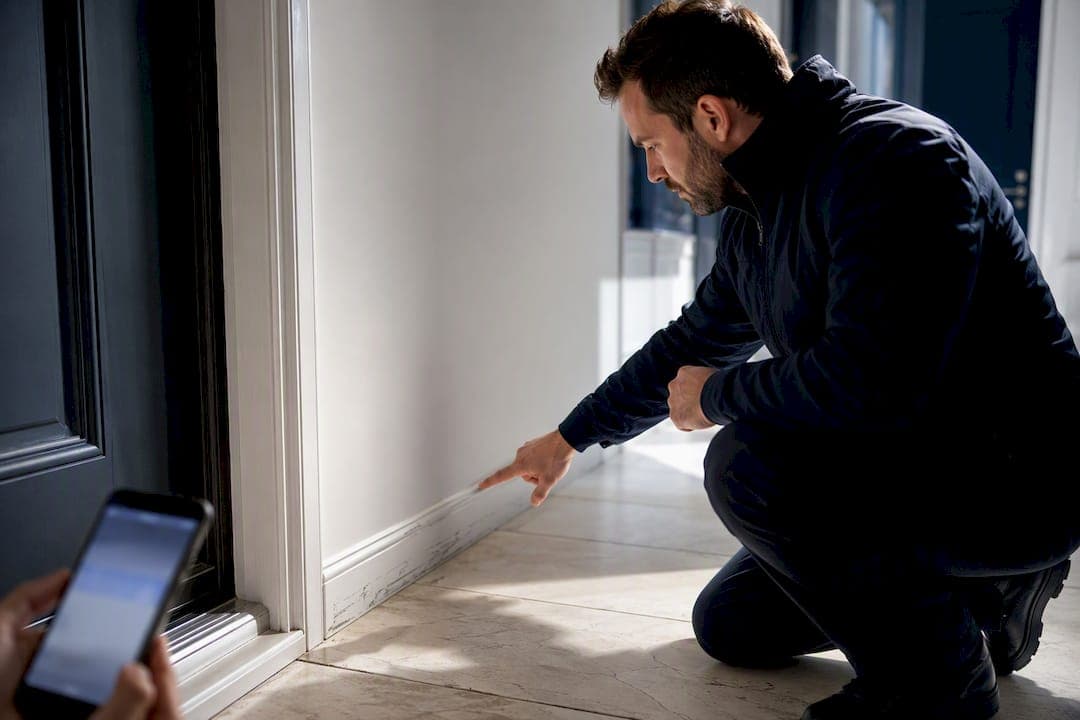
A unit condition report is the signed, dated record of a rental unit's condition at move-in and move-out, used to protect security deposits and settle disputes over damage versus normal wear and tear. It works as the legal baseline both parties point to later. Grab a room-by-room template before your next walk-through and fill it out the same day you inspect.
TL;DR:
- Using a detailed, itemized room-by-room checklist with photos improves accuracy and credibility in disputes over damage versus normal wear.
- Digital forms with photos and timestamps are more practical for large portfolios, while government PDFs hold the most legal weight for tribunal cases.
- Conduct inspections immediately upon move-in and move-out while both parties are present, and document the condition thoroughly to prevent future disagreements.
- Properly comparing signed move-in and move-out reports with labeled photos and repair estimates strengthens deposit deduction claims.
- Routine, consistent inspections with attached photos and timestamps help prevent disputes and streamline the claim process, especially when using specialized tools like TurnTrack.
Table of Contents
- Where to Find a Unit Condition Report Template
- What Goes on a Room-by-Room Inspection Checklist
- How to Run the Inspection and Produce an Audit-Ready Report
- Using the Report as Evidence in a Deposit Dispute
- How a Make-Ready Team Actually Captures Condition Records
- What Property Managers Get Wrong About Condition Reports
- Get Audit-Ready Inspections With TurnTrack
- Where to Find Official Forms and Further Guidance
- Sources
Where to Find a Unit Condition Report Template
Three template types cover almost every situation: government PDFs, editable digital forms, and photo-first apps. Each has a place, and picking the wrong one for the job is how landlords end up with a report nobody can actually use in a dispute.
Official government PDFs, like British Columbia's Condition Inspection Report RTB-27, carry the most legal weight because they mirror what local tenancy boards expect to see. They're rigid by design. You mark items clean, working, or damaged, both parties sign, and that's the record. The tradeoff is that PDFs don't hold photos well and get messy once you start attaching multiple images per line item.
Flexible digital forms split the difference: you build your own field list, but you still print or export a static document at the end. They work well for larger portfolios with unit-specific quirks a generic PDF won't capture.
Photo-first digital records solve the PDF's weak spot directly. Instead of a photo folder that has to be matched up to a paper form after the fact, each checklist item carries its own image, timestamp, and status right where it belongs.
- Government PDFs: strongest for tribunal credibility, weakest for photo documentation
- Editable digital forms: good middle ground for multi-unit landlords with varied floor plans
- Photo-first apps: fastest for evidence gathering, best for teams juggling several units at once
Before choosing, check your local tenancy board's own rental unit condition report guidance for form requirements. Some jurisdictions specify what must appear on the record.
What Goes on a Room-by-Room Inspection Checklist
A condition report is only as good as its detail. General notes like "walls fine" won't hold up against a specific memory of a scuff mark six months later. Break every room into the same core categories, then note the finding item by item.
For each room, walk the same order every time so you never skip a fixture:
- Walls and ceilings: check for holes, stains, cracks, or peeling paint
- Flooring: note carpet stains, scratched hardwood, or loose tile, and record the flooring type
- Doors and windows: test that they open, close, and lock properly; check screens and glass for cracks
- Fixtures and lighting: confirm every bulb works and note any missing cover plates
- Appliances: record model and serial numbers for the stove, refrigerator, dishwasher, and washer/dryer if included
- Keys and access devices: count keys, fobs, and garage remotes handed over
Use short status tags: clean, working, damaged, or missing. A comment like "scuff mark, left wall near closet, 2 inches" beats "wall damaged" every time it's read by someone who wasn't in the room.
Appliances deserve extra care. Recording the model and serial number at move-in means you're not guessing later whether that dented refrigerator door was already dented. If a unit has a known maintenance issue, like a slow drain or a finicky thermostat, note it on the report so it's not mistaken for new tenant damage.
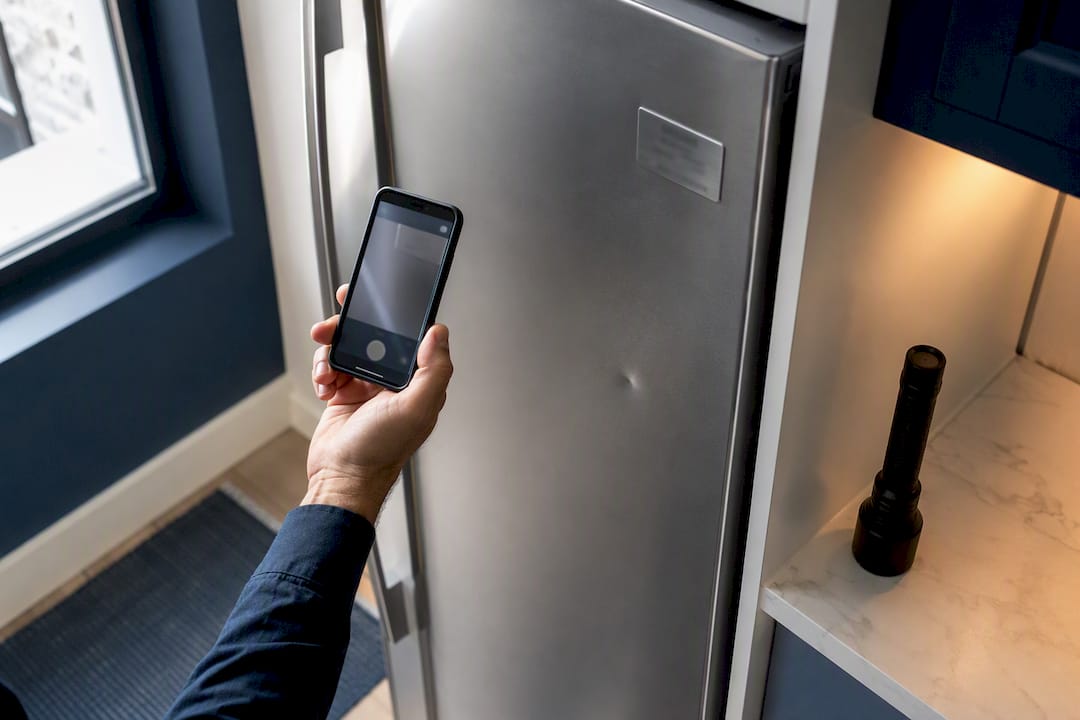
Pro Tip: Photograph every item you mark as damaged or worn, and take a second photo of anything in perfect condition that a future tenant might otherwise claim they inherited pre-damaged. Both directions of proof matter.
How to Run the Inspection and Produce an Audit-Ready Report
Schedule the move-in inspection the day the tenant gets keys, and the move-out inspection as close to the actual move-out date as the schedule allows. Waiting even a few days introduces gaps that make the report less credible if a dispute lands in front of a tenancy board.
Both the landlord (or a property manager acting on their behalf) and the tenant should attend and walk the unit together. Marking items "clean, working, undamaged" as a shared exercise, rather than a solo landlord walk-through, is exactly what official tenancy forms instruct.
If a landlord won't participate or refuses to sign, the tenant should still complete the report and bring a witness to sign it alongside them. That witnessed, dated copy becomes an independently verifiable record that tenancy panels generally treat as credible evidence, even without a landlord signature.
- Give the tenant a signed copy the same day the inspection happens
- Ask for written comments back within the return window your jurisdiction sets
- Name photo files by room and date (example: kitchen_moveout_03-14-2026.jpg)
- Keep the signed report and photos on file for at least a year
Tenants commonly get a 3-day window to return written disagreements on the move-in inspection form, and landlords are typically advised to retain a copy for a reasonable period after the tenancy ends. Missing that return window can weaken a tenant's later dispute, so mark the deadline the moment the report is signed.
Using the Report as Evidence in a Deposit Dispute
A signed report with dated photos carries weight precisely because it removes guesswork about what a unit looked like before either party's memory got fuzzy. Tribunal panels lean on that record over verbal accounts every time.
The report alone doesn't do the job, though. Without a documented baseline for specific items like flooring condition or paint scuffs at move-in, a landlord has nothing to compare against at move-out, and deduction claims fall apart under scrutiny. Vague entries are almost as useless as no entry at all.
To package a claim properly:
- Attach the signed move-in and move-out reports side by side for direct comparison
- Include dated, labeled photos for every item tied to a deduction
- Note any repair estimates or invoices next to the specific damaged item, not as a lump sum
- Reference the difference between wear and tear and actual damage when explaining a deduction
This same documentation discipline helps outside of tenancy disputes too. Insurance claims for tenant damage rely on the same kind of dated, itemized evidence, so a report built for one purpose usually serves the other.
How a Make-Ready Team Actually Captures Condition Records
Paper forms work fine for a single unit. They fall apart once a service manager is running several turns at once, each with its own move-out date, vendor schedule, and unit quirks. That's the operational gap TurnTrack was built to close.
TurnTrack maps a unit turn to a visible timeline: Move-Out, Tech Start, Cleaners, Carpet, Inspection, Make-Ready. Inspections sit inside that timeline instead of existing as a separate paper trail nobody remembers to file.
- Walk the unit area by area on a phone during the Move-Out, Mid-Turn, or Move-In inspection stage
- Attach optional photos to specific items, like a smoke detector swap with the date written right on the task
- Pull specs from the Property Standards Library, so a vendor asking which paint color goes on the walls gets the answer without a phone call
- Review the activity feed for a time-stamped trail of who did what and when
Pro Tip: Vendors and techs don't need their own TurnTrack account to see the specs they need. Share the standards sheet directly, and skip the back-and-forth over paint codes and filter sizes.
TurnTrack isn't a property management system. It doesn't touch rent, leases, or tenant communications; it manages the turn itself, from the last box out to the keys handed to the next resident.
What Property Managers Get Wrong About Condition Reports
Most advice on condition reports treats the form itself as the whole job. Fill it out, get a signature, done. That misses where disputes actually come from: not bad-faith landlords or dishonest tenants, but two people with different memories of a unit they walked through months apart. The form is just the container. What matters is whether it's detailed enough, timestamped enough, and specific enough that memory doesn't get to argue with it.
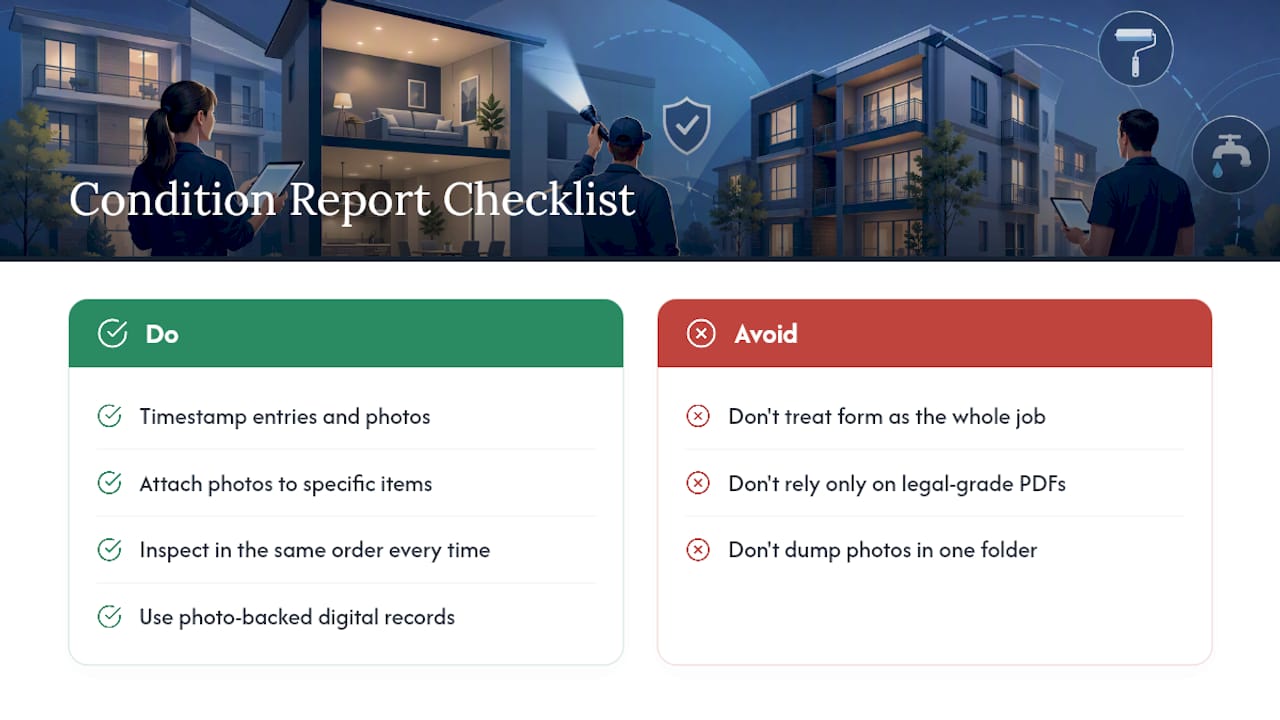
The overrated part of the conventional advice is the emphasis on legal-grade PDFs as if they're inherently superior. They're not better documentation, they're just more defensible in a specific venue. A photo-backed digital record with a clear time stamp holds up just as well in most disputes, and it's far less likely to leave a blank field where a landlord needed one.
If you manage more than one or two units, prioritize the workflow over the paperwork. Build the habit of inspecting the same way every time, in the same order, with photos attached to specific items rather than a folder dumped at the end. The report is only as strong as the routine behind it.
— TurnTrack Team
Get Audit-Ready Inspections With TurnTrack
TurnTrack turns your unit condition reports into a byproduct of the turn itself, not a separate paperwork chore you remember at the last minute. Every inspection, Move-Out, Mid-Turn, or Move-In, gets walked area by area on a phone, with the timeline already showing where that unit sits between Move-Out and Make-Ready.

You get optional photo attachments where they matter, a Property Standards Library your vendors can reference without needing their own login, and an activity feed that logs the trail automatically as the work happens. TurnTrack runs on a workspace-level subscription at $14.99 a month, with a free trial to test it against your next batch of turns, available now on iOS through the App Store. If you're coordinating five or fifteen units at once and tired of chasing paper forms across texts and email threads, start your free trial and run your next inspection inside the same tool tracking the whole turn.
Where to Find Official Forms and Further Guidance
For a jurisdiction-specific starting point, download the RTB-27 sample form or review Nova Scotia's rental unit condition report guidance for the witness-signature process. Both include instructions your local board may mirror. For move-in specifics, TurnTrack's tenant move-in inspection form guide walks through structuring your own version. Always confirm mandatory timelines with your local tenancy board before relying on a template as-is.
Sources
- Move-in inspections and security deposit guidance
- Condition Inspection report RTB-27 (official sample form)
- Rental Unit Condition Report Form guidance (official example)
- Inventory and condition report (practical template)